
 Models
 Materials
 HDRIs
 Scenes
 Brushes
 Node Groups
 Printables
 Creators
 Creations
Blendertronika (Beta) - Make Music in Blender: Soundtracks, Beats, Music Videos and Audio-Reactive Animation
 add-on
A music maker inside Blender: click a genre, shape it with plain buttons, and the finished song lands in your scene. Export WAV, MP3, stems and MIDI, make objects dance to the beat, render a music video.
Blender on its own is not a music program: its audio tools play, sync and visualize sound you already have. Blendertronika adds a music maker inside Blender. You compose, play, arrange and export songs without leaving Blender: click a genre, shape it with plain-named buttons, and the finished song lands in the Video Sequencer as long as your scene. Export it as WAV, MP3, OGG or FLAC, as stems or as MIDI, make your objects move to the beat, or render a music video in one click. You can also draw a melody with Grease Pencil, type words that become notes, or let your animation play the tune. Already have a song or a MIDI file? Use it instead.
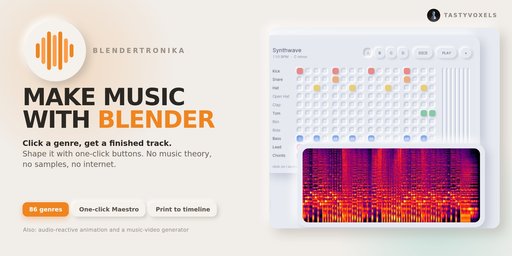
- What it is: a music maker add-on that runs inside Blender, in the sidebar of the 3D Viewport and of the Video Sequencer.
- Who it is for: animators, motion designers, game developers and video makers who need original music without being musicians.
- What you get: a finished song in your scene, WAV, MP3, OGG and FLAC files, seamless loops for game engines, stems and MIDI, beat curves for audio-reactive animation, and MP4 music videos.
- Many ways in: pick a genre, place notes on a step grid, draw a melody with Grease Pencil, type words, let your animation play, or bring your own audio or MIDI file.
- Sounds: every built-in sound is synthesized by the add-on, so there are no samples to license and the music you make is yours.
- Runs on: Blender 4.3 to 5.2, offline, no extra programs to install.
- Play it: the Song Game turns the melody into a level you play in the 3D viewport, and the video of your game is a music video.
- Arrange it: Blender's Video Sequencer becomes your DAW, and the 3D viewport becomes a piano roll where Geometry Nodes can compose.
Blendertronika is in beta. Everything on this page is in the add-on and works today, and it is checked by automated tests before every release. I want to hear what you made, what felt hard, what you wish it did: write it in the comments on this page.
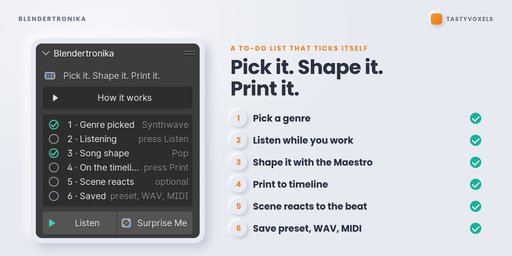
Seven steps, numbered in the panelThe panel opens simple, with a few big buttons: Make Me A Song, Listen, Put It In My Scene, Make The Music Video and the Song Game. Show Every Option opens the seven steps, a to-do list that ticks itself.
- Pick a genre. Music starts on the first click. Click the same genre again and you get a different take on it.
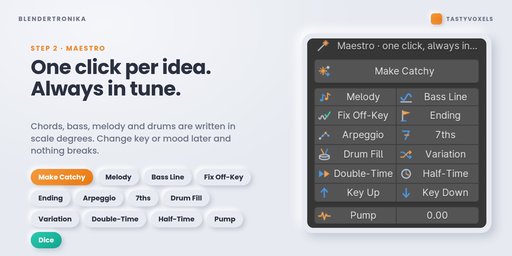
- Shape it. Tempo, key, mood. The Maestro buttons do the musician's work: Make Catchy, Melody, Bass Line, Fix Off-Key, Ending, Arpeggio, 7ths, Drum Fill, Variation, Double-Time, Half-Time, Pump, famous chord progressions and ready-made drum grooves. Everything is written in scale degrees, so it is always in tune.
- Make it a song. Song templates tell your pattern as a story: intro, verse, chorus, break, build, outro, stretched over your whole scene.
- Put it in your scene. Add Music To This Scene: the tempo is nudged so the final chord rings out exactly on your last frame. The song lands in the Video Sequencer, packed inside the .blend. Music Hits: mark a frame and the music lands on it.
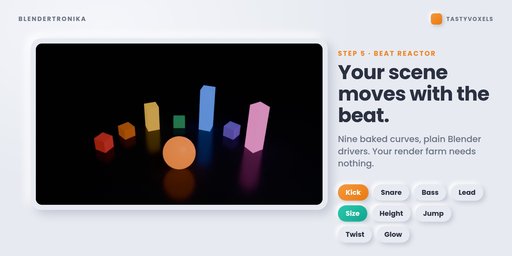
- Beat Reactor. Objects follow the kick, the bass, the melody.
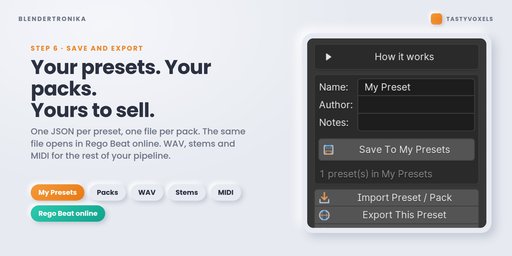
- Take it out. WAV, MP3, OGG or FLAC, a seamless loop for game engines, stems and MIDI, and MIDI in. Your own presets and packs too.
- Music video. One click, one MP4 with your music inside, in five styles.
Energy, Pattern, Fill and every Mute switch are ordinary animatable properties. Hover, press I, move the keyframe to the cut. Your music follows your edit, bar by bar. Template To Keyframes writes a whole song as keyframes for you to push around.
Music HitsPut a timeline marker named Hit on a frame and the music plays to it: a build-up that arrives exactly on the frame, an impact on it (Impact, Boom or Crash), and the rest of the music ducking under it for a moment. The Beat Reactor curves get the hit too.
Beat Reactor and Reactive GroupsPrinting the music writes nine clean 0-1 curves on the scene: kick, snare, hats, perc, bass, chords, lead, everything, beat. They come from the instruments themselves, so the kick curve is only the kick. Select objects, choose what to follow and what to move (size, height, jump, twist, glow), click Make Selected React. Plain Blender drivers: they render on any machine and any farm, with or without the add-on. Reactive Groups give each set of objects its own Size, Jump, Turn, Spin and Glow.
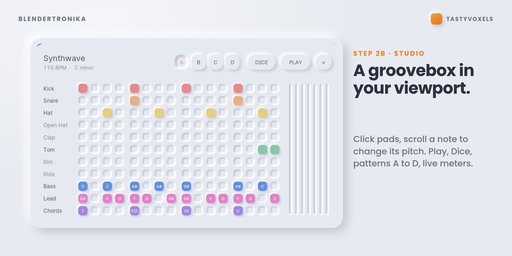
A soft, neumorphic groovebox drawn right over the 3D view: raised pads, pressed wells, a glow on whatever is playing, live meters. Click a pad, scroll on a note to change its pitch, press Play.
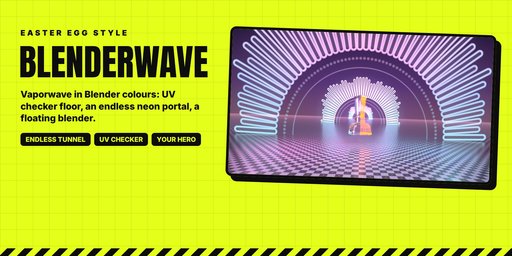
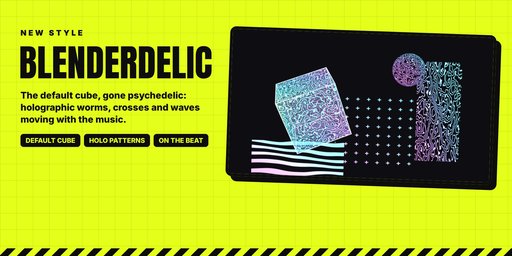
MP4 (H.264, AAC), landscape, vertical or square. Pulse Ring, a circular spectrum that breathes with the kick, with your logo or object in the middle; Studio Pad, the Studio itself drawn frame by frame; Blenderpunk, Holo Glass and Holo Glass Dark. BlenderWave is a real 3D vaporwave stage with an endless portal tunnel; Blenderdelic puts Blender's default cube on a dark mirror inside the same tunnel. In My Scene puts the visual behind your own camera; Put The Visual On Selected makes any style a material on your objects. Oscilloscope, Neon Bars, Lava Spectrum and Neon Wormhole backgrounds, and material presets from glass to holographic.
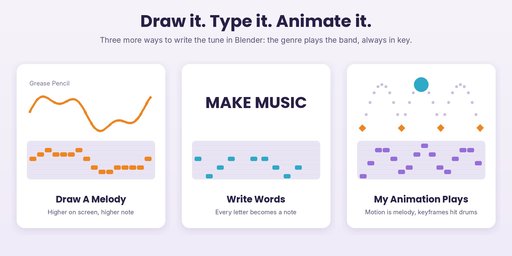
Draw A Melody turns a Grease Pencil line into a melody; Write Words turns a sentence into one, letter by letter; My Animation Plays lets your animated objects write it. The genre you pick plays the band around the tune, always in key.
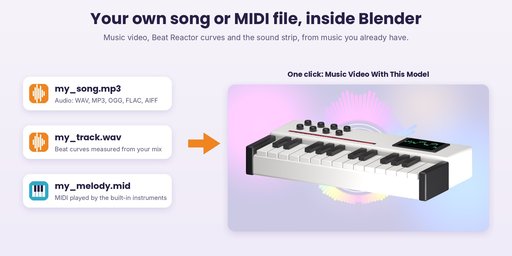
Use My Audio File (WAV, MP3, OGG, FLAC, AIFF) or My MIDI File: the beat curves are measured from your mix, the tempo is estimated, and the Beat Reactor and the music video styles follow your track.
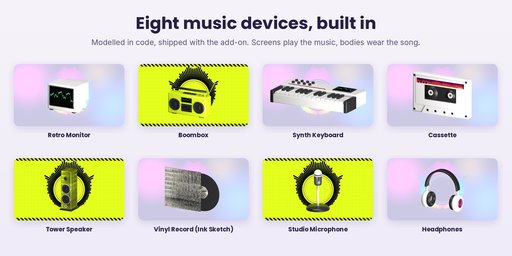
Retro Monitor, Boombox, Synth Keyboard, Cassette, Tower Speaker, Vinyl Record, Studio Microphone and Headphones: original models made in code inside the add-on. Their screens play the music; their bodies wear the song's spectrum, in the video's colours or as Ink Sketch.
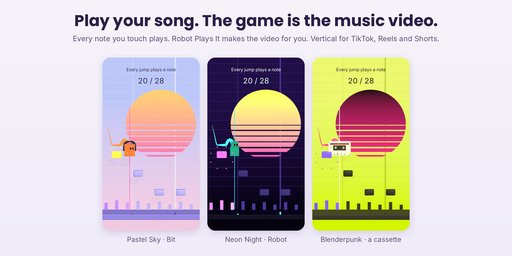
The melody becomes a level: every note is a row of tiles, placed as high as the note. Bit, a small cube with headphones, runs at the tempo and you only jump. Every note you touch plays, every note you miss stays silent. Video Of My Game turns your last game into a music video; Robot Plays It plays every note for you. Vertical 9:16 for short-video feeds, or 16:9 and 1:1, with looks from Pastel Sky to Blenderpunk.
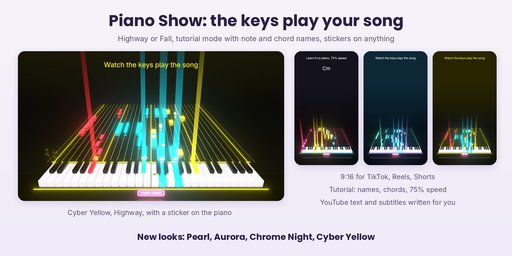
A keyboard plays your song by itself: the notes glide towards the keys and every key goes down and lights up in the colour of its part. Highway or Fall view, also vertical for short-video feeds. Tutorial mode shows the note and chord names, plays at 100%, 75% or 50% speed, and writes a ready-to-post video description with chapters, and subtitles of the notes, next to the video. Stickers: put your own PNG on a key, the piano, the player or anything.
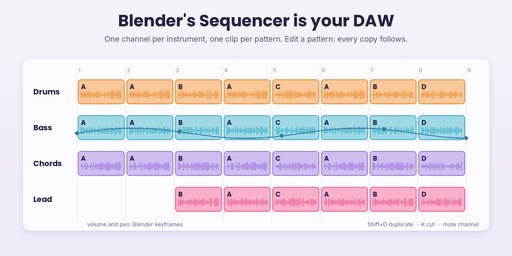
Build Arrangement lays the song out in the Video Sequencer: one channel per instrument group, one clip per pattern, on the beat grid. Move, duplicate, cut, mute, keyframe volume and pan, then Export Sequencer Mix.
Song To Score writes the song as mesh objects: every vertex is a note, X is time and Z is the note. Edit Mode is the editor; Array repeats a phrase, Mirror plays it backwards, Geometry Nodes can generate whole parts.
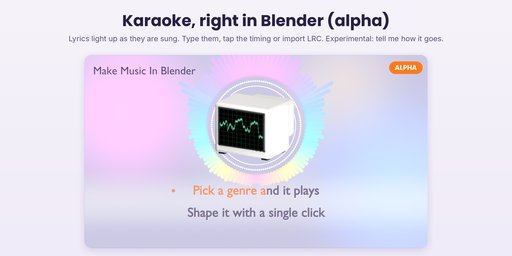
Karaoke (alpha, experimental)Lyrics that light up as they are sung, for the flat music video styles: type them, tap the timing or import an LRC file.
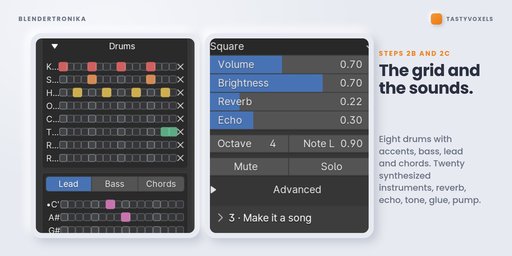
A real step grid: eight drums with accents, bass, lead and chord rows labelled with the notes of your key. Twenty synthesized instruments and eight synthesized drums, reverb, tempo-synced echo, EQ, glue compression, sidechain pump, and a live loop that re-renders while you click.
Give any part a voice of your own: a recording of your instrument (a WAV, played at every pitch, in tune), or a voice written in Python, with a documented template. Blendertronika never runs a Python voice until you have read it and pressed Trust, and that trust belongs to the exact file.
Presets and packsSave To My Presets keeps the whole song. Export My Presets As Pack writes them into one open, documented file you can share or sell, with your own voices if you like.
Blendertronika is not a recording studio: it does not record audio and it does not host VST plugins. It is a music maker first, with a simple DAW for arranging, mixing and exporting. The music you make is yours.
Never lose your workExport All Settings writes everything to one small JSON file, and every save of the .blend also writes a local backup in Blender's own configuration folder (the last 20 are kept).
Covers, shirts and postersThe whole song as one picture: a spectrogram, a ring like a record or a wave, at album cover, T-shirt, poster or banner size.
RequirementsBlender 4.3 to 5.2. Windows, macOS, Linux. Uses only what ships with Blender. No internet, no external programs, no dependencies to install.
No AI inside the productNo model, no inference, no telemetry, no network access, no data collection. The Maestro is music theory written as code, and the instruments are plain synthesis maths. It runs offline and gives the same result from the same seed, forever.
AI assists me while I work: it writes code with me, and it translates my documentation into English, which is not my first language. I have been programming since long before generative tools were mainstream. Automated checks run headless before each release, and every one of the 86 genres is rendered and measured for level and clipping each time.
SupportUpdates are included for good: buy once and every future version is yours. Questions and feedback in the comments on this page; there is a Feedback panel in the add-on too.
Tasty Voxels x Regolith Highfield, GPL-3.0-or-later


