
 Models
 Materials
 HDRIs
 Scenes
 Brushes
 Node Groups
 Printables
 Creators
 Creations
Instant-Life | Instant Animation Addon
 add-on
One-click procedural idle animation for any Blender rig. Presets, a body map with per-part control, face animation with expressions, live update and NLA bake. Finds the bones on Rigify, CloudRig, Auto-Rig Pro, Mixamo and most humanoid rigs.
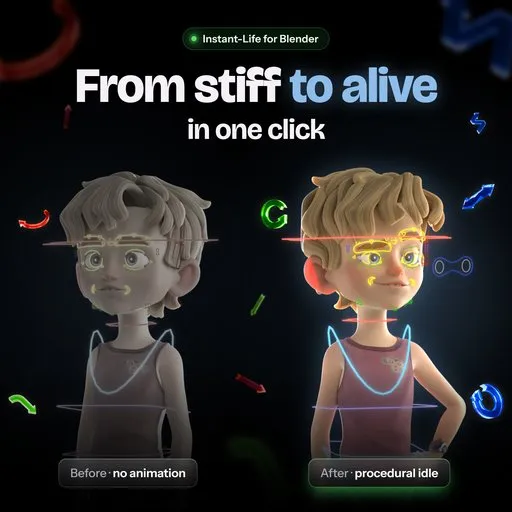
Idle animation for any Blender rig, in one click
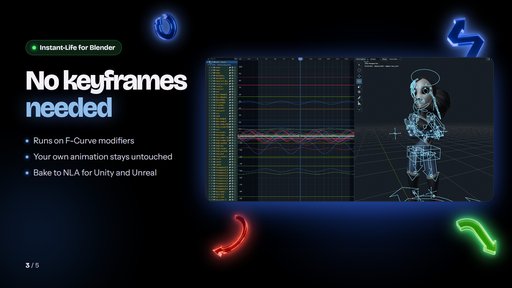
Instant-Life generates breathing and idle motion procedurally through F-Curve modifiers. No keyframing, no manual curve work, and your original pose stays untouched.
Body motion
- Ready-made presets, from calm breathing to panic
- Scale and Speed for every body part, on a clickable body map
- Optional random hand and head movement
- Live update: tune it while the timeline plays
- Preset creator: save your own motion styles as presets
Face animation
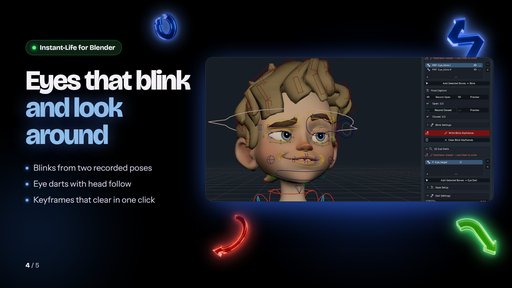
- Eye blinks from two recorded poses
- Natural eye darts between gaze poses you record: big darts turn the head and often come with a blink, tiny micro darts fill the moments in between
- Expressions: record any pose (a smile, a brow raise, an ear twitch), take one from your pose library, or use a shape key; it fires now and then, or switches on and off as the head turns
- Adjustable overshoot
- Clears only the keyframes it wrote
Pipeline
- Non-destructive: your pose and keyframes stay untouched
- Remove all generated motion in one click
- Works on top of keyframed and mocap animation
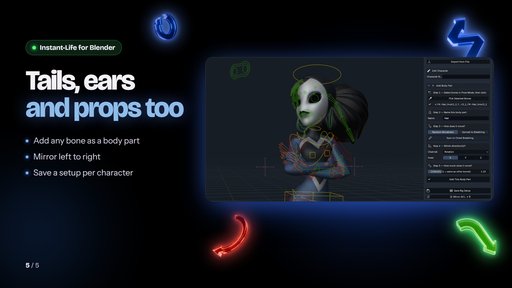
- Automatic bone detection on Rigify, CloudRig, Auto-Rig Pro, Mixamo, and most other humanoid rigs, with manual assignment for anything else
- Save a character's whole setup (bones, body parts, preset, face and expressions) and apply it to any rig in one click
- Bake to an NLA strip for Unity, Unreal, or any game engine
- Seamless loop for game idles, with the face and expressions looping too; one click takes the loop off again
Compatibility
Blender 4.4 and newer, including 5.2. Works with Rigify, CloudRig, Auto-Rig Pro, Mixamo, and custom rigs.
Designed for animators, technical artists, and generalists who want professional idle animation without the manual overhead.
How to Use Instant-Life
Setup
- Install the addon and enable it in Blender Preferences
- Select your character: the armature or its mesh
- Open the Instant-Life panel in the 3D Viewport sidebar (N-panel, "Instant-Life" tab)
Assigning Bones
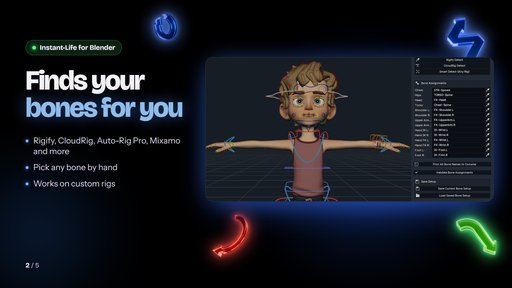
- Bones are found automatically on most humanoid rigs. The Character section shows the rig type and how many body parts were found
- If a bone is missing or wrong, open the Bone Setup panel, click Smart Detect, and correct the field with the bone picker
- Run Validate to confirm all assigned bones exist in the armature
Generating Motion
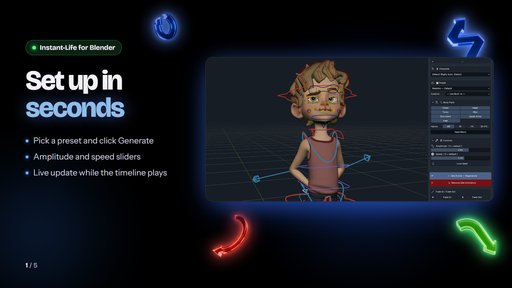
- Select a preset from the dropdown (Default is a good starting point)
- Adjust the global Scale and Speed sliders to taste
- Click Generate to apply the idle motion
- Play the timeline to preview the result
Fine-Tuning
- Click a body part on the body map to give it its own Scale and Speed, or switch it off with its tick box
- Toggle Head Micro and Hand Micro for added secondary motion
- Changes apply at once with Live Update; click Generate again for a new variation
Face Animation
- Open the Face Animation panel
- Record open and closed poses for eye blinks, assign dart targets for eye movement, and set a head-follow bone
- Click Write Blinks, then Write Eye Darts. Big eye darts turn the head and often come with a blink, and tiny micro darts fill the moments in between. For expressions, open the Expressions tab, record a rest and an expression pose (or select the bones and pick a pose from your pose library), and click Write Expressions
Saving and Reusing
- Save the character: its bones, body parts, preset, face setup and expressions, then apply it to any rig in one click
- Create a User Preset to store a custom motion style you want to reapply quickly
Export
- Use the NLA Bake panel to convert all modifier-driven motion into a clean NLA strip ready for Unity, Unreal, or any game engine pipeline; turn on Seamless Loop for a clip that loops without a pop
- Click Remove at any time to strip all Instant-Life motion non-destructively


