
 Add-ons
 Models
 Materials
 HDRIs
 Scenes
 Brushes
 Node Groups
 Printables
 Creators
 Creations
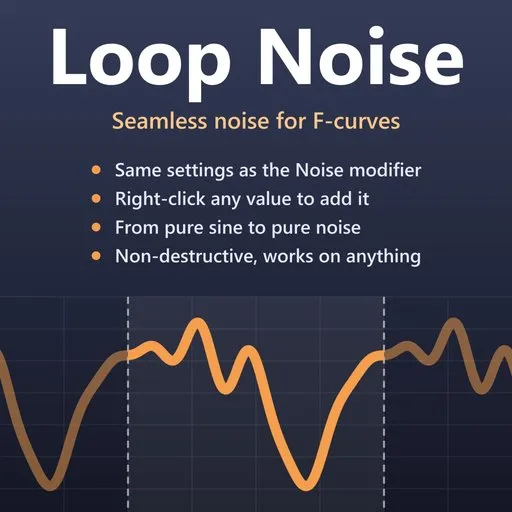
Noise that loops seamlessly
Blender's Noise modifier is great for idle motion, breathing, camera shake and flicker, but it never repeats: when your animation loops, the noise jumps at the seam. Loop Noise makes the same noise cyclic: with the same settings, it repeats over a frame range you choose, and the last frame flows into the first with no jump in position or speed.
Features
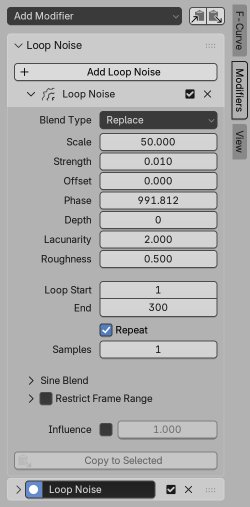
• Same noise as Blender's Noise modifier: Blend Type, Scale, Strength, Offset, Phase, Depth, Lacunarity and Roughness work exactly as you know them.
• Seamless by construction: the loop repeats exactly, every frame.
• Non-destructive: your keyframes are never touched; mute or remove the noise at any time.
• Works on anything you can keyframe: bones, objects, shape keys, materials, lights, cameras.
• Sine Blend: from a pure sine to pure noise with one slider, for regular motion like breathing.
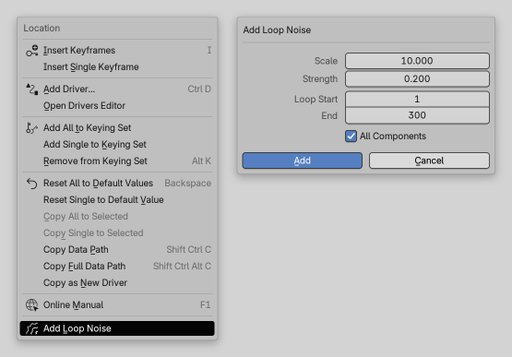
• Right-click any value ▸ Add Loop Noise: no need to keyframe it first. X, Y and Z in one go, each with its own random Phase.
• Copy to Selected spreads your tuned settings to other curves while each keeps its own pattern.
• Files work without the add-on: the result is stored in a standard Blender modifier, so playback, rendering and export need nothing installed.
Quick start
- Right-click any animatable value, for example a bone's Rotation, and choose Add Loop Noise.
- Set Scale, Strength and the loop's Start and End frames, then click Add. Press play.
- Fine-tune everything in the Graph Editor's sidebar (N), on the Modifiers tab.
Compatibility, documentation and license
Works in Blender 4.5 LTS and newer (tested on 4.5 LTS, 5.2 LTS and 5.3). No internet access, registration or extra downloads needed.
Full guide, source code and bug reports: https://github.com/Alex-D-Green/LoopNoise
License: GPL-3.0-or-later.


