
 Models
 Materials
 HDRIs
 Scenes
 Brushes
 Node Groups
 Printables
 Creators
 Creations
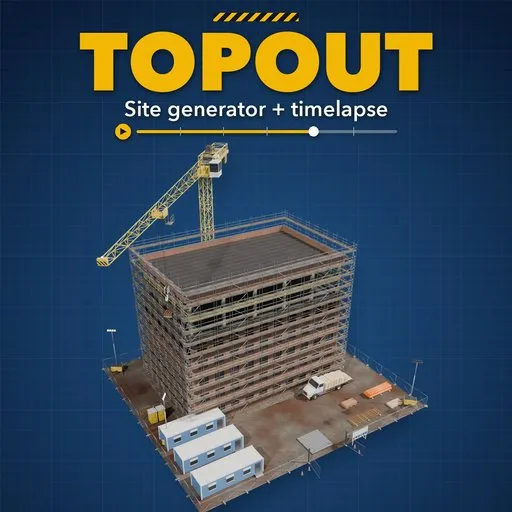
Topout – Construction Site Generator & Timelapse for Blender
 add-on
A whole construction site that animates from excavation to handover with one Progress slider: 45 presets, 5 structure types, cranes, machines, trucks and scaffold, photoreal PBR.
Explore all my Blender addons
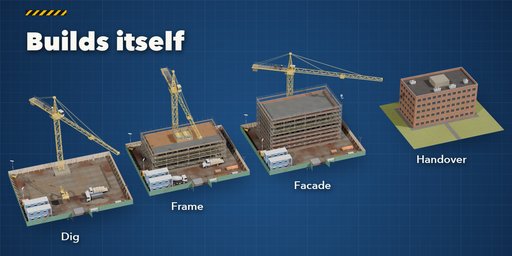
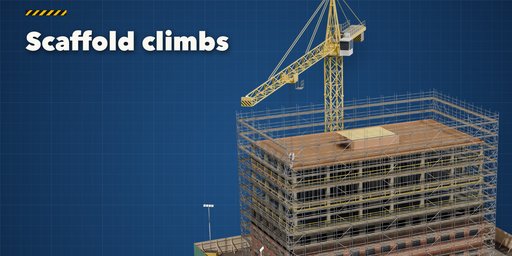
Topout builds a complete construction site in Blender and animates it from the empty plot to the handed-over building. One Progress slider, or the timeline, drives everything: the excavator digs the pit, tippers haul the spoil, rebar and the raft are poured, the frame rises floor by floor while the tower crane swings, the scaffold climbs with it, the facade, windows and roof close the building, then the scaffold is struck, the site is cleared and the lawn and paving go in.
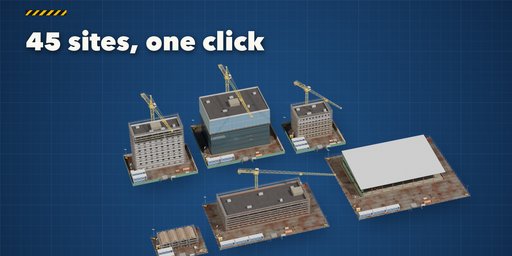
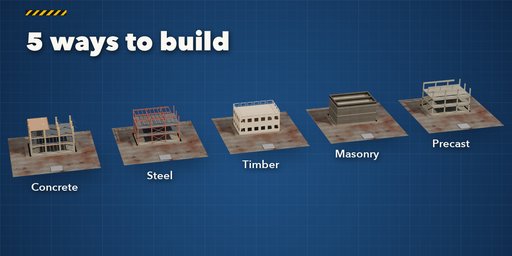
Pick one of 45 sites, from a suburban timber house, brick terraces and a mass timber block to glass offices, a forty-storey skyscraper, a hospital, a parking garage and a logistics hub, then change anything. Five real structure types each build the way they are built on site: cast concrete with column forms and table forms on props, a steel frame with beams, bracing and metal deck, timber studs and joists with sheathing and house wrap, load-bearing blockwork with precast planks, or precast columns, beams and hollow-core planks.
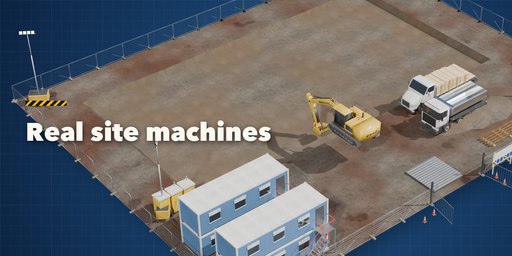
The site is full of real equipment: 11 tower cranes and 3 mobile cranes, 18 excavators, loaders, dumpers and rollers, 11 tippers, mixers and delivery trucks, six scaffold systems with netting or sheeting, climbing screens for towers, mesh fences, banner fences or plywood hoarding, cabins, portable toilets, skips, floodlights and material stacks. Everything is photoreal PBR from real scans and works in Cycles and EEVEE.
Scrubbing is instant: the timelapse is drivers on simple expressions, so nothing rebuilds while you play it. Shared meshes and instancing keep big sites light, and three detail levels let you choose between close-ups and whole city blocks.
Features
- 45 site presets and a one-click Randomize
- A full timelapse from one Progress value or the timeline frame range
- 10 phases with jump buttons: setup, excavation, foundations, frame, facade, roof, scaffold down, clearing, landscaping, handover
- 5 structure types, 7 facades, 4 roofs, 12 windows and 11 brick bonds
- Up to 40 floors, 3 basements and rows of up to 6 buildings that start one after another
- Tower crane that slews as the frame rises, mobile crane that erects and dismantles it
- Excavators, tippers, mixers at every pour, deliveries, loaders, dumpers and rollers
- Six scaffold systems, netting or sheeting, climbing screens on tall frames
- Fences, hoarding, gates, cabins, toilets, skips, floodlights, cones and stacks
- Clean, working or muddy condition
- Copy Current Stage makes a static copy of any moment for export or stills
- Picture-driven sidebar, Shift+A menu, copies stay independent when you edit them
- Works in Cycles and EEVEE
Requires Blender 4.2 or newer. Tested on Blender 4.2, 4.5 and 5.2 LTS.
How to use
Installation
In Blender open Edit, Preferences, Get Extensions, then use Install from Disk and pick the construction_site_generator zip.
Usage
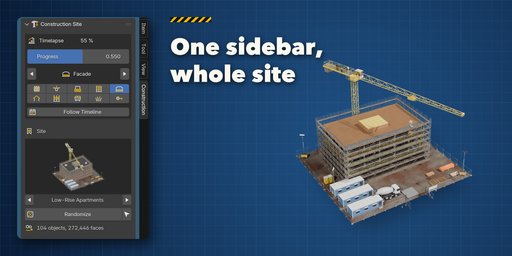
- Open the Construction tab in the 3D viewport sidebar (N). With nothing selected, click the picture to choose one of the 45 sites and press Add Site, or Random Site. Shift+A, Construction Site works too.
- The Timelapse box drives the build. By default it follows the timeline: play or scrub between the start and end frames (Use as Scene Range sets the scene to them). Turn Follow Timeline off to use the Progress slider instead. The arrows and phase buttons jump to excavation, foundations, frame, facade, roof, scaffold down, clearing, landscaping and handover.
- Pick another site in the gallery or press Randomize. The sub-panels hold every setting: Building (structure, facade, roof, floors, basements, buildings in a row, footprint, windows, brick and colors), Site (fence, cabins, toilets, stacks, ground, surroundings), Cranes & Machines, Scaffold and Finish & Output (condition, detail, seed).
- Copy Current Stage makes a static copy of the site as it looks now, ready to export or to keep for a still.
Detail Low keeps big sites and city blocks light; use High for close-ups.
FAQ
Which Blender versions are supported?
Blender 4.2 and newer. It is tested on Blender 4.2, 4.5 and 5.2 LTS.
How is the timelapse animated?
Every part has simple drivers that read one Progress value, and Progress follows the timeline between two frames you choose. Nothing is rebuilt while you scrub or render, so playback is fast and it renders on a farm like any driven scene.
Can I export one stage of the build?
Yes. Set the moment you want and press Copy Current Stage: it makes a plain static copy of everything visible, with no drivers, ready to export or edit.
How heavy is a site?
A house site is about 100k faces, a mid-rise block 200 to 300k at its busiest moment. Repeated parts share their meshes, and the Detail setting trades rebar, props and window parts for speed.
Does it work in EEVEE?
Yes, in both Cycles and EEVEE. All materials are real PBR scans and also work in game engines.


