
 Models
 Materials
 HDRIs
 Scenes
 Brushes
 Node Groups
 Printables
 Creators
 Creations
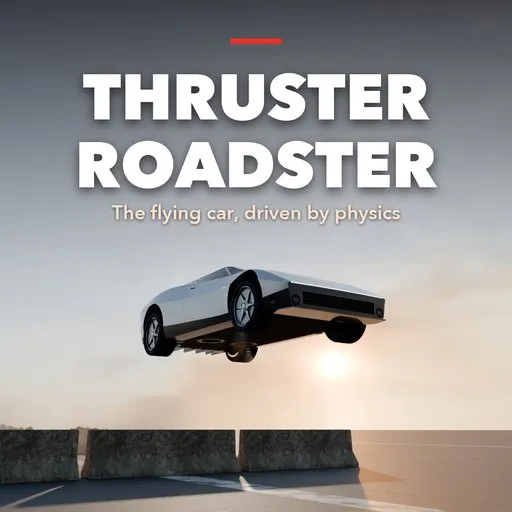
Thruster Roadster – Flying Car Generator for Blender
 add-on
A photoreal thruster hypercar that drives and flies any path you draw with real physics: tires, suction fans, cold-gas thrusters, baked vapor plumes, smoke, skid marks and an automatic sound track.
Explore all my Blender addons
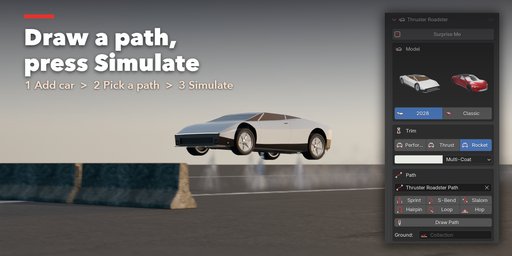
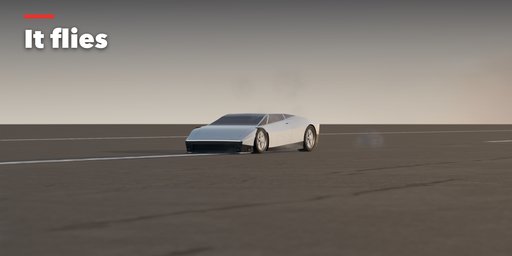
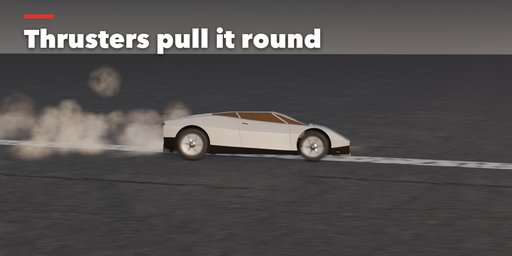
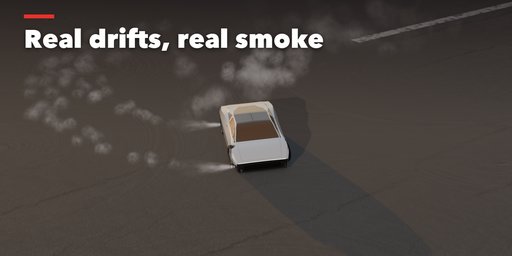
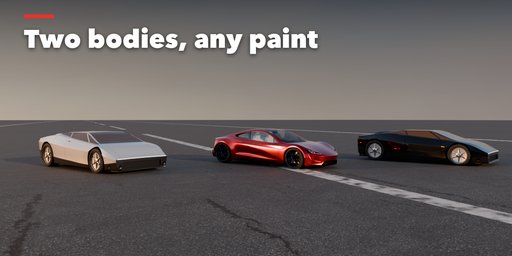
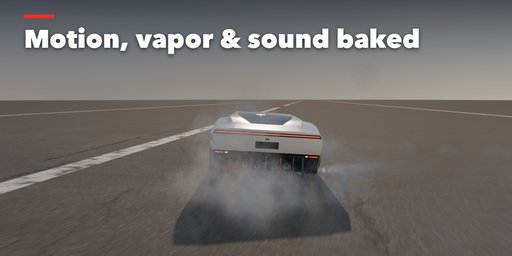
Draw a path, press Simulate, and watch a thruster hypercar fight physics to follow it.
Thruster Roadster builds the flying electric roadster of 2028 in Blender: a photoreal two-seat EV hypercar with cold-gas rocket thrusters, inspired by the thruster roadster revealed in 2026. It does not just play a canned animation along a curve. A real-time physics simulation drives the car: tires with a friction circle, suspension, three electric motors, suction fans and twelve compressed-air thrusters, each with its real limits. When a corner is too fast for the tires, the side thrusters fire to pull it round. When the path lifts off the ground, the lift thrusters carry the car through the air. The air tank is unlimited by default; switch to the real 600 L tank and a long flight ends when it runs dry.
Features
- Two photoreal bodies: the faceted 2028 wedge in pearl white with bronze glass and full-width light bars, or the smooth classic 2+2; multi-coat paint, four wheel finishes, machined thruster nozzles, suction fans
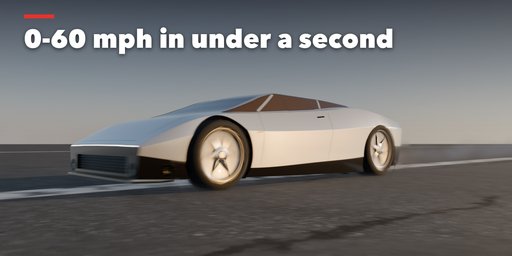
- Three trims: Performance (no thrusters), Thrust (rear boosters, 0-60 mph under a second) and Rocket (full thruster set that brakes, slides, hops and flies)
- Six ready paths (sprint, S-bend, slalom, hairpin, loop, hop) or draw your own onto any ground; raise points to fly them
- Drive on your own scene: ramps, roads and terrain in a ground collection are real geometry the car jumps off and lands on
- Three driving styles from Calm to Max Attack, optional barrel roll on flown stretches
- Or drive it yourself like a car game: WASD to drive, Space to fly, Q/E to roll it on one side's thrusters (it is pure physics, so you can roll it over), Shift to boost. Press Enter and your drive is baked with every effect and sound
- Baked effects: cold-gas vapor plumes that follow every valve, drifting vapor puffs, tire smoke, skid marks, ground dust blasts
- Automatic sound track: motor whine tied to speed, thruster roar tied to thrust, tire screech, landings, fans and wind, with Doppler and panning from your camera
- Surprise Me: one click builds a random roadster (body, trim, paint, wheels) on a random path and simulates it
- Everything is keyframed: scrub, render, or export like any animation
Tested on Blender 4.2, 4.5 and 5.2 LTS.
Credits
The 2028 body is our own model. The Classic body is based on a 3D model by metarex.4d on Sketchfab (https://sketchfab.com/models/1fbf29e297bd4a17ac39a00a378441d8), licensed under CC BY 4.0 (https://creativecommons.org/licenses/by/4.0/). We removed the brand badges, lettering and tire sidewall text, split it into body, wheels and calipers, and rescaled it; the thrusters, fans, materials, physics, effects and sound are our own work. The same credit ships in the add-on as assets/CREDITS.txt. Not affiliated with or endorsed by any car maker.
How to use
Installation
In Blender open Edit, Preferences, Get Extensions, then use Install from Disk and pick the zip.
Usage
- Open the sidebar (N) and the Roadster tab, then press Add Thruster Roadster.
- Pick a trim and a paint color.
- Click a ready path, or Draw Path and draw onto your ground. Lift points of the curve (G Z) to make the car fly there.
- Optionally put your roads, ramps and terrain in a collection and pick it as Ground.
- Choose a driving style and top speed, then press Simulate Run.
- Play the timeline: motion, plumes, smoke, skid marks and sound are baked. Change anything and Simulate again.
FAQ
Which Blender versions are supported?
Blender 4.2 and newer. It is tested on Blender 4.2, 4.5 and 5.2 LTS.
Why does the car not follow my path exactly?
That is the physics. The car only has the grip, motor power and thrust a real one would have. Too-tight corners make it slide wide, and with the real air tank switched on, very high or long flights empty it and the car falls. Slow the top speed, use the Max Attack style, or make the path gentler.
Who made the car models, and can I use them commercially?
The 2028 body is our own model, free to use in your work. The Classic body is based on a 3D model by metarex.4d on Sketchfab (https://sketchfab.com/models/1fbf29e297bd4a17ac39a00a378441d8), licensed under CC BY 4.0, which allows commercial use as long as the author is credited. If you publish renders or animations made with it, keep a credit line such as: Car model based on a model by metarex.4d, CC BY 4.0. The full credit is in assets/CREDITS.txt inside the add-on.
Where is the sound?
In the Video Sequencer: the add-on mixes one sound strip from the run and packs it into your .blend. It plays with the timeline and is included when you render a video with audio.


