
 Models
 Materials
 HDRIs
 Scenes
 Brushes
 Node Groups
 Printables
 Creators
 Creations
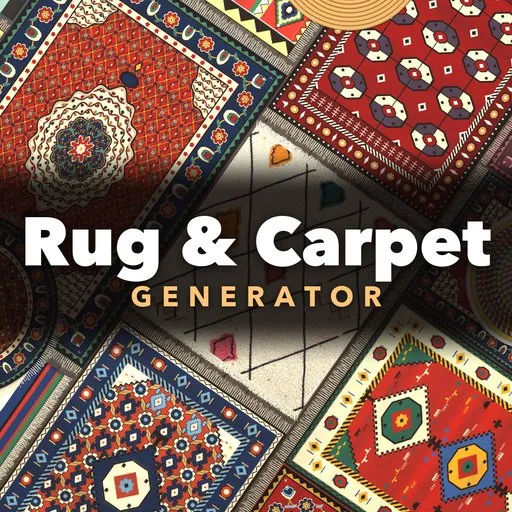
Rug & Carpet Generator
 add-on
Photoreal procedural rugs: 37 real-world designs from Persian medallions and kilims to Beni Ourain shag, jute, coir doormats, cowhides, carpet tiles and stair runners, with fringe and pile.
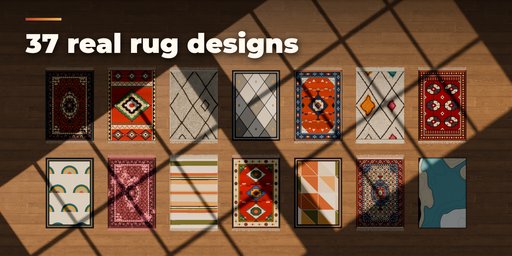
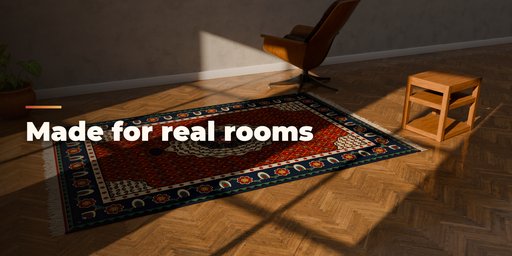
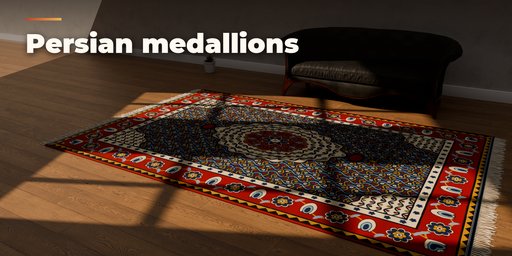
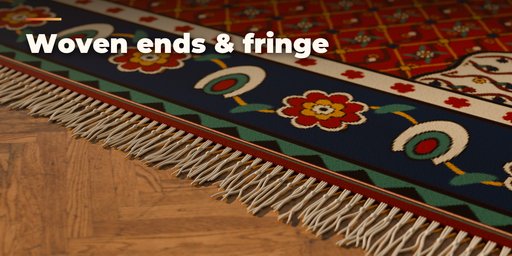
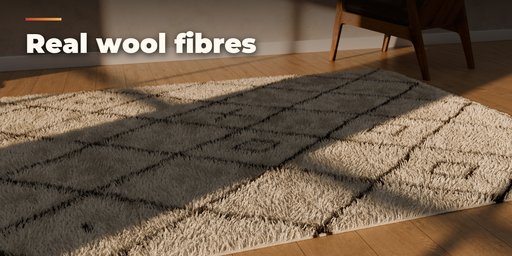
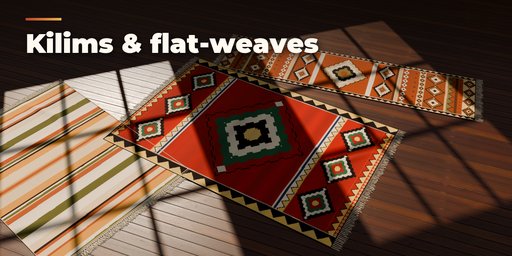
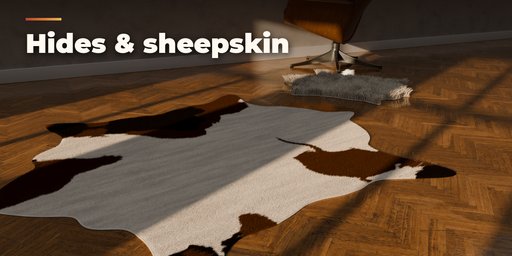
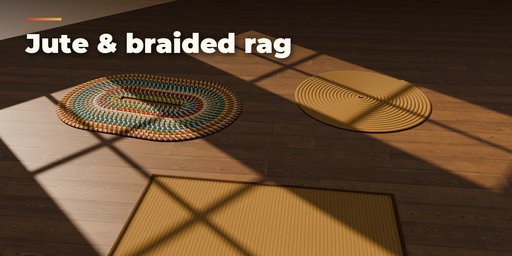
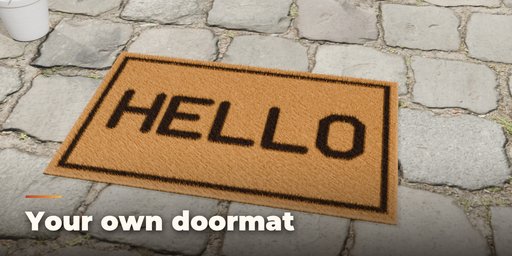
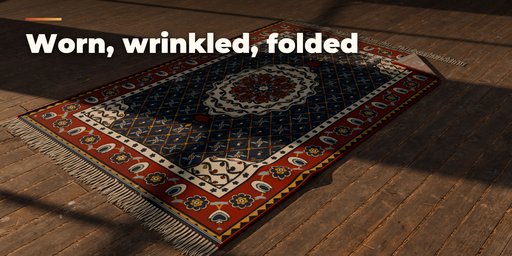
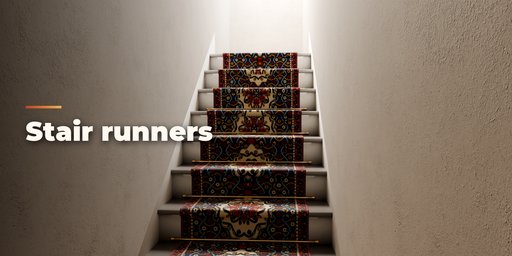
Rug & Carpet Generator makes photorealistic rugs, mats and carpets inside Blender. Pick one of 37 designs based on real rugs, from a Tabriz medallion carpet or an Anatolian kilim to a shaggy Beni Ourain, a coir doormat that says WELCOME, a cowhide or a stair runner with brass rods. Then change anything: size, pattern, colours, pile, edges, fringe and age all rebuild live.
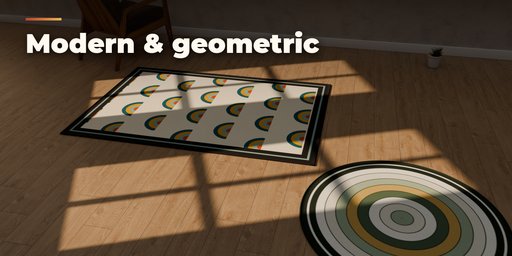
Patterns are drawn by the addon, not tiled photos. Persian rugs get a mirrored medallion, corner spandrels, borders with guard stripes and a Herati, floral or boteh field with vines and blossoms. Kilims, Bukhara guls, tribal Heriz and Kazak rugs, Scandinavian diamonds, mid-century arches, topographic abstracts, stripes, cowhide and zebra are all included, with knot-level pixel steps, abrash colour bands and hand-made wobble. Hand-knotted rugs end the way real ones do: the pile stops at a flat-woven kilim band with coloured weft stripes, and the warps run out as straight, knotted or tasselled fringe.
Every rug sits on the floor with a small gap, so there is no z-fighting, and it can lie flat, ripple with wrinkles or flip a folded corner. Game Ready builds a light mesh with baked-in normal, height and cavity detail. Hero adds real yarn strands for shag, sheepskin, hide, coir and bath mats.
Features
- 37 presets: Persian, Oriental, tribal, kilim, dhurrie, Beni Ourain, Azilal, shag, sheepskin, modern, abstract, jute, sisal, braided rag, bath mat, coir doormat, cowhide, zebra, carpet tiles and stair runners
- 13 pattern styles and 28 palettes, or six colours of your own
- 9 pile types: cut, plush, shag, loop, flat-weave, jute, sisal, coir and hide
- Rectangle, rounded, round, oval, half-moon, octagon and animal-hide shapes
- Braided oval and round rugs, wall-to-wall carpet tiles and stair runners with rods
- Straight, knotted and tasselled fringe with flat-woven kilim ends; serged, bound, corded or cut edges
- Pile micro-detail per type: knotted tufts, velvet plush, Berber loops, chunky jute cords, sisal herringbone, coir bristles
- Wear, fading, overdye, wrinkles and a folded corner
- Game Ready (normal-mapped mesh) or Hero (real fibres) quality
- Principled PBR materials that work in Cycles, EEVEE and game engines
- Picture-first sidebar with Surprise Me, New Variation and New Colours buttons
- Shift+A menu and Convert to Mesh
Requires Blender 4.2 or newer. Tested on Blender 4.2, 4.5 and 5.2 LTS.
How to use
Installation
In Blender open Edit, Preferences, Get Extensions, then use Install from Disk and pick the rug_generator zip.
Usage
- Open the Rug tab in the 3D viewport sidebar (N). With no rug selected, click the picture to choose a design and press Add Rug to place it at the 3D cursor. You can also use Shift+A, Mesh, Rug.
- With a rug selected, the big picture switches it to another design. Surprise Me makes a new random rug, New Variation changes the current one a little and New Colours picks a fitting palette.
- The main panel holds quality (Game Ready or Hero), shape, size, pattern, colours and pile. The folded sub-panels hold Pattern Details, Pile & Backing, Edges & Fringe, Age & Shape (wear, wrinkles, folded corner), Construction (braids, tiles, stairs) and Mesh & Export.
- Convert to Mesh keeps the rug as plain objects; Delete removes it with all its parts. Generated textures are packed into the .blend when you save.
Hero fibres look best in Cycles. For games use Game Ready: one mesh with normal, roughness and cavity detail.
FAQ
Which Blender versions are supported?
Blender 4.2 and newer. It is tested on Blender 4.2, 4.5 and 5.2 LTS.
Can I use the rugs in a game engine?
Yes. Game Ready quality builds a light mesh with Principled PBR materials. Convert to Mesh and export as usual; the pattern, normal and detail maps are ordinary images.
Will the rug flicker against my floor?
No. Every rug sits a fraction of a millimetre above the floor and wrinkles and folds only lift it, so it never z-fights with the floor or itself.


