
 Models
 Materials
 HDRIs
HDRIs
 Scenes
 Brushes
 Node Groups
 Printables
 Creators
 Creations
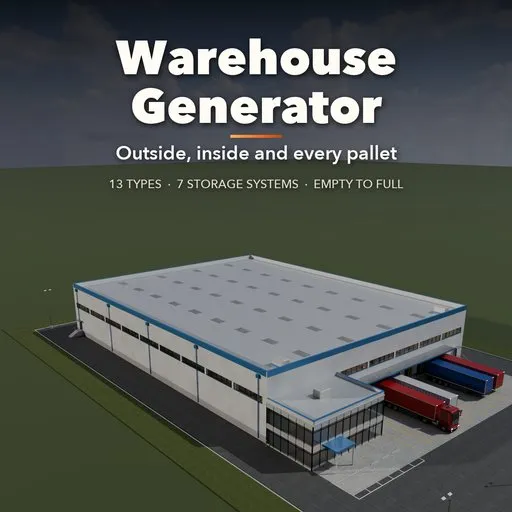
Warehouse Generator
 add-on
Complete procedural warehouses: 13 types with full exteriors, interiors, racks, stock, lighting and services. Set what is stored, how it is stockpiled and how full it is.
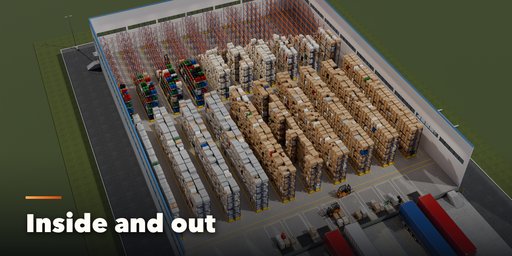
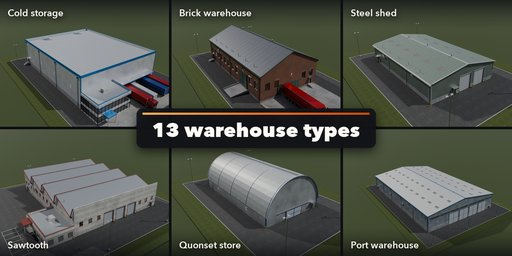
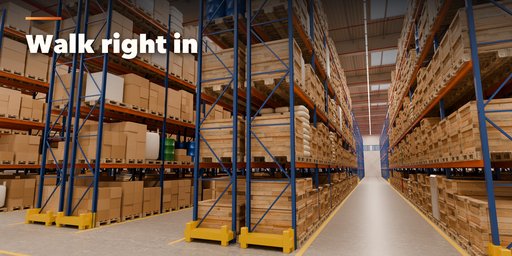
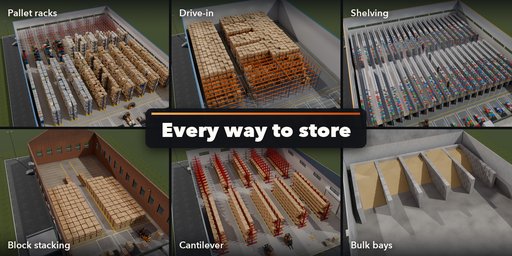
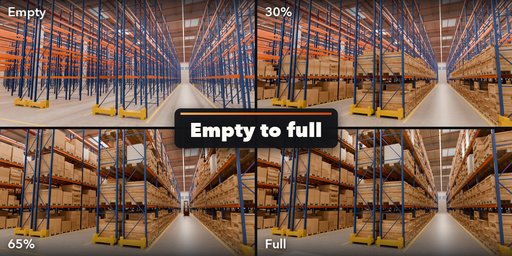
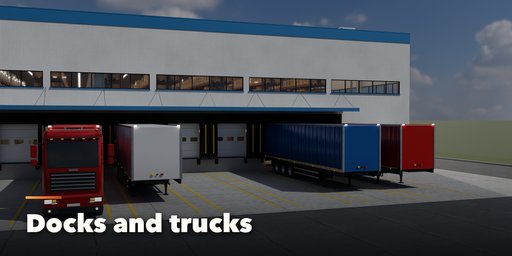
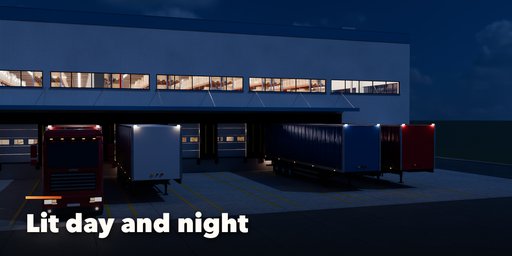
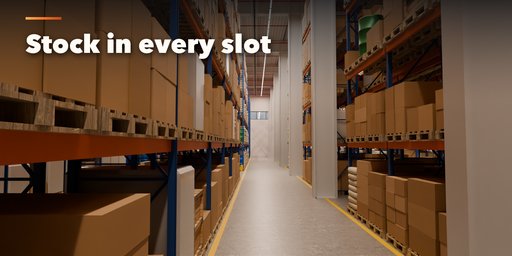
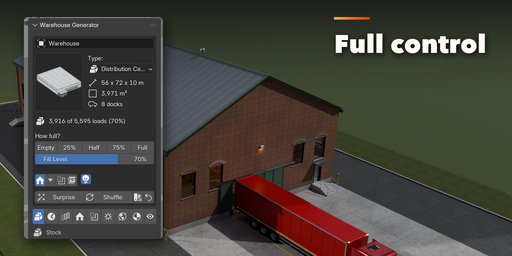
Warehouse Generator builds a complete, photorealistic warehouse in one click: the building outside, the hall inside and every pallet on the shelves. Pick one of 13 warehouse types, from a big distribution center with a row of loading docks to a Victorian brick warehouse, a Quonset store or a cold store, then change anything and watch it rebuild.
You set it up the way a warehouse really works. Choose what is stored (cartons, wrapped pallets, crates, drums, sacks, big bags, tires, paper rolls, appliances, bins, lumber or pipes), how it is stockpiled (pallet racks, narrow aisle, drive-in, block stacking, shelving, cantilever or bulk bays), how full the hall is and how it is put away: docks first, back first, bottom up, aisle by aisle, by zone or at random. One click takes the hall from empty to full, and the Flow tab animates stock arriving or leaving at a real rate of loads per hour.
The building comes with everything a real one has: steel, concrete or timber frames, five roof shapes, seven wall claddings, dock doors with levelers, seals and canopies, drive-in and personnel doors, windows and skylights, an office block, a truck court with trailers and trucks, a car park and a fence. Lighting and services are built with it: LED, high-bay or fluorescent light rows with real light objects, rooftop units with spiral ducts, unit heaters or cold store coolers, ceiling fans, sprinklers, cable trays, fire safety points and exit signs.
Features
- 13 warehouse types, each fully editable
- What is stored: 13 kinds of goods
- How it is stored: 7 storage systems plus an open floor, with aisle layout, levels and bay sizes
- Fill level from empty to full, 6 put-away orders, picked and untidy loads
- Animated stock flow: filling up or emptying at loads per hour
- 5 roofs, 7 claddings, 4 frames, base walls, parapets and gutters
- Loading docks, drive-in doors, personnel doors, 4 window styles and skylights
- Office block with glass curtain, ribbon or punched facades
- Lights, air system, fans, sprinklers, electrics and fire safety generated with the building
- Yard, truck court, trailers, trucks, car park, bollards and fence
- Forklifts and pallet jacks
- Cutaway, no-roof and interior-only views to look inside
- Picture-driven sidebar with nine tabs, Surprise and Shuffle buttons, Convert to Meshes
- Works in Cycles and EEVEE
Requires Blender 4.2 or newer. Tested on Blender 4.2, 4.5 and 5.2 LTS.
How to use
Installation
In Blender open Edit, Preferences, Get Extensions, then use Install from Disk and pick the warehouse_generator zip.
Usage
- Open the Warehouse tab in the 3D viewport sidebar (N) and click a warehouse type to add it at the 3D cursor.
- The card at the top shows the type, its size, floor area, docks and how many loads are stored. The How full? buttons set the fill level from Empty to Full; Surprise makes a random warehouse and Shuffle reshuffles the stock.
- The icon tabs hold every setting: Stock (goods, fill level, put-away order, forklifts), Flow (animated filling or emptying), Storage (racks, shelving, block stacks, bulk bays, aisles), Building (size, roof, walls, frame, office), Openings (docks, doors, windows, skylights), Services & Lights (light rows, air system, fans, sprinklers, fire safety), Site (yard, trailers, trucks, car park, fence), Finish (colors, floor, weathering) and View & Export (cutaways, part visibility, detail, Convert to Meshes).
- Use the Cutaway view to look inside. Convert to Meshes keeps the warehouse as plain meshes; Delete removes it with all its parts.
Big halls hold thousands of loads; lower the Detail setting or the fill level if the viewport gets slow.
FAQ
Which Blender versions are supported?
Blender 4.2 and newer. It is tested on Blender 4.2, 4.5 and 5.2 LTS.
Does it make the interior too?
Yes. Every warehouse has a full interior: floor markings, racks or shelving, goods on pallets, forklifts, light rows with real lights, ducts, fans, sprinklers, cable trays and fire safety. The Cutaway view hides the roof and front wall so you can look inside.
Can I animate the warehouse filling up?
Yes. The Flow tab animates the stock arriving or leaving at a rate in loads per hour, with a time lapse setting, and can set the scene's frame range for you.
Can I edit the result as a normal mesh?
Yes. Convert to Meshes in the View & Export tab turns the warehouse into plain mesh objects, ready to edit or export.


