
 Add-ons
 Models
 Materials
 HDRIs
HDRIs
 Scenes
 Brushes
 Node Groups
 Printables
 Creators
 Creations
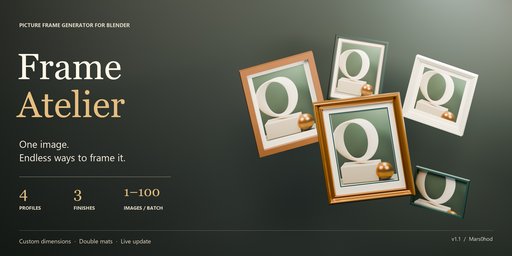
One image. Endless ways to frame it.
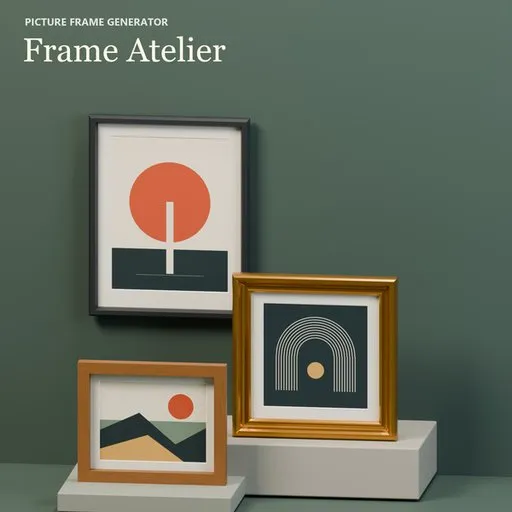
Frame Atelier creates custom picture frames, mats and framed artwork directly in Blender. Build a single statement piece or an entire collection for interiors, gallery walls and artwork presentations.
Shape your frame
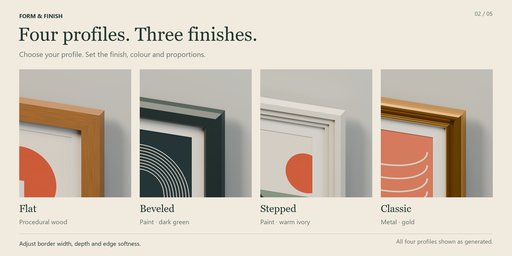
- 4 profiles: Flat, Beveled, Stepped and Classic.
- 3 finishes: Paint, procedural Wood and Metal.
- 5 built-in styles: Gallery, Oak, Gold, Poster and Square.
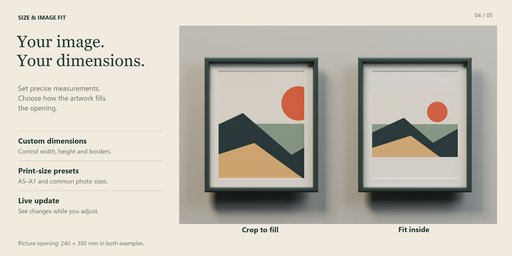
- Set picture dimensions in millimetres and adjust the frame width, depth and edge softness.
- Add optional glass and backing.
Refine every detail
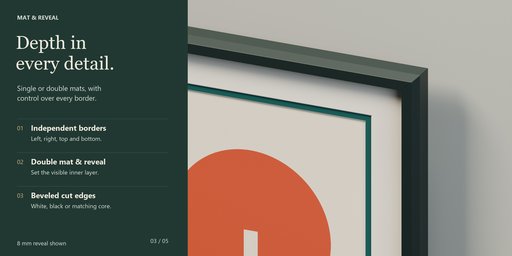
Create single or double mats with independently adjustable borders. Customize the inner reveal, mat colors and bevel core.
Match the opening to your image proportions, crop to fill or fit the entire image inside with margins. Imported artwork is packed into your Blender file.
Frame a collection
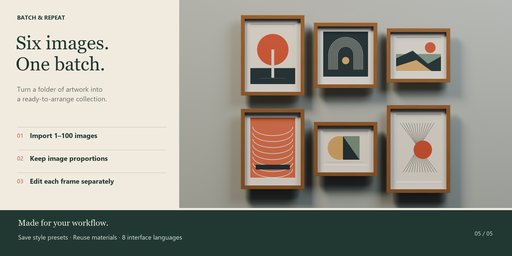
Import 1–100 images per batch to create independently editable frames in a grid. Each opening follows its image proportions. Adjust columns and spacing, then refine individual frames.
Use Live Update to preview parameter changes. Save personal style presets and transfer preset settings through JSON export and import.
Get started
Install and enable Frame Atelier, then open the 3D Viewport → N sidebar → Frame Atelier.
Choose a preset, load your artwork, set the dimensions and click Create frame. To make adjustments, select the frame or one of its parts and use Update frame or enable Live Update.
For manual ZIP installation, use Edit → Preferences → Add-ons → Install from Disk and select the supplied ZIP without extracting it.
Eight languages
The interface and included documentation support English, Russian, German, French, Spanish, Portuguese, Simplified Chinese and Japanese. English is the default.
Compatibility and workflow
Requires Blender 4.2 or newer. Generated geometry and materials work with Cycles and Eevee. Glass appearance in Eevee depends on its rendering settings.
Frame Atelier supports rectangular and square frames. Updates rebuild generated geometry and modifiers, so complete generator adjustments before making manual mesh edits.
Preset JSON transfers settings and material names; it does not include images or material node graphs.
The add-on works offline and requires no external libraries or additional accounts.
Version 1.1.0 · Created by Mars0hod


