
 Models
 Materials
 HDRIs
 Scenes
 Brushes
 Node Groups
 Printables
 Creators
 Creations
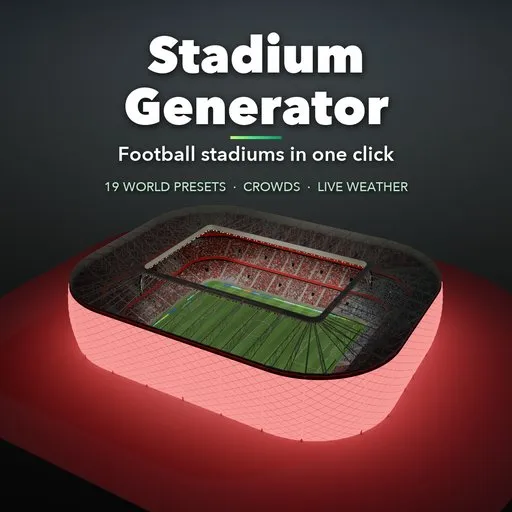
Stadium Generator – Football Stadium Generator for Blender
 add-on
Build football stadiums in one click: 19 world presets, 8 stand layouts, 9 roof types, floodlights, thousands of fans in team colors, players, goals and live weather from sunny day to floodlit night.
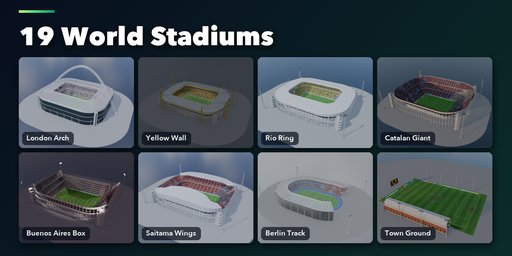
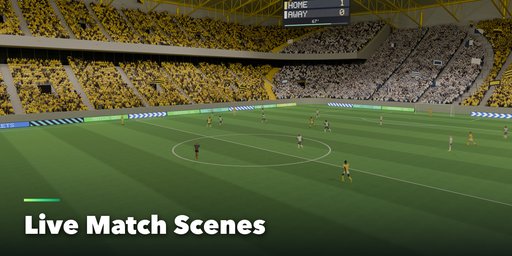
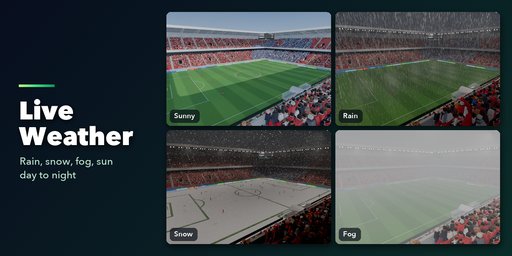
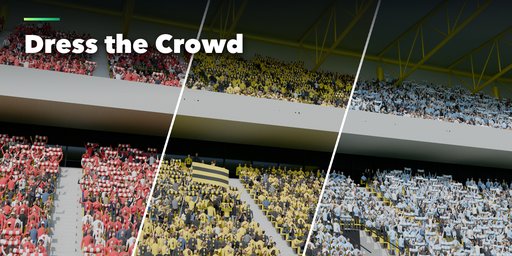
Stadium Generator builds complete football stadiums in Blender with one click: pitch, goals, stands, roof, floodlights, screens, thousands of fans, players and the weather, all live and editable from one sidebar tab.
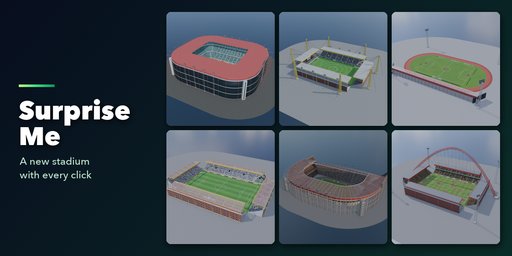
Pick one of 19 world presets, from a giant arch bowl and a yellow standing wall to a glowing cushion arena, an Olympic track, a quarry stage and a small town ground. Or press Surprise Me and get a new stadium every time.
What you can build
- Stand layouts: single main stand, two sides, four separate stands, English box, bowl, horseshoe and D-shape, with up to three tiers, VIP boxes, standing terraces and brick, concrete, glass or cladding facades
- Roofs: posts, cantilever, ring, arch, pylons, wings, cable net and retractable, in steel, glass or translucent panels
- Floodlight masts, roof-edge lights and big screens or a classic scoreboard
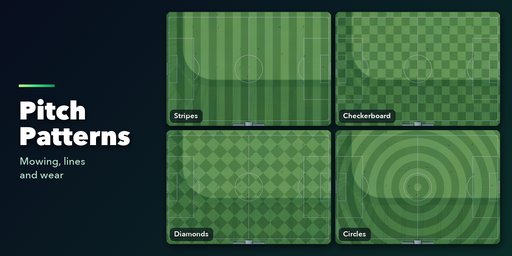
- Pitch: stripes, checkerboard, diamonds, circles, full FIFA line markings and wear
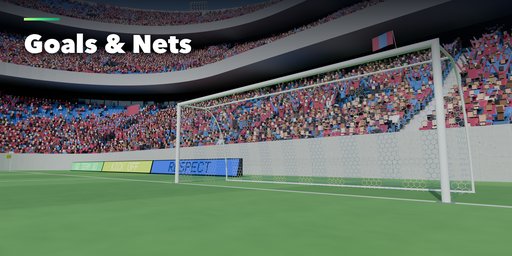
- Goals: box, stanchion, euro and training frames with square, hex or diamond nets in any color
- Crowd: thousands of fans in team colors, mixed or custom clothes, with scarves, flags and adjustable attendance
- Players in kickoff, open play, corner, goal and warm-up moments, with plain, striped, hooped, halves or sash kits
- Weather and time: sunny, cloudy, overcast, rain, storm, snow and fog, from day and golden hour to dusk and a floodlit night
Made for real work
Every part has its own panel and dice button, so you can keep the stands you like and reroll only the roof. Materials are Principled BSDF with image textures and vertex colors, so stadiums export cleanly to game engines. Detail and texture resolution settings keep big scenes light.
Requires Blender 4.2 or newer. Tested on Blender 4.2, 4.5 and 5.2 LTS.
How to use
Installation
- Download the zip. Do not unpack it.
- In Blender open Edit > Preferences > Get Extensions.
- Open the menu at the top right, choose Install from Disk and pick the zip.
Build a stadium
- In the 3D Viewport press N and open the Stadium tab.
- Click a preset picture and press Add Stadium, or press Random Stadium for a surprise.
- Select the stadium and change any part in its panels: Pitch, Goals, Stands, Roof, Lights, Crowd, Players and Weather. The stadium rebuilds live.
- Use the dice button on a panel to reroll only that part, Surprise Me to reroll everything, and New Fan Clothes to redress the crowd.
Tips
- Weather sets the sky, sun and fog. Night turns the floodlights on.
- Lower the Detail and Texture Resolution settings for faster viewport work on big stadiums.
- Materials use image textures and vertex colors, so meshes export to game engines with FBX or glTF.
FAQ
Which Blender versions are supported?
Blender 4.2 and newer. It is tested on Blender 4.2, 4.5 and 5.2 LTS.
Does it use Geometry Nodes?
No. Stadiums are built as regular meshes from Python, so you can apply, edit and export them like any other object, and they work in Cycles and EEVEE.
Can I use the stadiums in a game engine?
Yes. Materials are Principled BSDF with image textures and vertex colors, and the Detail setting keeps polygon counts down, so FBX and glTF exports work in Unity, Unreal and Godot.
Can I change team colors and the crowd?
Yes. Set home and away colors and the fans, kits, scarves and flags follow. Attendance, home share, cheering and clothes style are sliders and menus in the Crowd panel.


