
 Models
 Materials
 HDRIs
 Scenes
 Brushes
 Node Groups
 Printables
 Creators
 Creations
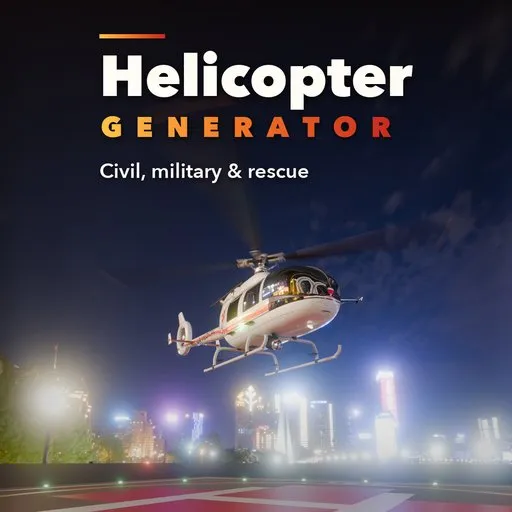
Helicopter Generator
 add-on
Procedural helicopters with live rebuild, animated rotors and a full animation rig: 15 presets from light trainers, news, police and medical to utility, attack, tandem, coaxial, NOTAR, sky crane and rescue.
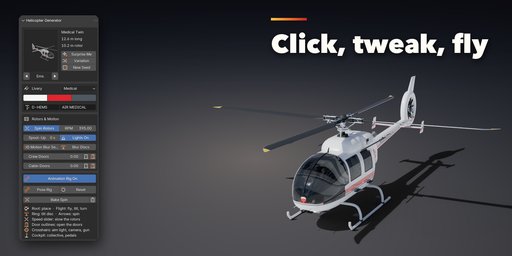
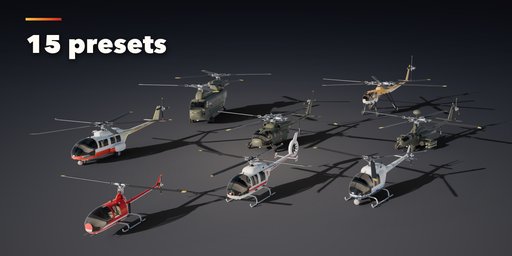
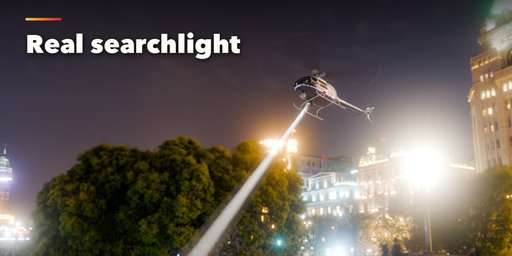

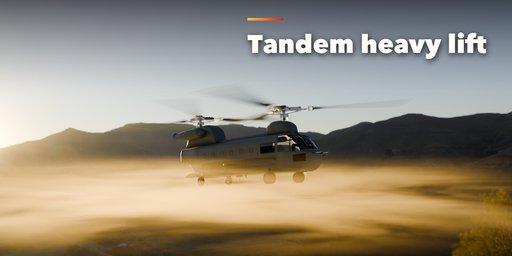
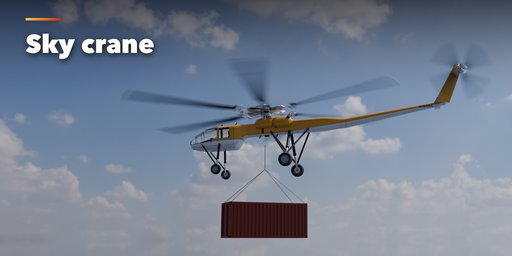
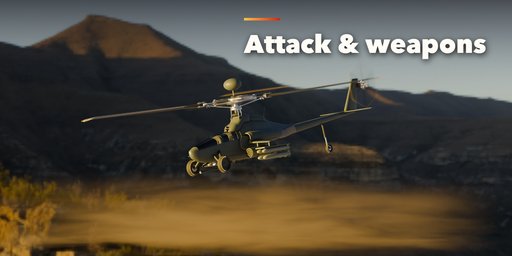
Helicopter Generator builds detailed, ready-to-render helicopters in one click, in real-world meters. Pick one of 15 ready-made helicopters: a light piston trainer with a bubble canopy, a classic bubble helicopter with a truss boom, a news turbine, a police patrol helicopter, a medical twin with a fenestron, a corporate twin on retractable wheels, a Huey-style and a Hawk-style utility helicopter, a tandem-seat attack helicopter with stub wings and weapons, a heavy tandem-rotor transport with a rear ramp, a coaxial helicopter, a NOTAR helicopter, a sky crane, a search and rescue helicopter with a hoist and a cartoon toy.
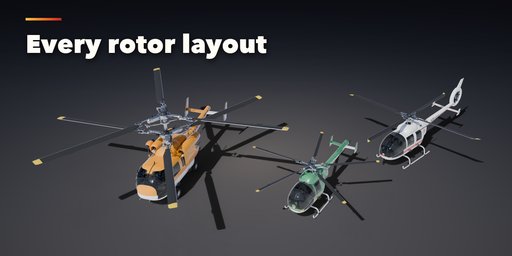
Then change anything and the helicopter rebuilds live: fuselage length, width, height and nose shape, canopy, doors and windows, tail boom, tail rotor, fenestron or NOTAR, fins and stabilizers, main rotor layout, diameter, blade count, chord, twist and tip shape, rotor head type, engine, landing gear, mission equipment, weapons and livery.
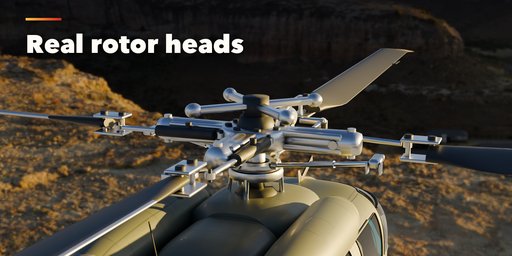
Every helicopter is modeled to be looked at up close: rotor heads with hub, swashplate, pitch links and dampers, blades with a real airfoil, twist, erosion strips and painted tips, engine cowlings with intake grilles and exhausts, doors and windows with frames and rubber seals, and a cockpit with seats, an instrument panel and controls that you see through the glass.
Rotors spin through drivers at the RPM you set, with a spool-up time and counter-rotating tandem and coaxial rotors. One click sets up motion blur for Cycles and EEVEE. Doors, the ramp and the retractable gear are animated sliders that never rebuild the mesh.
Every helicopter also comes with a full animation rig, on by default. Fly it with one control at the center of mass, tilt the rotor discs (the cyclic sticks in the cockpit follow), slow the rotors, open every door, lower the ramp, retract the gear, roll the wheels, aim the searchlight, camera ball and chin gun at their targets, swing the hoist and lower its hook on a stretching cable, and work the collective and pedals. Bake Spin and Bake Roll turn rotor speed changes and taxiing into exact keyframes. Under the controls is a clean skeleton that exports to game engines as one rigged model.
Features
- 15 presets: light piston, bubble, news, police, medical, corporate, utility, attack, heavy tandem, coaxial, NOTAR, sky crane, search and rescue and toy
- Single, tandem and coaxial rotors with 2 to 8 blades, teetering, articulated and hingeless heads, square, swept, parabolic, BERP and round tips
- Tail rotor on either side, fenestron, NOTAR or none, swept, pylon, T-tail, twin and endplate fins
- Skids with optional floats, tailwheel, tricycle, retractable, quad and long sky-crane legs
- Searchlight, FLIR turret, rescue hoist, cargo hook, wire cutters, mast radar, antennas, steps and chin gun
- Stub wings with rocket pods, missiles, gun pods or fuel tanks
- Liveries: solid, two-tone, stripes, swoosh, news, police, medical, rescue, military, camouflage, desert, navy and VIP, painted into one texture with no z-fighting
- Real panel layout in the paint: panel lines, rivet rows, access panels, light edge wear, rain streaks and exhaust soot, with a Wear slider
- Navigation lights, beacon and tail light, with real lamps you can switch on and off
- Photoreal PBR materials that also work in game engines, low, medium and high detail, Convert to Mesh for export
- Surprise Me, Variation and New Seed buttons, a picture gallery and a Shift+A menu
All registrations and names are made up, so the renders are safe for commercial work.
Requires Blender 4.2 or newer. Tested on Blender 4.2, 4.5 and 5.2 LTS.
How to use
Installation
In Blender open Edit, Preferences, Get Extensions, then use Install from Disk and pick the helicopter_generator zip.
Usage
- Open the Helicopter tab in the 3D viewport sidebar (N). With nothing selected, click the picture to pick one of the 15 helicopters, then press Add. You can also use Shift+A, Mesh, Helicopter.
- The card at the top shows the helicopter. Click its picture to switch to another type. Surprise Me makes a random helicopter, Variation changes the current one and New Seed reshuffles the camouflage and small details.
- The Livery box sets the paint scheme, its three colors, the registration and the title on the tail boom.
- Rotors & Motion: Spin Rotors and RPM drive the rotors during playback, Spool-Up makes them start slowly. Motion Blur Setup turns on motion blur for Cycles and EEVEE. Doors, the ramp and retractable gear are sliders: Shift+click the buttons next to them to add a keyframe.
- Animation Rig: press Pose Rig and move the controls: Root places the helicopter, Flight flies it, the rings tilt and spin the rotors, the outlines open the doors, the arrow retracts the gear, the crosshairs aim the equipment, and Collective and Pedals work the cockpit. Bake Spin and Bake Roll turn rotor speed and taxiing into keyframes; Reset puts every control back.
- The closed sections below hold the details: fuselage, tail, main rotor, engine and gear, equipment and weapons, materials and export.
- For game engines set Detail to Low and use Convert to Mesh; the meshes have UVs, the origin on the ground under the rotor mast and plain Principled BSDF materials.
Scripting
helicopter_generator.generator.create_helicopter(context, "BLACKHAWK", (0, 0, 0)) adds one from a script.
FAQ
Which Blender versions are supported?
Blender 4.2 and newer. It is tested on Blender 4.2, 4.5 and 5.2 LTS.
How do I render spinning rotors?
Turn on Spin Rotors, set the RPM and press Motion Blur Setup. For still images without motion blur, Blur Discs adds soft translucent rotor discs instead.
Can I use the helicopters in a game engine?
Yes. Set Detail to Low, press Convert to Mesh and export. The materials are plain Principled BSDF with an image livery, so they export to glTF and FBX.


