
 Models
 Materials
 HDRIs
 Scenes
 Brushes
 Node Groups
 Printables
 Creators
 Creations
Conveyor Belt Generator
 add-on
Animated photoreal conveyors: 19 real designs from parcel belts and roller lines to mining belts, baggage carousels, spirals and sushi trains, with items moving on them.
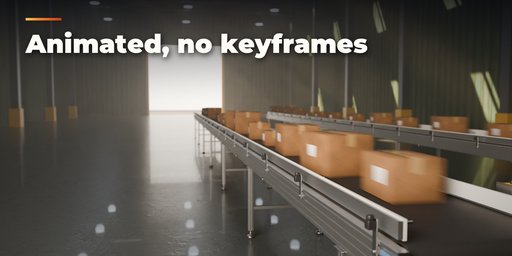
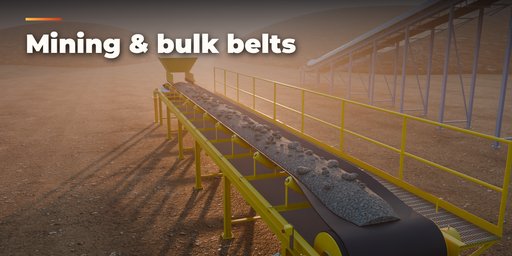
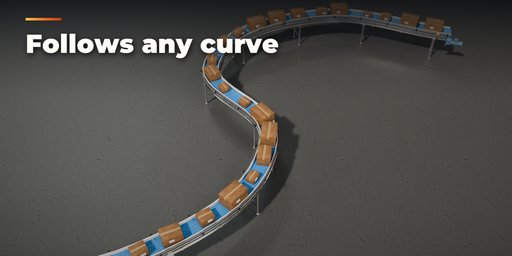
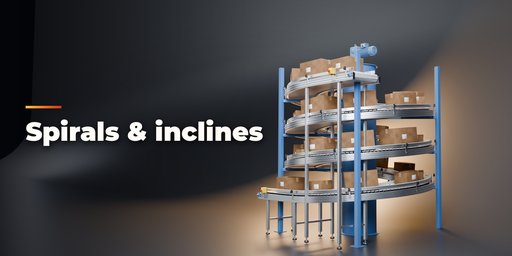
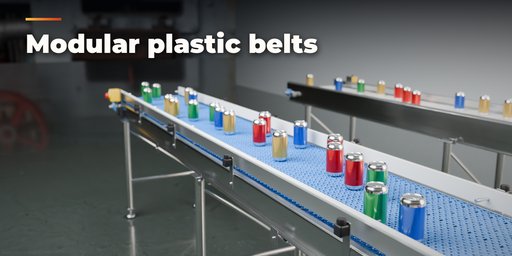
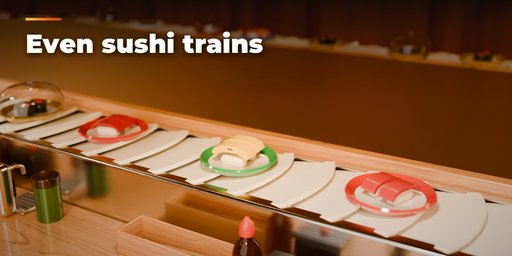
Conveyor Belt Generator builds animated, photorealistic conveyors inside Blender. Pick one of 19 real-world designs, from a warehouse parcel belt to a mining belt with troughed idlers, an airport baggage carousel or a sushi train, then change anything. The conveyor rebuilds live as you drag, and it moves: belts scroll, rollers and sprockets spin, and the items on top travel in sync with the belt.
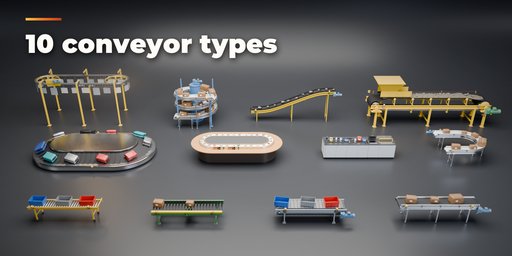
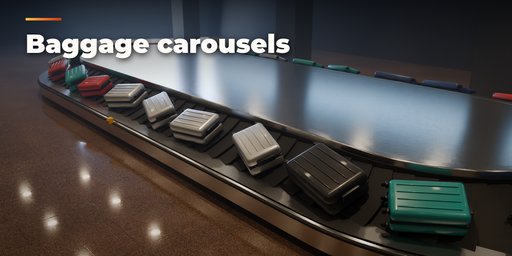
Ten conveyor types cover the real world: flat rubber, PVC and PU belts, gravity, chain-driven and motor-driven roller conveyors with tapered rollers in curves, modular plastic belts (flat top, flush grid, ribbed, friction top), steel slat and apron conveyors on roller chains, troughed bulk belts with idler sets, walkways and covers, sloped and flat baggage carousels, supermarket checkouts with a bi-optic scanner scale and bagging area, spiral conveyors, enclosed-track overhead chains with hooks, and sushi trains round a teak counter with tea taps and condiments.
Lay it out the way you need it: straight, inclined, 90 and 180 degree turns, S-curves, closed loops, spirals, your own list of straights and curves, or any curve object you draw. Edit the curve and the conveyor follows.
Real industrial detail is built in: aluminium, channel, stainless and heavy side frames with bolted joints, legs with leveling feet, casters or base plates and cross bracing, drive and tail pulleys in flange bearings, gear motors, take-ups, return rollers, guide rails and side walls, cleats and corrugated sidewalls, emergency stop stations and pull-cords, belt texture with a visible splice.
Moving items
- Built-in cartons, totes, suitcases, cans, groceries with divider bars, sushi plates, ore and hanging panels
- A continuous bulk load heaped on troughed belts, with ore lumps riding on it
- Price-colored sushi plates with nigiri, maki and gunkan, some under clear domes
- Or your own collection: objects are picked at random and travel along the belt
- Spacing, random spacing, random rotation, random scale and side offset
- Items wrap round closed loops and fade out at the ends of open conveyors
Features
- 19 real-world presets in 10 conveyor types, each fully editable
- Live animation driven by speed in meters per second, no keyframes needed
- Straight, incline, curves, S-curve, loop, spiral, segments or your own curve
- Photoreal PBR materials with real textures that also export to game engines
- Surprise Me, Shuffle Items and Reset Design buttons
- Shift+A menu entry and Convert to Meshes
- Works in Cycles and EEVEE
Requires Blender 4.2 or newer. Tested on Blender 4.2, 4.5 and 5.2 LTS.
How to use
Installation
In Blender open Edit, Preferences, Get Extensions, then use Install from Disk and pick the conveyor_belt_generator zip.
Usage
- Open the Conveyor tab in the 3D viewport sidebar (N). With no conveyor selected, click a design in the gallery to add it at the 3D cursor. You can also use Shift+A, Mesh, Conveyor.
- To follow your own path, select a curve object and press Along Curve. Edit the curve and the conveyor rebuilds.
- The sub-panels hold every setting: Route (layout, length, turns, rise, segments), Conveying Surface (belt, rollers, modules, slats, cleats), Structure (frame, legs, feet, bracing, drive, guides, safety), Moving Items (built-in items or your own collection, spacing and randomness), Finish (colors and materials) and Output (speed, animation, Convert to Meshes).
- Press Play: the belt, rollers and items move at the set speed. Speed 0 or Animate off freezes them.
- Surprise Me makes a random design, Shuffle Items re-deals the items and Reset Design restores the chosen preset.
Convert to Meshes bakes the current frame into plain mesh objects; Delete removes the conveyor with its parts.
FAQ
Which Blender versions are supported?
Blender 4.2 and newer. It is tested on Blender 4.2, 4.5 and 5.2 LTS.
Can my own objects ride on the conveyor?
Yes. Set Moving Items to Collection and pick a collection. Its objects are picked at random and travel along the belt in sync with its speed, with your spacing, rotation and scale randomness.
Do I need to keyframe the animation?
No. Motion is driven by scene time and the speed setting, so the conveyor animates as soon as you press Play, and it loops seamlessly on closed conveyors.


