
 Models
 Materials
 HDRIs
 Scenes
 Brushes
 Node Groups
 Printables
 Creators
 Creations
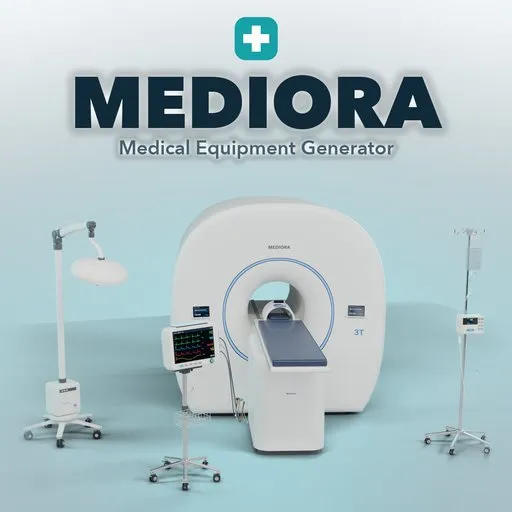
Mediora – Medical Equipment Generator for Blender
 add-on
Hospital equipment in Blender: real-size IV stands with bags and pumps, patient monitors, MRI and CT scanners and surgical lights, with lit screens, power switch, PBR materials and wear.
Explore all my Blender addons
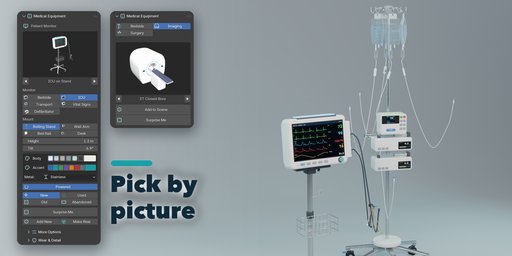
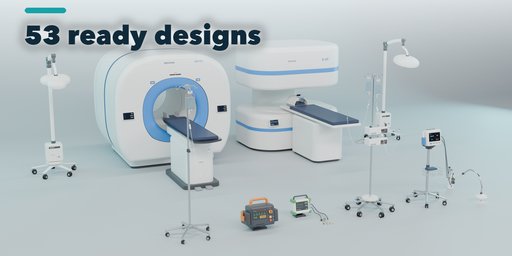
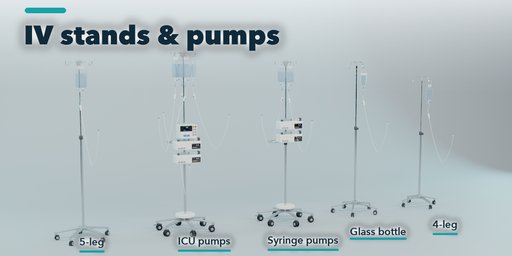
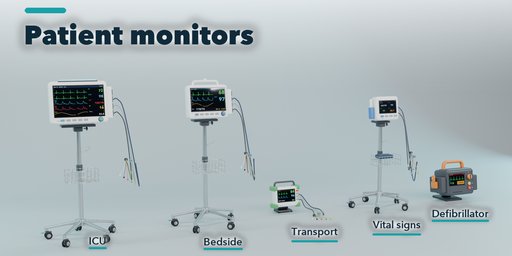
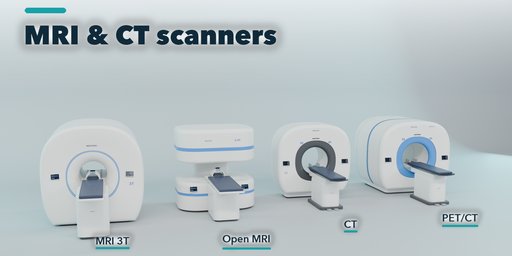
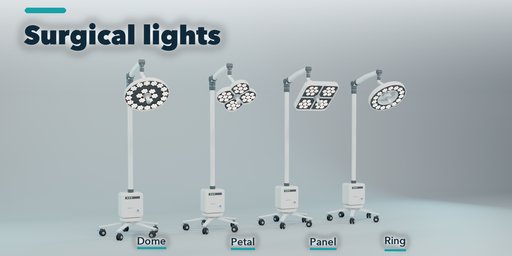
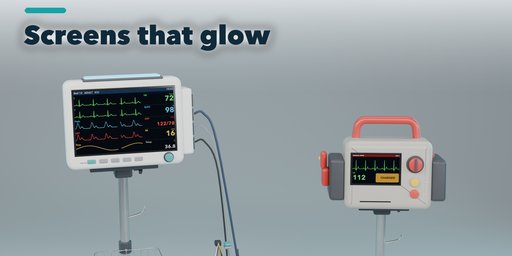
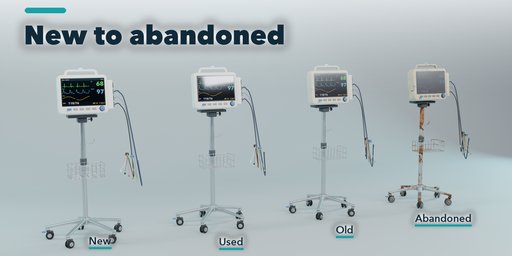
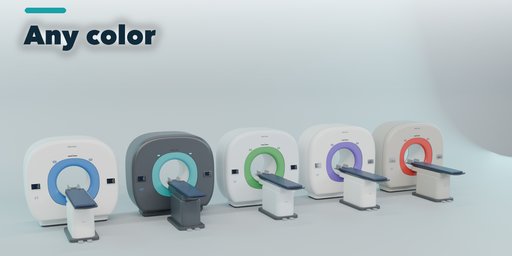
Mediora fills a hospital scene in a few clicks: 53 ready designs of IV stands, patient monitors, MRI and CT scanners and surgical lights, each built at its real size from manufacturer dimensions and full of the small parts that make it believable. Pick a design from the picture gallery, then change anything with one click and watch it rebuild.
Bedside
- IV stands with 4, 5 or 6 leg caster bases, bed-mounted and ceiling-rail poles, ram's horn or 4 and 6 hook crowns, push handles
- Real IV bags (250, 500 and 1000 ml) with fluid inside, printed labels and graduations, glass bottles, drip chambers, tubing with roller clamps
- Volumetric and syringe infusion pumps stacked on the pole, with lit screens
- Patient monitors: bedside, ICU with module rack and alarm light, transport with rubber bumpers, vital signs and defibrillator with paddles
- Rolling stands with baskets, wall arms, bed rail hooks and desk feet, with ECG leads, SpO2 clip and NIBP cuff
Imaging
- MRI scanners: closed 60 cm and wide 70 cm bore (3T, 1.5T), open C-arm and two-pillar 0.4T magnets, with head and knee coils
- CT scanners: standard, large bore and PET/CT, with gantry tilt and status rings
- Patient tables slide into the bore with one slider; control panels and labels on the covers
Surgery
- Surgical lights with dome, petal, panel, halogen and ring heads, LED rings, clusters or grids
- Ceiling mounts with one to three heads and an optional monitor arm, mobile stands, wall arms and gooseneck exam lights
Lit screens show real-looking waveforms, vital numbers and MRI and CT slices, and a Power switch turns every screen and lamp off. Lights take a color temperature from 3500 to 5700 K. Condition goes from new to abandoned with scuffs, dirt and yellowed plastic.
Photoreal PBR materials that also work in game engines. Labels and screens are image textures, never mesh text. Surprise Me makes a random piece or a new look for the selected one; Make Real turns it into a plain mesh.
Requires Blender 4.2 or newer. Tested on Blender 4.2, 4.5 and 5.2 LTS.
How to use
Installation
In Blender open Edit, Preferences, Get Extensions, then use Install from Disk and pick the medical_equipment_generator zip.
Usage
- Open the Medical tab in the 3D viewport sidebar (N). With nothing selected, pick a category (Bedside, Imaging, Surgery), click the picture to choose a design and press Add to Scene. You can also use Shift+A, Medical Equipment.
- Select a piece to edit it: the picture and arrows switch its design, the picture buttons below change its main choices (base, hooks, fluids, monitor type, mount, scanner type...), the swatches set body and accent colors, and the condition buttons age it from New to Abandoned.
- Powered switches screens, status lights and lamps on or off. Surgical lights also take a color temperature.
- More Options holds the rare settings; Wear & Detail holds wear, dirt, yellowing, the random seed and the detail level.
- Surprise Me makes a random piece, or a new look for the selected one. Make Real turns a piece into a plain mesh.
FAQ
Which Blender versions are supported?
Blender 4.2 and newer. It is tested on Blender 4.2, 4.5 and 5.2 LTS.
Are the models usable in game engines?
Yes. Each piece is one mesh with UVs and standard PBR materials (base color, roughness, metallic, normal, emission for screens). Use Make Real to apply the bevel and export.
Do the screens show real content?
The screens show realistic but made-up waveforms, vital numbers and scan images drawn for this addon. They are image textures, so you can swap them for your own.


