
 Models
 Materials
 HDRIs
 Scenes
 Brushes
 Node Groups
 Printables
 Creators
 Creations
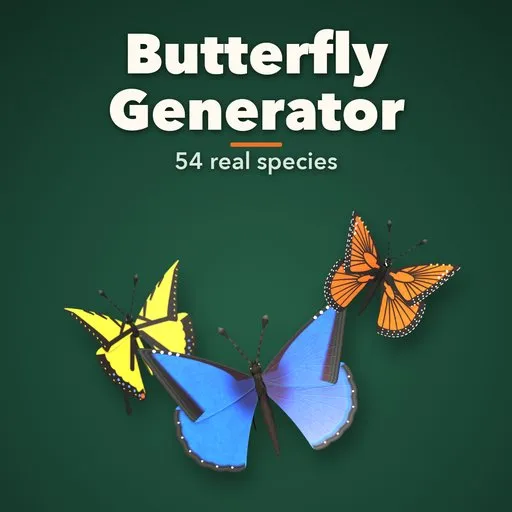
Lepido – Butterfly Generator for Blender
 add-on
Real butterflies and moths: 54 species with true wing shapes, painted patterns and undersides, posable rig with a looping wing beat, swarms and flight paths.
Explore all my Blender addons
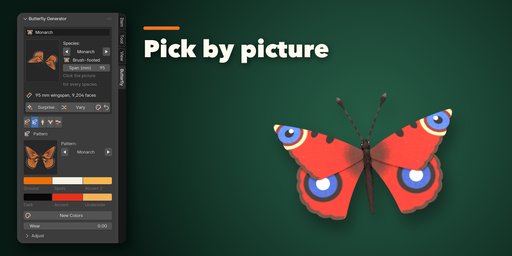
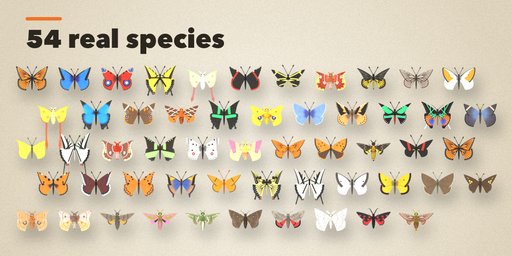
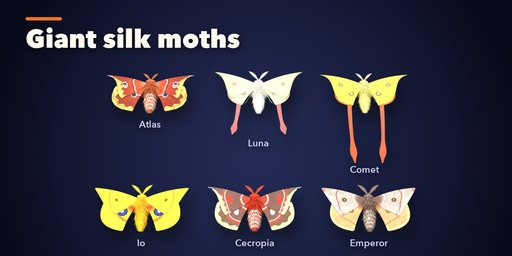
Lepido builds real butterflies and moths inside Blender: a monarch, a blue morpho, a swallowtail with tails, a European peacock with its four blue eyes, a giant atlas moth, a luna moth with long ribbon tails and 48 more species, each with its own wing shape, wing pattern, underside, body, antennae and real size. Pick one from the picture gallery, then pose it, animate it or fill a scene with a whole swarm.
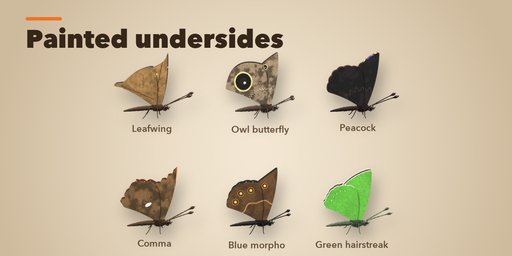
Every species is built from the real animal: forewing and hindwing outlines with hooked tips, scalloped margins and tails, veins, eyespots with pupils and highlights, white-dotted borders, bands, wavy moth lines, bark mottling and glass-clear windows. The underside is painted separately, so a closed butterfly shows its leaf, bark or eyespot camouflage. The pattern is painted into a texture atlas for the four wings, with iridescent scales on morphos, swallowtails and the sunset moth.
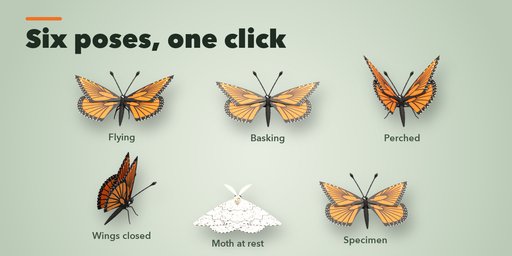
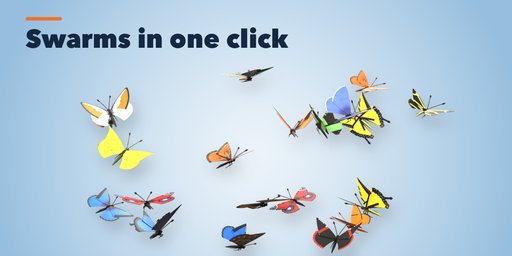
Each butterfly is one light mesh with a small rig. Choose a pose (flying, basking, perched, wings closed, moth at rest, pinned specimen) and switch on the wing beat: it is keyed and loops, so it plays without scripts and exports to game engines. Make a flying swarm, let butterflies settle on a selected mesh such as flowers or leaves, or send them along a curve.
Features
- 54 real species: nymphalids, swallowtails and birdwings, whites and yellows, blues and skippers, silk moths, hawk moths and other moths
- Real wing shapes with hooked tips, scallops, lobes and one to three tails
- Painted wing patterns with a separate underside, veins, eyespots and wear
- Recolor any pattern, or put one species' pattern on another's wings
- Slim, stout, furry, skipper and hawk moth bodies with eyes, palps, coiled proboscis and legs
- Clubbed, hooked, feathery, thread and thick antennae
- Six poses and a looping, keyed wing-beat or slow wing fanning
- Swarms in the air or resting on any mesh, and flight along a curve
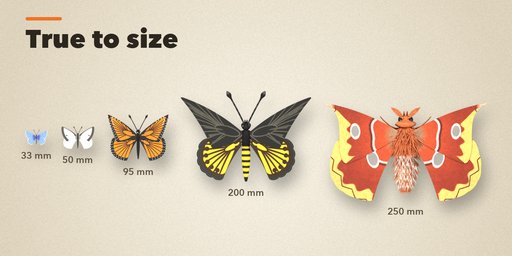
- Real wingspans from 28 mm to 250 mm
- Surprise, Vary and New Colors buttons for endless new butterflies
- Picture-driven sidebar, Shift+A menu and Convert to Mesh
- Game-friendly: one mesh, PBR materials, low-detail option
Requires Blender 4.2 or newer. Tested on Blender 4.2, 4.5 and 5.2 LTS.
How to use
Installation
In Blender open Edit, Preferences, Get Extensions, then use Install from Disk and pick the butterfly_generator zip.
Usage
- Open the Butterfly tab in the 3D viewport sidebar (N). With nothing selected, click the picture to choose one of the 54 species, or browse the seven families, and add it at the 3D cursor. You can also use Shift+A, Butterfly.
- The card at the top shows the species, its wingspan in mm and its face count. Surprise makes a random butterfly, Vary makes another individual of the same species, the palette button picks new colors and the arrow resets the species.
- The icon tabs hold every setting: Wings (outline, tips, scallops, tails), Pattern (pattern, six palette colors, wear, iridescence, texture size), Body (build, colors, markings, antennae, legs, proboscis), Pose (pose, wing beat speed and angle, fanning) and Swarm & Export (flying swarm, resting swarm, flight along a curve, detail, Convert to Mesh, Delete).
- For a resting swarm select the butterfly and the mesh to rest on. For a flight path select the butterflies, then the curve last.
The wing beat is keyed on the hidden rig, so it plays without enabling scripts. Convert to Mesh bakes the current pose into a plain mesh.
FAQ
Which Blender versions are supported?
Blender 4.2 and newer. It is tested on Blender 4.2, 4.5 and 5.2 LTS.
Are the butterflies animated?
Yes. Turn on Animate in the Pose tab: flying butterflies get a looping wing beat with a bobbing body, resting ones slowly open and close their wings. It is plain keyframes on a small rig, so it needs no scripts and exports with the model.
Can I use them in a game engine?
Yes. Each butterfly is one mesh with a simple rig and PBR materials (color with transparency, roughness, normal detail). Use the Low detail and 512 px texture settings for crowds, or Convert to Mesh for a static model.
Can I make my own butterfly?
Yes. Every wing shape number, the six pattern colors, the body and the antennae can be changed, and any species' pattern can be painted on another species' wings.
Does it work in EEVEE?
Yes, in both Cycles and EEVEE.


