
 Models
 Materials
 HDRIs
 Scenes
 Brushes
 Node Groups
 Printables
 Creators
 Creations
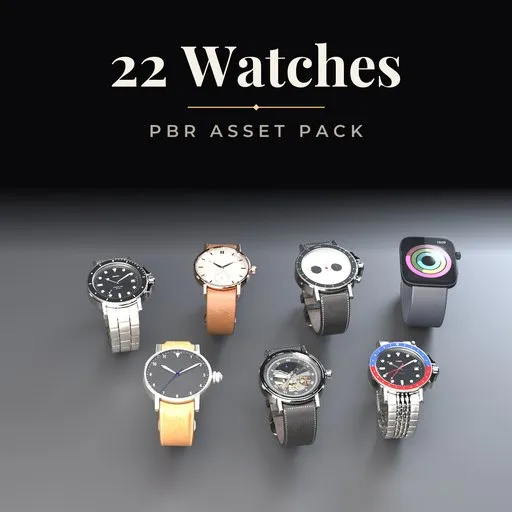
Watch Asset Pack – 22 Game-Ready PBR Wristwatches
 add-on
22 different game-ready PBR wristwatches: install once, then drag them from the Asset Browser or add them with Shift+A. Dress, dive, pilot, chronograph, skeleton, digital and smart designs.
Explore all my Blender addons
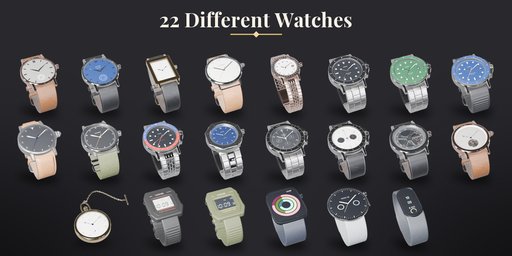
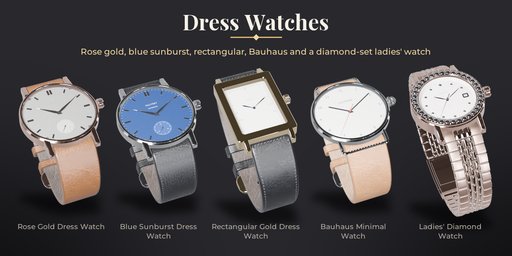
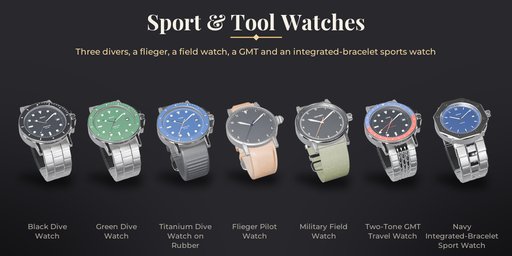
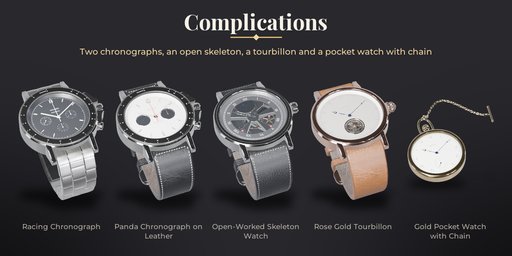
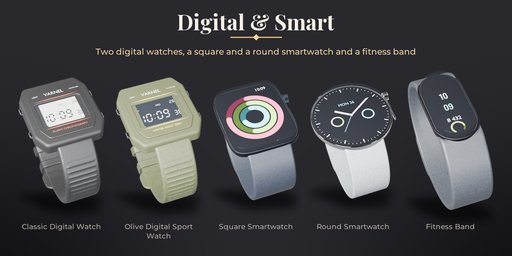
22 game-ready wristwatches in distinct styles and colourways, ready to drop into your scenes: dress watches, divers, a flieger, a field watch, a GMT, chronographs, a skeleton, a tourbillon, a pocket watch, digital watches and smartwatches.
Install it like any extension. The watches then show up in the Asset Browser under their own library, and in the Add menu (Shift+A > Watches), which places the picked watch at the 3D cursor.
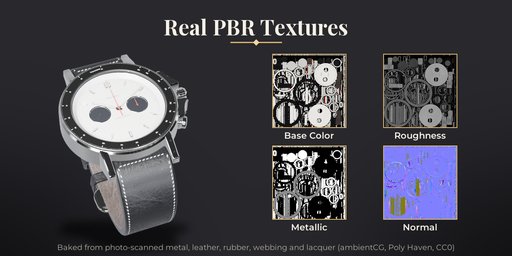
Each watch is a clean, real-world scale model with one non-overlapping UV map and one PBR material (Base Color, Roughness, Metallic, Normal) built from packed image textures plus a clear crystal, so it also exports cleanly to game engines. It lies dial up on its strap with its origin at the centre of the footprint.
What is inside
- Dress: Rose Gold Dress Watch, Blue Sunburst Dress Watch, Rectangular Gold Dress Watch, Bauhaus Minimal Watch, Ladies' Diamond Watch
- Sport and tool: Black Dive Watch, Green Dive Watch, Titanium Dive Watch on Rubber, Flieger Pilot Watch, Military Field Watch, Two-Tone GMT Travel Watch, Navy Integrated-Bracelet Sport Watch
- Complications: Racing Chronograph, Panda Chronograph on Leather, Open-Worked Skeleton Watch, Rose Gold Tourbillon, Gold Pocket Watch with Chain
- Digital and smart: Classic Digital Watch, Olive Digital Sport Watch, Square Smartwatch, Round Smartwatch, Fitness Band
Details
- Real photo-scanned metal, leather, rubber, webbing and lacquer textures, 2K, packed into the .blend
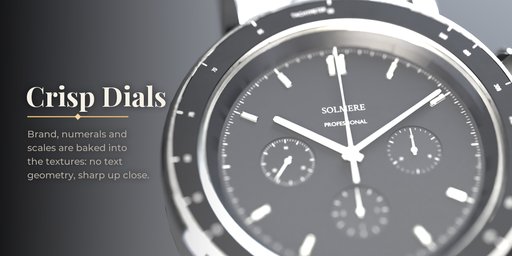
- Crisp dial print baked into the textures
- Real-world meters, dial up, 12 o'clock toward +Y
Works in Blender 4.2 and newer (tested on Blender 4.2, 4.5 and 5.2 LTS).
How to use
- Edit, Preferences, Get Extensions, the arrow menu at the top right, Install from Disk, and pick the downloaded zip (do not unzip it).
- Add a watch with Shift+A, Watches, or open an Asset Browser and pick the Watch Asset Pack library, then drag a watch into the scene.
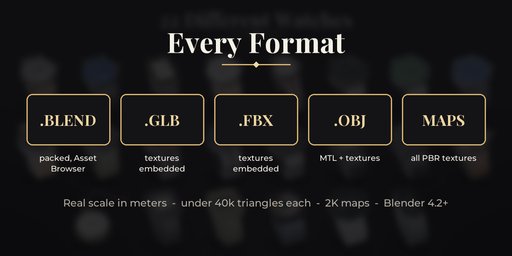
- Each added watch is a normal collection you own: move it, edit it, or export it to GLB/FBX for a game engine.
Disabling or uninstalling the extension removes its Asset Library entry again.
FAQ
How do I add a watch?
Shift+A, Watches, then pick one: it is placed at the 3D cursor. Or open the Asset Browser, choose the Watch Asset Pack library and drag a watch in.
Can I use the watches in a commercial game or render?
Yes. Use them in personal and commercial renders, animations, games and apps. You may not resell or share the models or textures themselves as assets.
Do the materials work outside Blender?
Yes. Every watch uses one standard metal/roughness PBR material built from image textures plus a clear crystal material, which glTF and FBX export read directly.


