
 Models
 Materials
 HDRIs
 Scenes
 Brushes
 Node Groups
 Printables
 Creators
 Creations
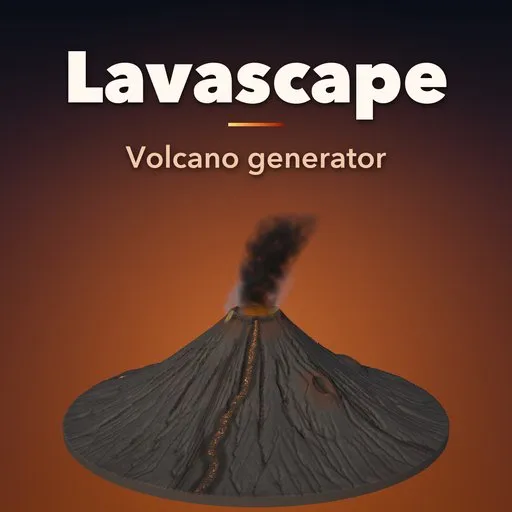
Lavascape – Volcano Generator for Blender
 add-on
Real-scale volcanoes in one click: stratovolcanoes, shields, cinder cones, calderas, glowing pahoehoe and aa lava, lava lakes, basalt columns, ash and steam. 43 designs, EEVEE and Cycles.
Explore all my Blender addons
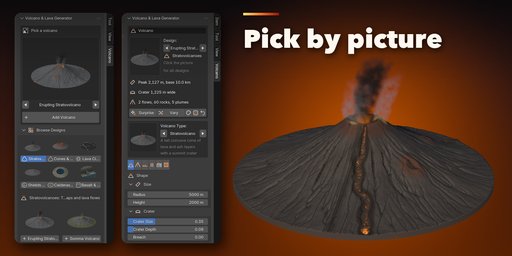
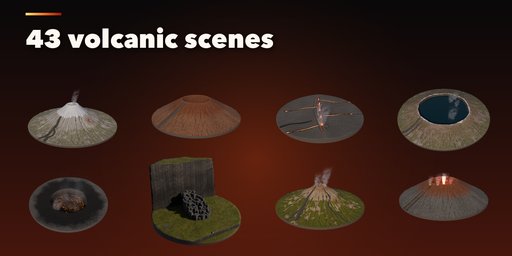
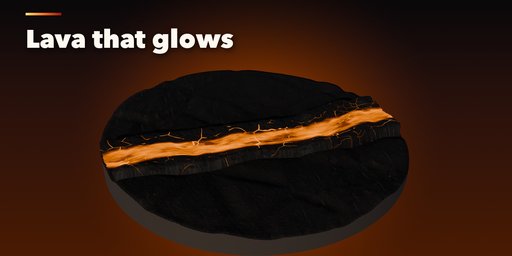
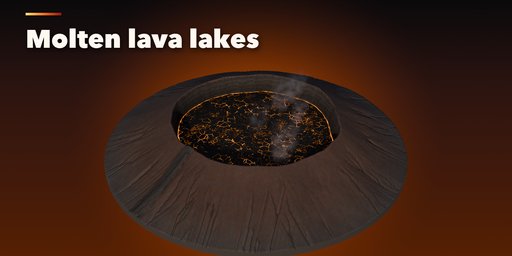
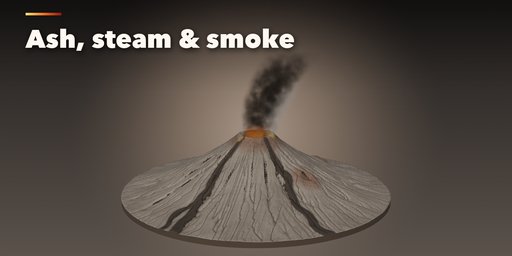
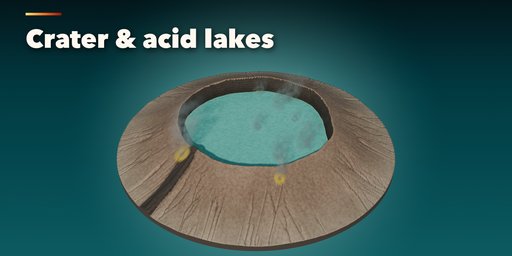
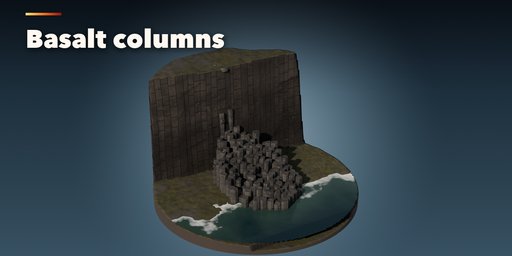
Lavascape builds complete volcanic scenes in one click: real-scale volcanoes, glowing lava flows, lava lakes, basalt columns, ash fields, steam vents and smoke. Pick one of 43 designs, from an erupting stratovolcano, a huge shield or a red scoria cone to a crater lake, a curtain of fire, a molten lava river or a basalt causeway, then change anything live from the sidebar.
Every volcano type
- 12 forms: stratovolcano, somma volcano, shield, fissure, cinder cone, lava dome, caldera, maar, plus close-ups of a lava field, a lava lake pit, basalt columns and a fumarole field
- Real proportions: kilometer-scale cones with craters, breaches, side cones, erosion gullies and old lava flows, or meter-scale close-ups
Lava that glows right
- Pahoehoe with ropy wrinkles, rough aa with clinker blocks and molten channels between crusted levees
- Lava lakes in craters and pits, with a torn crust and bright seams
- Emissive lava driven by a real temperature in Kelvin, tuned to look the same in EEVEE and Cycles
- Animated flow (on by default, no keyframes), plus glow lights that light the ground and the smoke
Basalt, ash and steam
- Hexagonal basalt columns as a stepping causeway or a sea-cliff colonnade, with moss
- Black ash, red scoria, grey ash, brown tuff and altered ground, with snow, grass and yellow sulfur
- Volumetric ash columns, steam, volcanic gas and lava fountains, bent by the wind
Easy to use
- Picture pickers for every visual choice and a gallery of all designs
- Surprise, Vary and Look buttons that always give a good result
- Photo-scanned PBR textures from Poly Haven, clean UVs and sensible face counts for games
- Each volcano is independent: editing one never changes a copy
Requires Blender 4.2 or newer. Tested on Blender 4.2, 4.5 and 5.2 LTS.
How to use
Installation
In Blender open Edit, Preferences, Get Extensions, then use Install from Disk and pick the zip.
Usage
- Open the sidebar (N) in the 3D Viewport and click the Volcano tab.
- With nothing selected, pick a design in the gallery (or step through them with the arrows) and click Add Volcano. Shift+A, Volcano works too.
- Select the volcano to edit it: the volcano type picture, then the Shape, Lava, Ground, Smoke, Rocks and Detail tabs. Everything rebuilds live.
- Use Surprise for a new random volcano, Vary for a variation of the current one and the palette button for a new look.
- Lava moves when you play the timeline; Animated Lava and its speed are in the Lava tab, Animation.
Rendering tips
- Lava is emissive and lights the scene; turn on Glow Lights for light on the ground and the smoke.
- Plumes are volumes: in EEVEE raise Volumes, Samples for smoother smoke on big volcanoes.
- Kilometer-scale volcanoes set the camera and viewport clip distance for you.
FAQ
Which Blender versions are supported?
Blender 4.2 and newer. It is tested on Blender 4.2, 4.5 and 5.2 LTS.
Does the lava look right in EEVEE and Cycles?
Yes. The glow comes from a physical temperature (Blackbody) and is tuned for both engines and the default AgX view.
Can I animate the lava?
Yes. Animated Lava is on by default: the crust drifts down the flows and churns in lava lakes, driven by scene time with no keyframes.
Are the volcanoes real scale?
Yes. A stratovolcano is kilometers wide and about 2 km tall, a cinder cone a few hundred meters, and the lava, basalt and fumarole close-ups are meters across.
Can I use the models in games?
Yes. The meshes have clean UVs and image-based PBR textures. Plumes are volumes, so replace them with your engine's particles.


