
 Models
 Materials
 HDRIs
 Scenes
 Brushes
 Node Groups
 Printables
 Creators
 Creations
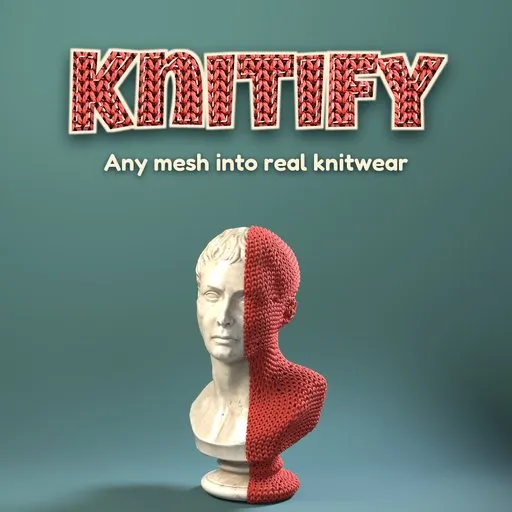
Knitify – Mesh to Knitwear Converter for Blender
 add-on
Turn any 3D model into real yarn-level knitwear in one click: smart simplification for heavy or messy meshes, stitches that follow the shape, 12 looks, object colors and photoreal yarn.
Explore all my Blender addons
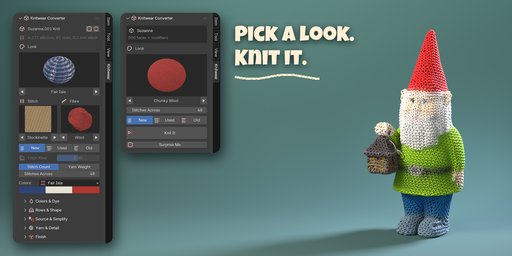
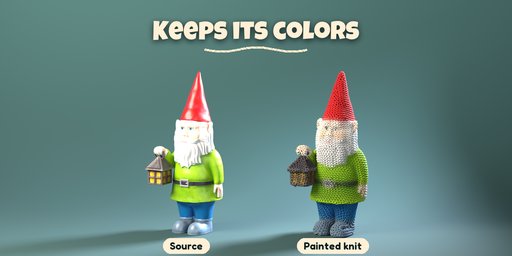
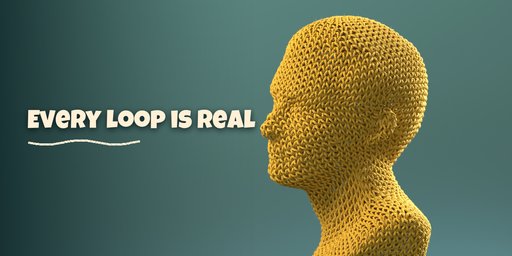
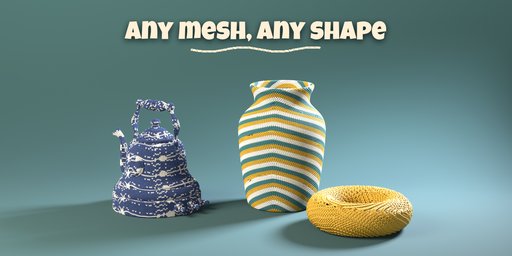
Knitify turns any 3D model into real knitwear. Select a mesh, pick a look and press Knit It: the model is covered with yarn-level stitches, every loop pulled through the one below, with V columns, purl bumps, ribs and colorwork that follow the shape. It is not a texture or a displacement: it is modelled yarn with plies, fibre halo and photoreal PBR materials.
Smart conversion
- Works on any mesh: characters, props, furniture, scans, sculpts, text and curves
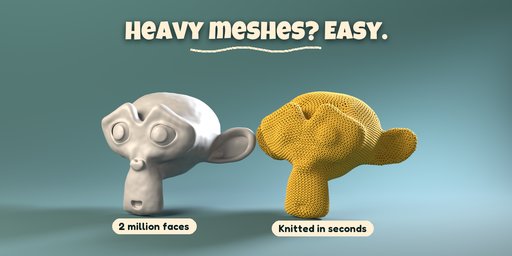
- Heavy or messy models are simplified automatically first: dense sculpts and scans (millions of faces), overlapping parts, non-manifold edges and holes become one clean surface sized to the stitches. A 2 million face model knits in seconds
- Open surfaces (cloth, planes, shells) stay open and knit flat from a cast-on edge with real selvedges
- Rows wrap round the shape the way a knitter works in the round: arms and legs become tubes, tops close in a crown, flat bottoms start in rounds from the center like a knitted toy
- Stitches are added and removed evenly where the shape grows or narrows, so the fabric never stretches or bunches
- Straight rows or rounds from any point are one click away
Looks and yarn
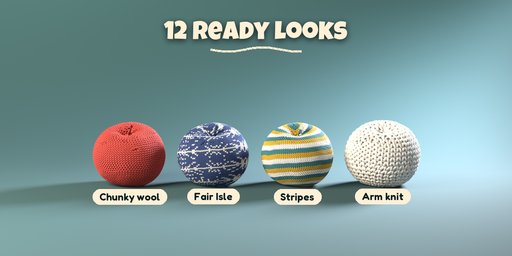
- 12 ready looks with pictures: chunky wool, Fair Isle, cozy rib, mohair cloud, cotton seed stitch, sock stripes, arm knit, garter toy, old sweater, hand-dyed, chenille plush and Object Colors
- Object Colors knits the model in its own colors (image texture, material or color attribute), reduced to a few yarns like a knitting chart
- Painted (Smooth) colors: textures, several materials and color attributes flow onto the yarn as soft, hand-painted gradients
- 11 stitch patterns, 9 fibres, stripes, color blocks and Fair Isle motifs, heather, tweed and speckled yarns, variegated and self-striping dyes
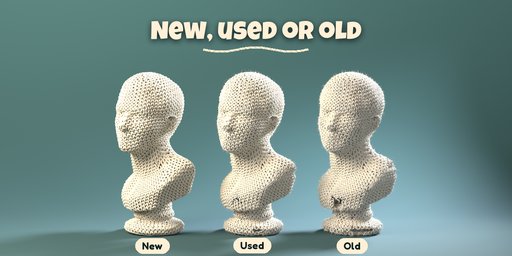
- New, used or old: fuzz, pills, felting and faded color, plus worn edges and corners that fray and tear into holes with loose yarn ends (Edge Wear slider)
- Size by stitch count or by real yarn weight from lace to jumbo
Easy to use
- One panel: look, stitch, fibre, condition, size and colors on the first page
- Surprise Me for a random look; everything stays editable and the source model is kept
- Apply as Mesh makes a plain mesh for export
Requires Blender 4.2 or newer. Tested on Blender 4.2, 4.5 and 5.2 LTS.
How to use
Installation
In Blender open Edit, Preferences, Get Extensions, then use Install from Disk and pick the zip.
Usage
- Open the sidebar (N) in the 3D Viewport and click the Knitwear tab.
- Select one or more objects, pick a look, set Stitches Across and the condition, then click Knit It. No object? Use one of the sample buttons, or Add > Knitwear.
- With the knit selected, change the look, stitch pattern, fibre, colors and size; it rebuilds live.
- Rows & Shape sets the row direction (Bottom Up rounds, Straight Rows, From Center) and Plush rounding; Source & Simplify shows what was done to the model and lets you force Remesh or keep the original surface.
- Edited the source? Click Update from Source. Apply as Mesh turns the knit into a plain mesh; Remove Knit brings the source back.
Tips
- Very dense models are simplified automatically; the Max Stitches limit keeps huge pieces responsive.
- Object Colors and Painted (Smooth) need a source with an image texture, a material color or a color attribute; Painted blends them smoothly along the yarn (Softness sets how much).
FAQ
Which Blender versions are supported?
Blender 4.2 and newer. It is tested on Blender 4.2, 4.5 and 5.2 LTS.
Does it work on high-poly sculpts and scans?
Yes. Dense, overlapping or non-manifold meshes are rebuilt automatically into a clean surface sized to the stitches before knitting; a 2 million face model converts in a few seconds.
Is my original model changed?
No. The source is only hidden and read; Remove Knit shows it again and Update from Source re-knits it after you edit it.
Can I export the result to a game engine?
Yes. Apply as Mesh makes a plain mesh with PBR materials and the yarn colors in a color attribute; lower the Detail setting for lighter meshes.


