
 Models
 Materials
 HDRIs
 Scenes
 Brushes
 Node Groups
 Printables
 Creators
 Creations
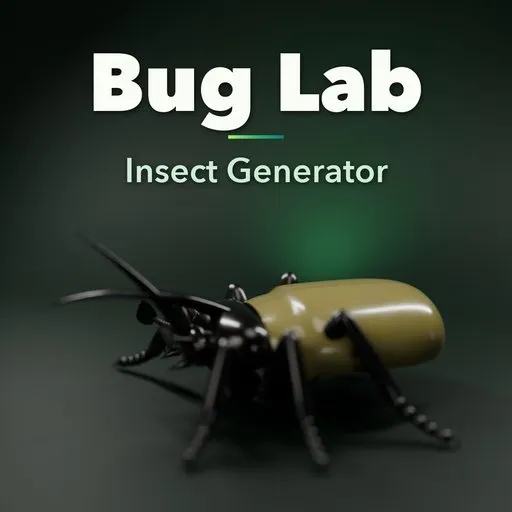
Bug Lab – Insect Generator for Blender
 add-on
Generate 68 anatomically correct, rigged insects in Blender: beetles, ants, bees, wasps, flies, mantises, grasshoppers, dragonflies and cicadas with iridescent shells.
Explore all my Blender addons
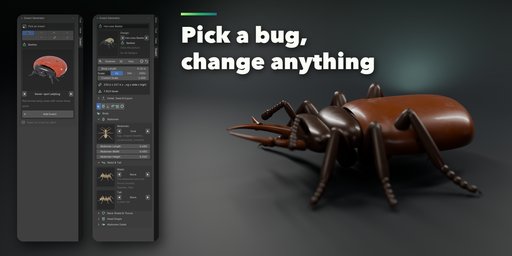
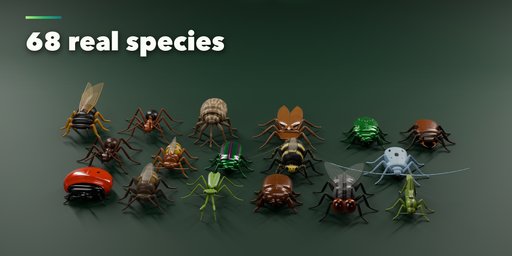
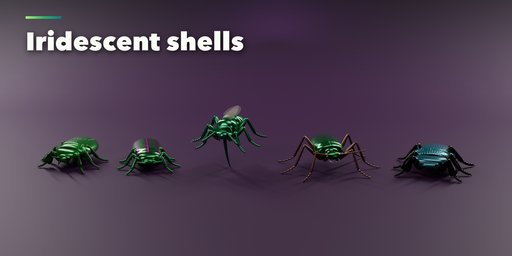
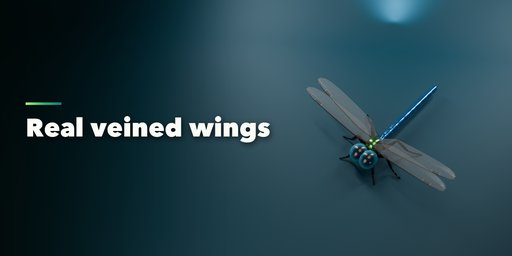
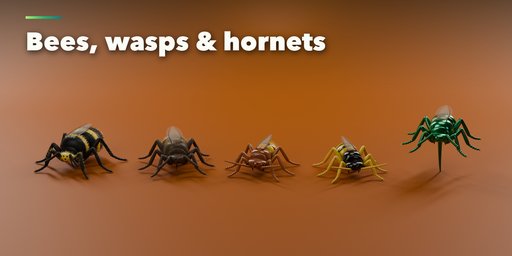
Insect Generator builds anatomically correct insects in Blender with one click. Pick one of 68 real species from a picture gallery, from ladybugs and stag beetles to honey bees, hornets, house flies, praying mantises, grasshoppers, dragonflies and cicadas, then change anything you like: head, neck shield, thorax, waist, abdomen, legs, antennae, jaws, horns, wings and colors.
Every insect is real geometry with true anatomy: a segmented body, six jointed legs with thigh, shin, foot segments and claws, antennae of eleven real kinds, compound eyes, and wings that fold over the back or spread for flight. It stands on the ground at its real size, and one click scales it 10x or 100x for hero shots.
Species
- 68 species in eight families: beetles, ants and termites, bees and wasps, flies and mosquitoes, mantises and stick insects, grasshoppers and crickets, dragonflies, cicadas and bugs
- Stag, rhinoceros, Hercules, Goliath, scarab, jewel and longhorn beetles, ladybugs, fireflies with glowing lanterns, weevils, bullet ants, trap-jaw ants, hornets, bumblebees, mosquitoes, orchid mantises, leaf insects, locusts, katydids, damselflies, lanternflies and more
Full control
- Eleven antenna kinds: thread, bristle, beads, club, knob, elbowed, fan, comb, feathery, pod and saw
- Walking, grabbing, digging, jumping and paddle legs
- Wing cases, leathery wings, half-hard bug wings, one or two clear pairs, open or folded
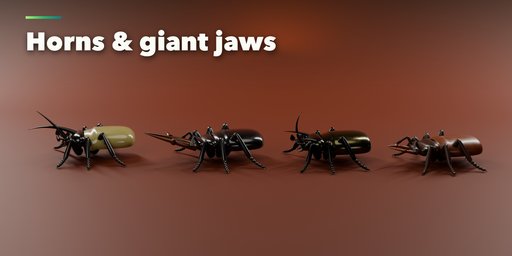
- Stag jaws, sickle jaws, horns, stingers, pincers, ovipositors and snouts
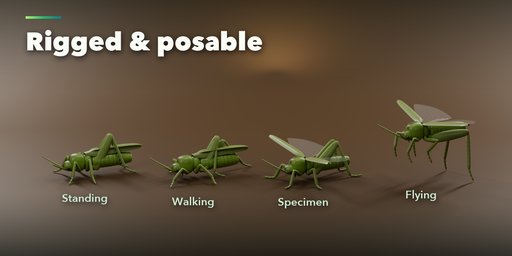
- Standing, walking, flying, pinned specimen and defensive poses
- Surprise, Vary and Colors buttons for endless new bugs
Photoreal materials
- Glossy, satin, matte, metallic, waxy, fuzzy and iridescent shells with real thin-film rainbow colors
- Clear veined wings with spots, bands and tinted tips; faceted compound eyes
- Spots, bands, stripes and mottling, all in PBR materials that work in Cycles and EEVEE
Rigged and game ready
- Optional rig: a bone for every body part, leg segment, antenna, jaw and wing, ready to pose or animate
- Low to ultra detail, one mesh per insect, convert to a normal mesh at any time
Requires Blender 4.2 or newer. Tested on Blender 4.2, 4.5 and 5.2 LTS. Works in Cycles and EEVEE.
How to use
Installation
In Blender open Edit, Preferences, Get Extensions, then use Install from Disk and pick the zip.
Usage
- Open the sidebar (N) in the 3D View and pick the Insect tab.
- Choose a family, click the big picture to pick a species and press Add Insect (or use Add, Mesh, Insect).
- With the insect selected, change its body, head, legs, wings, pose and finish in the tabs. Everything rebuilds live.
- Use Surprise, Vary and Colors for new insects, and the 10x / 100x buttons for close-ups.
- Turn on Rig in the Pose tab for an armature, or use Convert to Mesh to get a plain mesh.
FAQ
Which Blender versions are supported?
Blender 4.2 and newer. It is tested on Blender 4.2, 4.5 and 5.2 LTS.
Are the insects real size?
Yes. Every species is built at its real body length (a ladybug is about 7 mm). The 10x and 100x buttons scale it up for close-ups, sculpting or games.
Can I animate the insects?
Yes. Turn on Rig to get an armature with a bone for every body part, leg segment, antenna, jaw and wing. The mesh is bound rigidly, like a real exoskeleton.


