
 Models
 Materials
 HDRIs
 Scenes
 Brushes
 Node Groups
 Printables
 Creators
 Creations
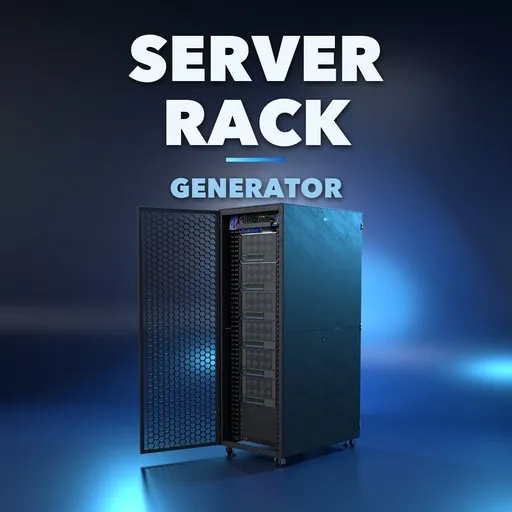
Server Rack Generator
 add-on
Server racks of every kind at real 19 inch sizes, filled with servers, storage, switches and GPUs, with patch cables, fiber, dust, grime and spiderwebs, single or as data-center rows.
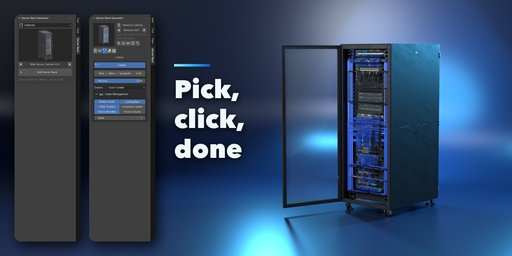
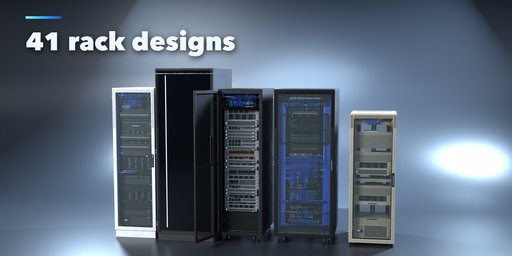

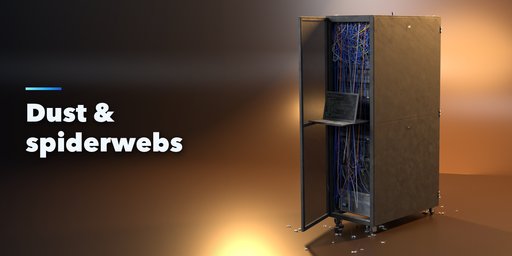
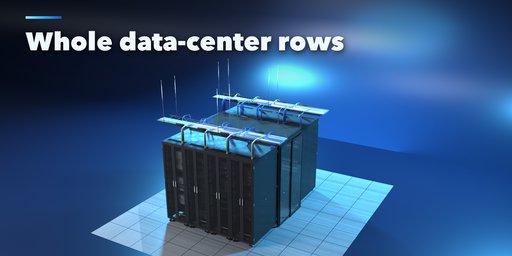
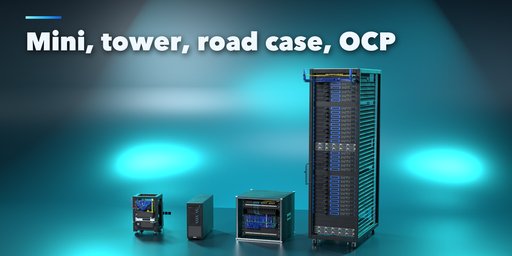
Server Rack Generator builds server racks and everything in them inside Blender: cabinets full of servers, open frames, telco relay racks, wall cabinets, OCP racks, mainframes, road cases and tower servers, at real EIA-310 sizes with 1U = 44.45 mm on true 19 inch rails. Pick one of 41 designs from a picture gallery, press Add, then change anything. Every edit rebuilds the rack live.
Racks of any height from 1U to 60U, 10, 19 and 23 inch standards, any width and depth, six door styles that open, side panels, plinths, casters, fan and cable-entry roofs, vertical PDUs and finger-duct cable managers.
Fill a rack in one click with web servers, storage, network core, AI GPU nodes, homelab, telco, backup, blade or 90s retro gear, or build your own list of 30 device kinds: 1U to 4U servers, GPU servers, blade chassis, storage arrays, disk shelves, tape libraries, switches, core chassis, routers, firewalls, patch panels, UPSs, PDUs, KVM drawers and more, each with real ports, drive bays, fans and blinking status LEDs.
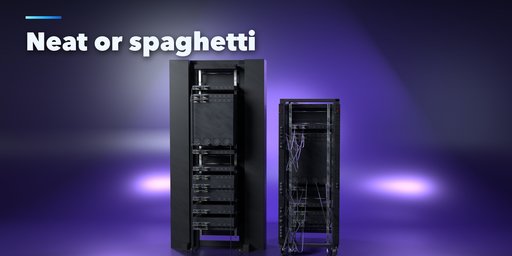
Cable management that looks like the real thing: color-coded patch cables with RJ45 and LC plugs and natural sag, a Neat to Spaghetti slider, lacing bars, velcro bundles, D-rings, rear power cords to the PDUs, yellow and aqua fiber trunks, overhead ladder racks and raised-floor cutouts with brush grommets.
Age it: a Dust slider takes a rack from a clean data center to an abandoned server room, with dust on every top surface, clogged vents, grime streaks, dust bunnies on the floor and real geometry spiderwebs in the corners.
Features
- 41 designs in five families: cabinets, open frames, special racks, data-center rows and abandoned racks
- 9 rack types, any U height, 10, 19, 23 inch and OCP 21 inch standards
- 30 device kinds with 10 one-click fill recipes and a random seed
- Patch cables, fiber, power cords, lacing bars, bundles, ladder racks and floor grommets
- Neat to Spaghetti cable slider
- Dust, grime and spiderwebs for abandoned and post-apocalyptic scenes
- Data-center rows with hot and cold aisle containment and raised floors
- Blinking LEDs that animate in Cycles, EEVEE and game engines (keyframes, no drivers)
- Photoreal PBR materials with UVs that also work in game engines
- Picture galleries, randomize, presets and Make Real
Requires Blender 4.2 or newer. Tested on Blender 4.2, 4.5 and 5.2 LTS.
How to use
Installation
In Blender open Edit, Preferences, Get Extensions, then use Install from Disk and pick the server_rack_generator zip.
Usage
- Open the Server Rack tab in the 3D viewport sidebar (N). Pick a family, click the picture to choose a design from the gallery or step through them with the arrows, then press Add Server Rack. You can also use Shift+A, Mesh, Server Rack.
- With a rack selected, the picture at the top swaps the design. The buttons beside it make a surprise design, a variation, a new fill or a new finish, or reset the rack.
- Rack: type, height in U, standard, width, depth, base, roof and doors (with how far they open). Gear: the fill recipe, seed and density, and the equipment list, where you can add, remove and move devices. Cables: the Neat to Spaghetti slider, amount, colors and the cable management parts. Finish: paint, LEDs and blinking, dust, grime, dust bunnies and spiderwebs. Row: rack count, hot or cold aisle, containment, raised floor, detail level and parts.
- Make Real keeps the rack as plain meshes; Delete removes it with all its parts.
FAQ
Which Blender versions are supported?
Blender 4.2 and newer. It is tested on Blender 4.2, 4.5 and 5.2 LTS.
Are the sizes real?
Yes. Racks use EIA-310 rack units (1U = 44.45 mm), 19 inch rails with 465.1 mm hole spacing, and real cabinet widths and depths. OCP racks use 48 mm OpenU and 21 inch bays.
Can I use the racks in a game engine?
Yes. Make Real turns the rack into plain meshes with UVs and standard PBR materials. Ports and drive bays are textures on single quads, a Detail setting lowers the face count, and the LED blinking uses keyframes, not drivers.
How do I make an abandoned server room?
Pick a design from the Abandoned family, or raise the Dust slider in the Finish tab, turn on dust bunnies and spiderwebs, and push the cable slider toward Spaghetti.


