
 Models
 Materials
 HDRIs
 Scenes
 Brushes
 Node Groups
 Printables
 Creators
 Creations
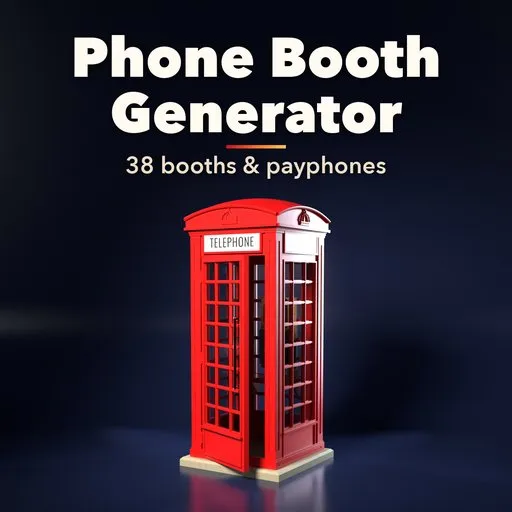
Dialtone – Phone Booth Generator for Blender
 add-on
Procedural phone booths and payphones: 38 designs from red British K2 and K6 kiosks to US, Japanese and European booths, wall phones and office pods.
Explore all my Blender addons
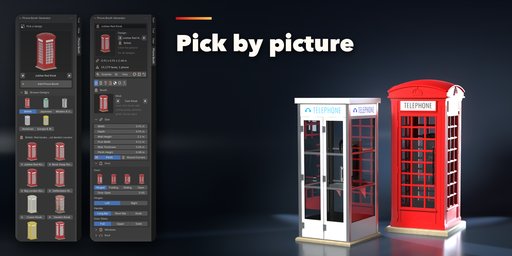
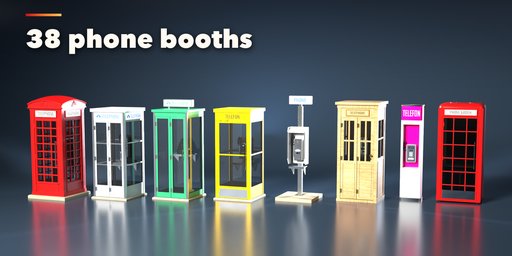
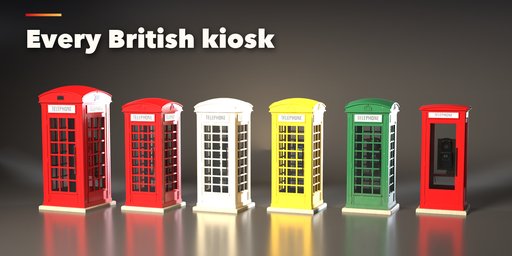
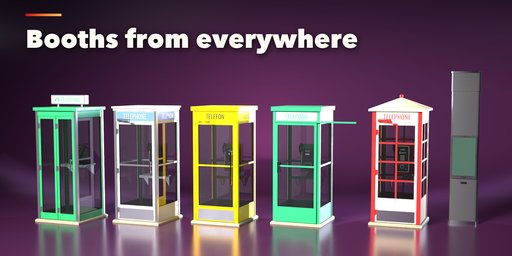
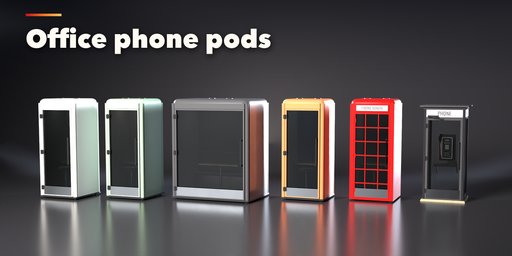
Dialtone Phone Booth Generator builds phone booths and payphones inside Blender, from the red British K2 and K6 kiosks with their domed roofs, crowns and window grids to American glass booths, wooden hotel booths, Japanese green and grey phone booths, European post booths, wall payphones, pedestals with blade signs, acoustic hoods, smart city kiosks and modern office phone pods. Pick one of 38 designs, then change anything: every part is a number, a choice or a switch, and the booth rebuilds live.
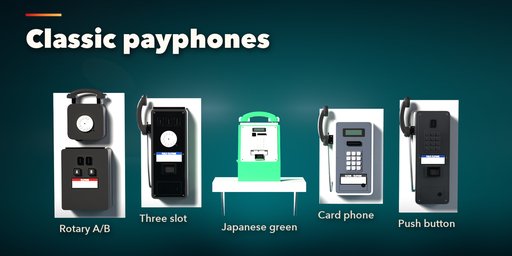
The phone inside is modeled too: ten payphone models with rotary dials, keypads or touch screens, coin slots, A and B buttons, card slots, displays, instruction plates and a handset that rests on its hook or hangs from a coiled, armored or straight cord. Signs light up with your own text, and the inside gets a floor, a lamp, a shelf with phone books, a seat, a desk or a defibrillator.
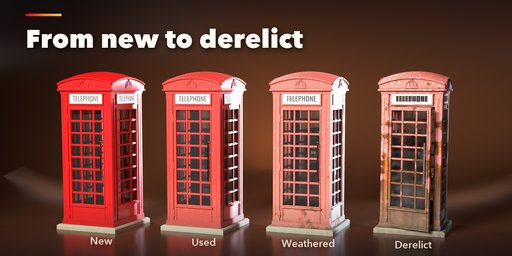
Age the booth from new to derelict: faded paint, chipped edges, rust that climbs from the base, grime streaks and broken panes.
Features
- 38 designs in five families: British, American, Japanese, Europe and world, modern and office
- 8 kinds: cast kiosk, glass booth, wooden booth, office pod, acoustic hood, pedestal, wall phone, pillar
- 5 roofs, 4 door styles that open, window grids, crowns and mouldings
- 10 payphone models with dials, slots, buttons, handsets and 3 cord types
- Lit signs with your own text: fascia, band, roof box, plate and blade
- Interiors: floors, lamp, phone books, seat, desk and defibrillator
- New, used, weathered and derelict condition, or your own mix
- Photo textures for rust, concrete and wood; works in Cycles and EEVEE
- Surprise, Variation, Random Colors and Random Age buttons
- Picture sidebar, Shift+A menu and Mesh Copy for export
Requires Blender 4.2 or newer. Tested on Blender 4.2, 4.5 and 5.2 LTS.
How to use
Installation
In Blender open Edit, Preferences, Get Extensions, then use Install from Disk and pick the zip.
Usage
- Open the Phone Booth tab in the 3D viewport sidebar (N). With nothing selected, click the picture to choose one of the 38 designs and add it at the 3D cursor, or use Shift+A, Mesh, Phone Booth.
- Select the booth to edit it. The tabs hold every setting: Booth, Phone, Sign, Inside, Look, Age and Export.
- Surprise makes a new random booth, Variation changes the current one, and the color and age buttons pick a new color scheme or condition.
- Mesh Copy makes a plain mesh for export or hand editing.
FAQ
Which Blender versions are supported?
Blender 4.2 and newer. It is tested on Blender 4.2, 4.5 and 5.2 LTS.
Can I export the booths to a game engine?
Yes. Mesh Copy turns a booth into a plain mesh with its PBR materials, ready for FBX, glTF or OBJ export or for hand editing.
Does it work in EEVEE?
Yes, in both EEVEE and Cycles. Signs and lamps glow, glass is see-through and the photo textures load in both.


