
 Models
 Materials
 HDRIs
 Scenes
 Brushes
 Node Groups
 Printables
 Creators
 Creations
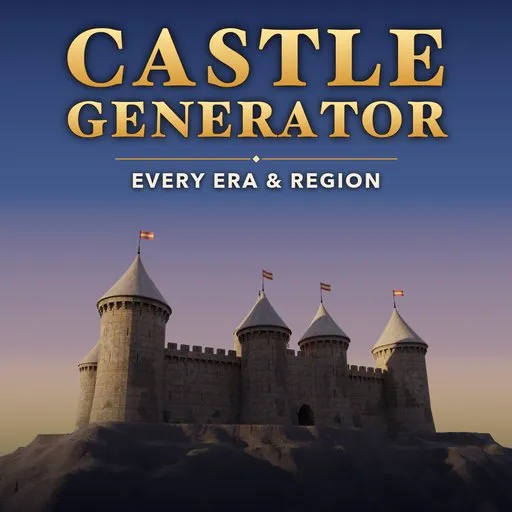
Castle Generator
 add-on
Film-ready procedural castles: 30 real-world styles, walk-in furnished interiors and armory, ballistae and trebuchets, detailed gates, anti-tiling photoreal materials, any curve or terrain.
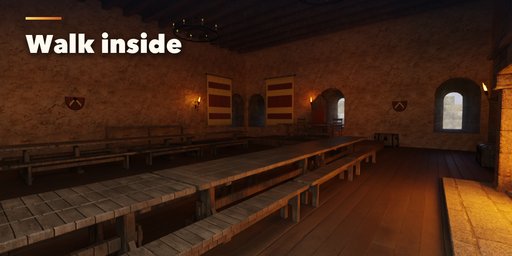
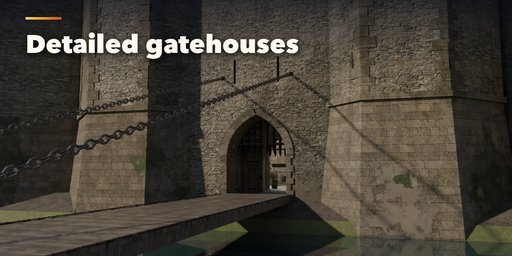
Castle Generator builds complete castles inside Blender, ready for film, VFX and games: curtain walls with battlements, towers, a gatehouse with portcullis and drawbridge, a keep, courtyard buildings, siege engines, a moat and the ground they stand on. Pick one of 30 styles modeled on real fortifications, then change anything. Every part is a slider, a choice or a switch, and the castle rebuilds live as you drag.
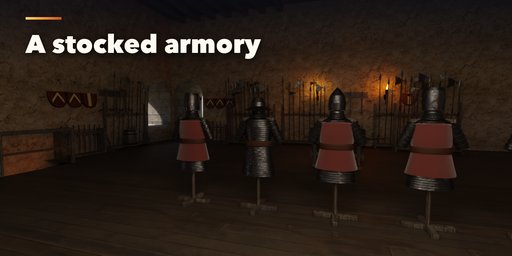
Walk inside. The keep, the towers and the courtyard halls are hollow buildings with real windows and arrow loops cut through thick walls, timber floors on beams, stone stairs climbing the walls, and furnished rooms: a great hall with long tables, a throne, a roaring fireplace, tapestries and candle chandeliers, bedchambers, kitchens, storerooms full of barrels and crates, guard rooms and a fully stocked armory with weapon racks, armour stands and shields.
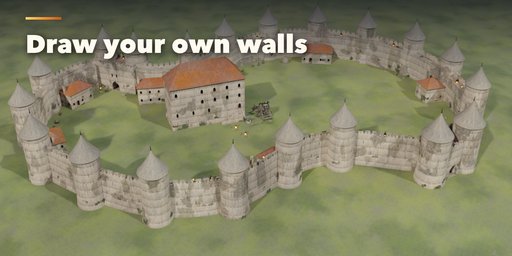
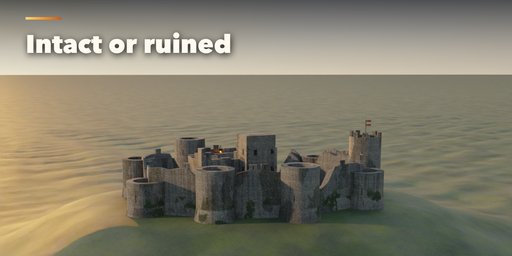
Draw your own walls with a curve and the towers, gate and battlements follow it, or let the walls climb any terrain mesh you pick. Choose a rectangle, polygon, oval, irregular hilltop plan, star fort or concentric double ring, and make it new, weathered or a roofless ruin with broken walls and fallen rubble.
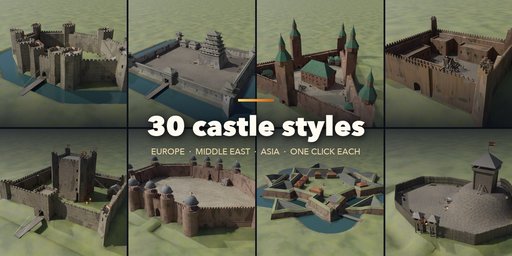
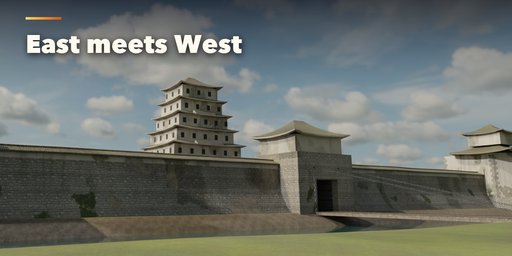
The styles span ten centuries and three continents: motte-and-bailey, Viking ring fort, Roman castrum, Norman keep, shell keep, concentric and Edwardian castles, Crusader fortress, Moorish alcazaba, Spanish castillo, French chateau-fort, Carcassonne, German Burg, Teutonic brick castle, Russian kremlin, Scottish tower house, Japanese castle, Chinese city gate, Korean fortress, Great Wall, Indian hill fort, Mughal red fort, desert kasbah, star fort, Martello tower and fantasy citadels.
Features
- 30 real-world styles, each fully editable, plus Surprise Me for endless new castles
- Walk-in interiors: hollow keeps, towers and halls with see-through windows, floors, stairs, ladders and doors
- Furnished rooms: great hall, chambers, kitchen, chapel, storerooms, guard rooms and an armory, with burning fires and torches
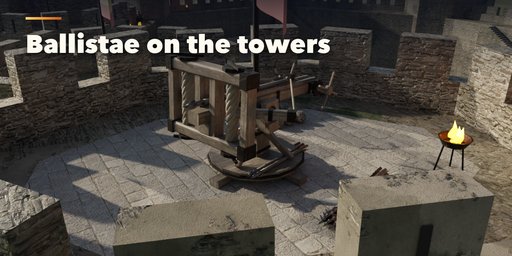
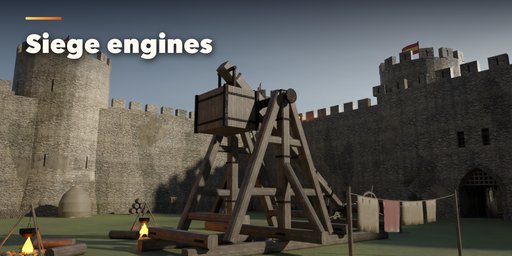
- Siege engines and defences: ballistae on the towers, trebuchets and mangonels in the bailey, boiling-oil cauldrons, hoists, ammunition
- Detailed gates: studded doors with wicket and iron straps, oak portcullis, vaulted passage with murder holes, winch room, chained drawbridge
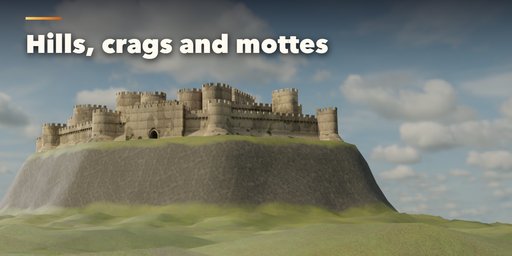
- Walls on a drawn curve or closed loop, following generated hills, crags, mottes, islands or your own terrain
- Round, square, D-shaped, polygonal and bastion towers with cone, pyramid, hip, tent, dome, onion, chhatri and tiered roofs
- Rectangular, swallowtail, stepped, pointed and rounded merlons, loopholes, arrow slits, machicolations, hoardings and tile coping
- Gatehouses: arch, gate tower, twin towers, barbican, Chinese pavilion and Japanese yagura, with portcullis, doors and drawbridge
- Keeps: great tower, round donjon, shell keep, tower house, palas hall, tenshu and timber tower
- Courtyard buildings, wet or dry moats, flags in your colors
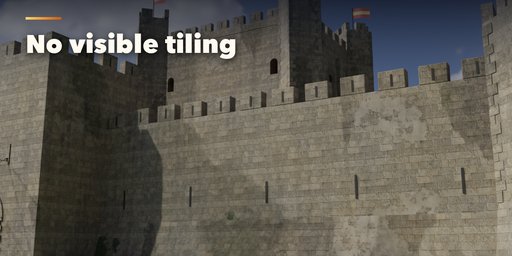
- Photoreal 2K PBR materials from bundled CC0 Poly Haven textures, with shader masking that hides texture repetition, plus grime, rain streaks, damp ground dirt, moss and worn edges
- Real meters, clean named parts in their own collection, bevels, UVs, three detail levels and Convert to Meshes for export to game engines
- Works in Cycles and EEVEE
Requires Blender 4.2 or newer. Tested on Blender 4.2, 4.5 and 5.2 LTS.
How to use
Installation
In Blender open Edit, Preferences, Get Extensions, then use Install from Disk and pick the castle_generator zip.
Usage
- Open the Castle tab in the 3D viewport sidebar (N). Pick a style in the gallery and press Add Castle, or use Shift+A, Mesh, Castle. The castle is built at the 3D cursor.
- With the castle selected, the gallery picture switches styles, Surprise Me makes a random castle and the dice button gives a new seed (new irregular plan, ruin pattern and buildings).
- The main panel holds the plan shape, size, wall height and type, tower shape and roof, keep style and the ruin slider. The sub-panels below hold every detail: Plan & Gates, Walls & Battlements, Towers, Gatehouse, Keep, Courtyard Buildings, Interiors, Defences & Siege Engines, Ground & Moat, Materials & Condition and Output.
- Interiors: the keep, towers and halls are walk-in with floors, stairs and furnished rooms. While you drag a slider the architecture rebuilds at once and the furniture, armory and siege engines fill in a moment later. Switch interiors off for distant shots or light scenes.
- To draw your own walls, choose the curve plan and press Draw: edit the curve's points (Tab) and the walls follow live. Every spline is one wall circuit; open splines make open wall runs. To build on your own landscape, set Ground to Your Terrain and pick the terrain mesh.
- Output: detail level, bevels, Convert to Meshes (keeps plain mesh objects) and Delete.
Textures are CC0 from Poly Haven and are bundled with the addon.
FAQ
Which Blender versions are supported?
Blender 4.2 and newer. It is tested on Blender 4.2, 4.5 and 5.2 LTS.
Can the walls follow my own path and landscape?
Yes. Choose the curve plan and draw a curve (closed for a circuit, open for a wall run); the walls, towers and gate follow it live. Set Ground to Your Terrain to stand the castle on any terrain mesh.
Is it usable in game engines?
Yes. The castle is real-size meshes with UVs and Principled BSDF materials using image textures, split into named parts (walls, towers, gatehouse, keep, buildings, wood, flags, ground, water). Convert to Meshes keeps them as plain objects ready to export, and the Low detail level keeps the polygon count down.
Does it slow down my scene?
No. While you drag a slider the castle rebuilds in a fraction of a second; furniture and siege engines follow a moment later. Interiors, furniture and engines can each be switched off, and the Low detail level keeps polygon counts down.
Can I film inside the castle?
Yes. Windows, arrow loops and doors are real openings through the walls, the floors and stairs are walkable, and the rooms are furnished with fires, torches and candles that light the interior in Cycles and EEVEE.
Where do the textures come from?
They are CC0 textures from Poly Haven, bundled with the addon, so the materials work offline and you may use them in any project.


