
 Models
 Materials
 HDRIs
 Scenes
 Brushes
 Node Groups
 Printables
 Creators
 Creations
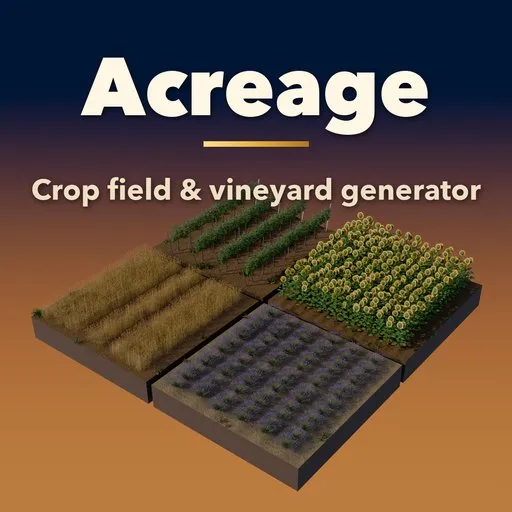
Acreage – Crop Field & Vineyard Generator for Blender
 add-on
Crop fields, vineyards, orchards and hay bales in one click: 59 presets, 27 crops, growth stages and seasons, trellis posts and wires, plough furrows, tractor tracks and bales, all instanced so hectares stay light.
Explore all my Blender addons
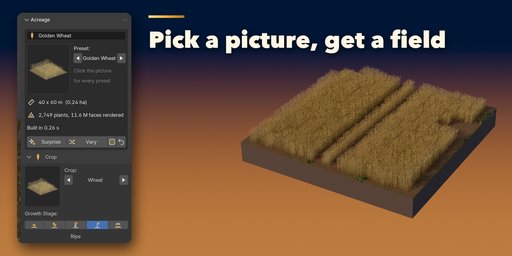
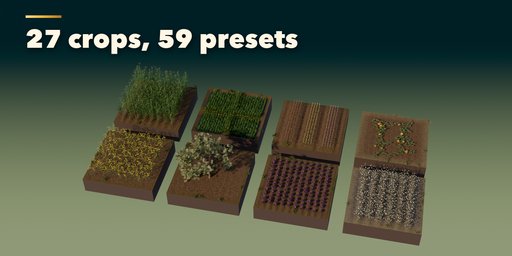
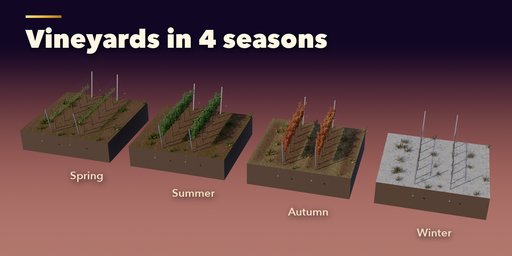
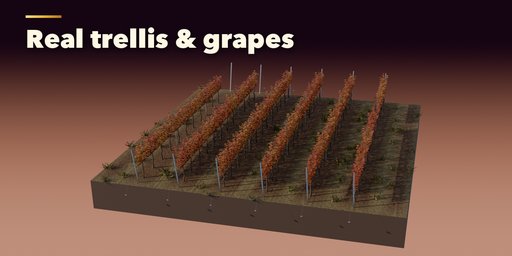
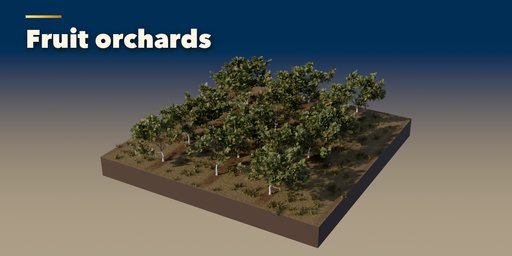
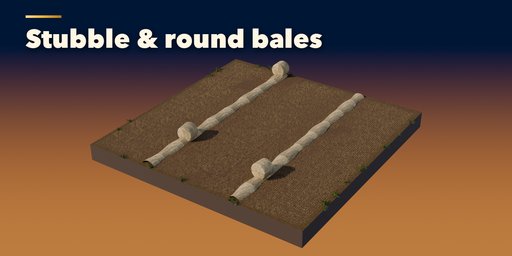
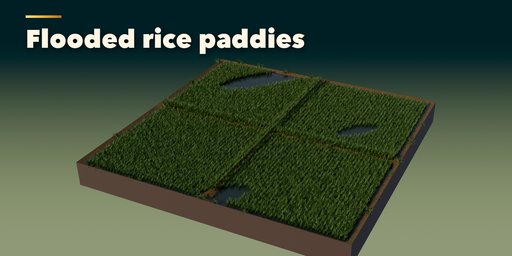
Acreage grows whole farm landscapes inside Blender: golden wheat with tractor tramlines, maize and sunflower rows, flooded rice paddies, lavender and tulip stripes, vineyards on trellis posts and wires, fruit orchards, ploughed furrows and harvested stubble with hay bales. Pick one of 59 presets, change the crop, the growth stage or the season, and the field rebuilds in a fraction of a second.
Every plant is an instance of a small, detailed prototype, so even a hectare of wheat with millions of rendered faces stays light in the viewport and in the file. A viewport thinning option shows fewer plants while you work, and renders always show all of them.
Crops
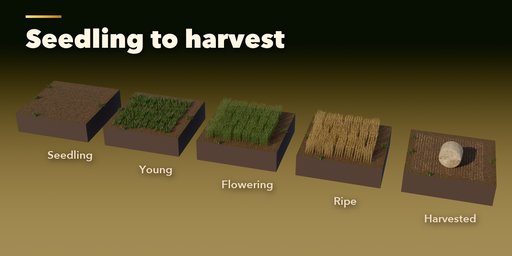
Wheat, barley, oats, rye, rice, maize, sunflowers, rapeseed, soybeans, cotton, potatoes, cabbage, lettuce, pumpkins, carrots, onions, strawberries, lavender, tulips and hay meadows, each from seedling through growing and flowering to ripe and harvested.
Vineyards and orchards
Grapevines trained on VSP, Guyot, high cordon, pergola or as free-standing bush vines, on wood, steel or concrete posts with sagging wires and anchored end posts. Apple, cherry, almond, olive and citrus trees in rows, with spring blossom, fruit, autumn color, bare winter branches, whitewashed trunks and stakes.
The ground
Drilled seedbeds, furrows, ridges, raised beds, plough slices and paddy bunds, with tractor tracks on the headland, grass margins, grass alleys, wet patches, snow, slopes and rolling hills. Round, square, large square and wrapped silage bales lie along the windrows, scattered or stacked.
Features
- 59 presets in 7 categories, 27 crops, 5 growth stages and 4 seasons, each a picture in the sidebar
- Light: instanced plants, a viewport thinning setting and a face count in the panel
- Photo textures from Poly Haven and photo leaf atlases, physically based and game-engine friendly
- Surprise Me, Variation and New Layout buttons
- Make Plants Real turns the instances into linked objects for export
- Shift+A menu with every preset
Requires Blender 4.2 or newer. Tested on Blender 4.2, 4.5 and 5.2 LTS.
How to use
Installation
In Blender open Edit, Preferences, Get Extensions, then use Install from Disk and pick the crop_field_vineyard_generator zip. The add-on is listed as Acreage.
Usage
- In Object Mode press Shift+A and choose Mesh, Crop Field & Vineyard, then pick a preset. You can also open the Acreage tab in the 3D viewport sidebar (N), pick a category and click a preset picture.
- With the field selected, click the crop picture to choose another crop, and the stage and season buttons to grow it, ripen it, harvest it or take it into winter.
- Field sets the size, row and plant spacing, uneven growth, gaps and wildflowers. Ground sets the soil shape (furrows, ridges, beds, plough slices or paddies) and the soil look.
- Vineyard and Orchard appear for vines and fruit trees: trellis system, post material and spacing, tree size, whitewash, stakes and fruit amount.
- Harvest & Bales adds round, square or wrapped bales and straw windrows.
- Terrain & Rows adds slopes, hills, curved rows, headlands and tramlines.
- Display & Export sets how many plants the viewport shows and the plant detail. Make Plants Real turns the instances into linked objects for export to FBX, glTF or a game engine.
Switch the viewport to Material Preview or Rendered to see the photo textures. Surprise Me makes a random field; Variation keeps the crop and changes the layout.
FAQ
Which Blender versions are supported?
Blender 4.2 and newer. It is tested on Blender 4.2, 4.5 and 5.2 LTS.
Will a big field slow down my scene?
No. Every plant is an instance of one small prototype mesh, so a field of thousands of plants costs little memory. The viewport can show a fraction of the plants while renders always show all of them, and the panel shows the plant and face count.
Can I use the fields in a game engine?
Yes. The materials are physically based with photo textures and alpha-cutout leaves. Make Plants Real turns the instances into linked mesh objects for FBX or glTF export; for very large fields export the plant meshes and scatter them with your engine's foliage tools.
Are the textures included?
Yes. The soil, straw, wood, concrete and leaf textures are CC0 (Poly Haven photos) and bundled with the add-on, so nothing needs to be downloaded.


