Models
 Materials
 HDRIs
HDRIs
 Scenes
 Brushes
 Node Groups
 Printables
 Creators
 Creations
Quick Electricity v1.0 — Blender Add-on
 add-on
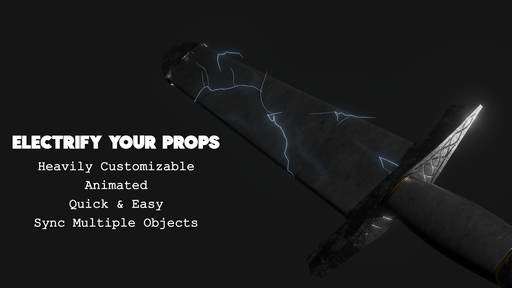
Create animated lightning and cinematic mesh electricity in Blender. Five modes: Simple Lightning, Object Arcs, Sky Lightning, Object Aura, and Still Bolt. Customize color, glow, branching, thickness, and timing. No baking. Blender 4.5+.
Create Lightning Directly in Blender
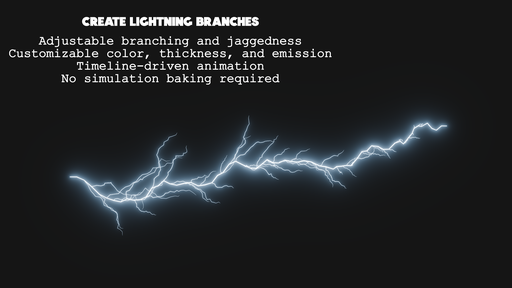
Quick Electricity is an electricity-only Blender add-on for creating customizable lightning bolts and mesh-surface arcs. Build procedural Curve effects, animate them on the timeline, and adjust each effect in the 3D Viewport—no simulation baking required.
Five Electricity Modes
Simple Lightning: Shape a bolt with movable Bézier controls, optional object attachments, taper, and flashing.
Arc Between Objects: Connect two objects with an animated electrical arc.
Sky Lightning: Create downward lightning with adjustable length and spread.
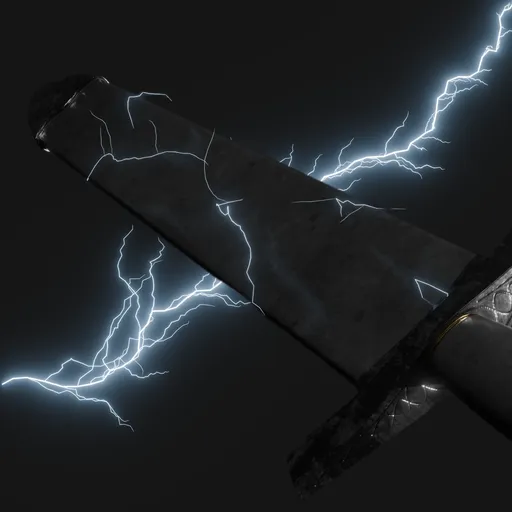
Object Aura: Add branching, animated discharges across a mesh surface.
Still Bolt: Create a non-animated bolt for still images.
Customize and Manage Effects
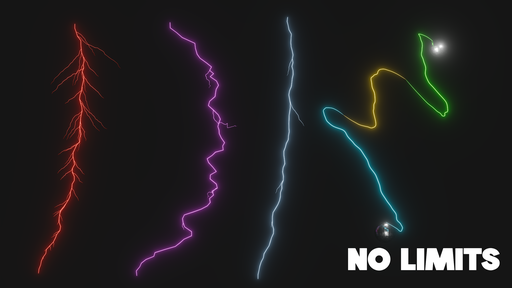
Adjust color, emission strength, thickness, jaggedness, branching, and animation. Apply electricity to a selected mesh without replacing its mesh or materials. Freeze a frame, delete individual effects, or sync multiple mesh auras while keeping their targets separate.
New electricity uses cinematic blue-white defaults, including jaggedness 0.22, thickness 0.0001, and surface offset 0.009202. Settings remain editable; scene scale can affect how thin the effect appears.
Install and Get Started
Install the included ZIP through Edit → Preferences → Add-ons → Install from Disk, then enable the add-on. In the 3D Viewport, press N and open the Electricity tab. Select a mesh and choose Electrify Selected Mesh, or choose another mode from the Effect menu.
Use Rendered viewport shading to preview emission. For a glow halo, add a Glare compositor node and set it to Fog Glow. The add-on does not change your compositor automatically.
Compatibility
For Blender 4.5 and later. Tested in Blender 4.5 and 5.1.
This is stylized procedural electricity, not a physical electrical simulation. The download contains the electricity add-on only; fire, explosion tools, models, and reference scenes are not included.
Add images between these sections: use your sword render, a branching lightning example, and a readable screenshot of the Electricity panel. Caption renders clearly—for example, “Example render; sword model not included.”