
 Models
 Materials
 HDRIs
 Scenes
 Brushes
 Node Groups
 Printables
 Creators
 Creations
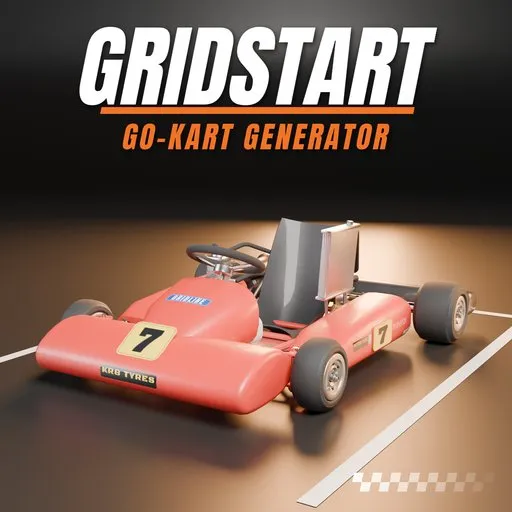
Gridstart – Go-Kart Generator for Blender
 add-on
Photoreal go-karts, dune buggies, sand rails, UTVs, quads and soapbox carts: 47 designs, real tube chassis and engines, Ackermann steering, rolling wheels and liveries.
Explore all my Blender addons
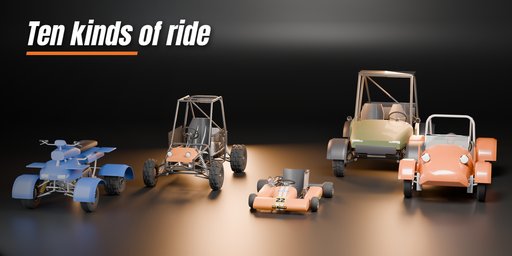
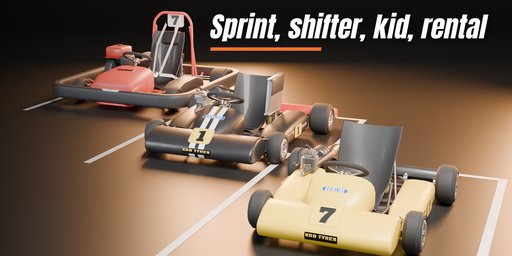
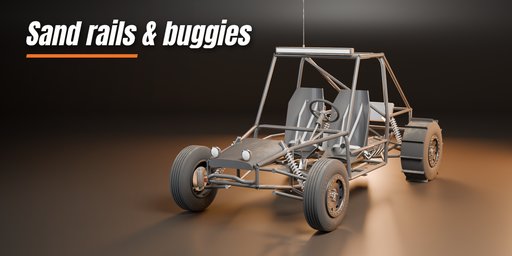
Gridstart builds ready-to-drive go-karts and small off-road vehicles inside Blender. Pick one of 47 designs in ten families, from a CIK sprint kart with a tuned pipe to a VW Manx dune buggy, a V8 sand rail with paddle tyres, a four-seat UTV, a farm quad with racks or a wooden soapbox racer, then change anything: every part is a picture, a slider or a switch, and the vehicle rebuilds in a moment.
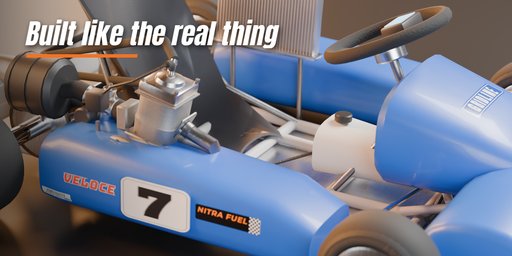
Each vehicle is built like the real thing. Bent tube chassis and roll cages with welded joints, kingpins and spindles, disc brakes and calipers, coil-over shocks, chains and sprockets, seat shells and racing buckets with harnesses, pedals, a steering column and a real steering wheel or handlebar. Engines include air- and water-cooled two-strokes, a KZ shifter with radiator, a rental four-stroke, an electric motor with batteries, a CVT single, an air-cooled VW flat four and a small-block V8 with zoomie headers.
It is rigged and ready to animate. Steering turns the front wheels with real Ackermann geometry and turns the steering wheel or handlebar with them. Drive rolls all four wheels, and one button makes the wheels roll whenever you move or keyframe the vehicle. Empties mark the driver's seat, hands and feet so a character drops right in.
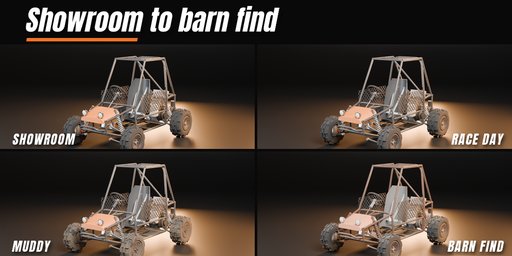
Liveries come with racing stripes, two-tone, side bands, fades and camo, race numbers on yellow, white, black or livery plates, vinyl sponsor stickers that wrap over the kart bodywork, and six conditions from showroom to race day, trail dust, muddy, worn and barn find. All materials are photoreal PBR with real Poly Haven textures: satin moulded kart plastics, fibreglass seat shells, tube-and-fin radiator cores, see-through window nets and TIG weld beads on every frame joint. They work in Cycles, EEVEE and game engines.
Features
- 47 designs in ten families: sprint, shifter and kid karts, rental karts, off-road buggies, VW dune buggies, sand rails, UTVs, ATV quads and soapbox carts
- Tube chassis, roll hoops, full cages and roofs, nerf bars, CIK bodywork and rental bumper rings
- 8 tyre treads (slick, rain, knobby, mud, all-terrain, rib, paddle, street) and 8 rim styles
- 9 engines and 4 exhausts, radiators, fuel tanks, chains, batteries and airboxes
- 6 seats, steering wheel, handlebar or rope steering, pedals and footrests
- Steering with Ackermann geometry, rolling wheels and "Roll With Motion" for animation
- Driver seat, hand and foot markers for posing a character
- Liveries, patterns, race numbers, sponsor stickers and six wear conditions with dirt, mud, dust and rust
- Copy-safe: editing one vehicle never changes a duplicate
- Surprise, Variation and Random Livery buttons for endless new vehicles
- Picture-driven sidebar, Shift+A menu, three detail levels for fleets or close-ups
Requires Blender 4.2 or newer. Tested on Blender 4.2, 4.5 and 5.2 LTS.
How to use
Installation
In Blender open Edit, Preferences, Get Extensions, then use Install from Disk and pick the go_kart_buggy_generator zip.
Usage
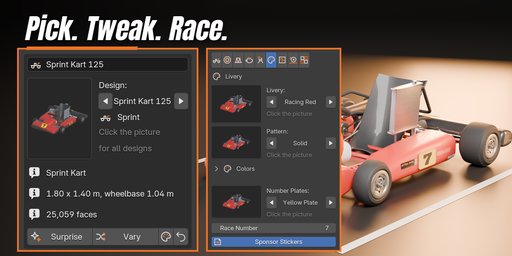
- Open the Go-Kart tab in the 3D viewport sidebar (N). With nothing selected, click the picture to choose one of the 47 designs, or browse the ten families, and add it at the 3D cursor. You can also use Shift+A, Mesh, Go-Kart / Buggy.
- The card at the top shows the design, its size, wheelbase and face count. Surprise Me makes a new random vehicle, Variation changes the current one a little, Random Livery repaints it and Reset goes back to the design.
- The icon tabs hold every setting: Vehicle (kind and chassis), Wheels (tyres, rims, sizes), Body (bodywork, bumpers, cage, lights), Power (engine, exhaust, radiator), Driver (seat, steering, pedals), Livery (colors, pattern, race number), Wear (condition, dirt, mud, rust), Drive (steering, rolling, keyframes, Roll With Motion) and Parts (detail, seed, rebuild, delete).
- Every picture choice opens a gallery: click the picture next to a setting to see all its options, or step through them with the arrows.
To animate, keyframe Steering and Drive in the Drive tab, or press Roll With Motion so the wheels follow the vehicle's own movement. The Seat, Hand and Foot empties show where to place a driver.
FAQ
Which Blender versions are supported?
Blender 4.2 and newer. It is tested on Blender 4.2, 4.5 and 5.2 LTS.
Can I animate the vehicle?
Yes. Steering turns the front wheels with Ackermann geometry and turns the steering wheel or handlebar with them, Drive rolls the wheels, and Roll With Motion makes the wheels roll on their own when you move or keyframe the vehicle.
Can I use the vehicles in a game engine?
Yes. The materials are plain PBR with image textures, the wheels and steering are separate objects with their origins at the axles and kingpins, and three detail levels keep the face count low for games.
If I duplicate a vehicle and edit the copy, does the original change?
No. Editing one vehicle gives it its own meshes and materials first, so Shift+D and Alt+D copies stay as they were.
Does it work in EEVEE?
Yes, in both Cycles and EEVEE.


