
 Models
 Materials
 HDRIs
 Scenes
 Brushes
 Node Groups
 Printables
 Creators
 Creations
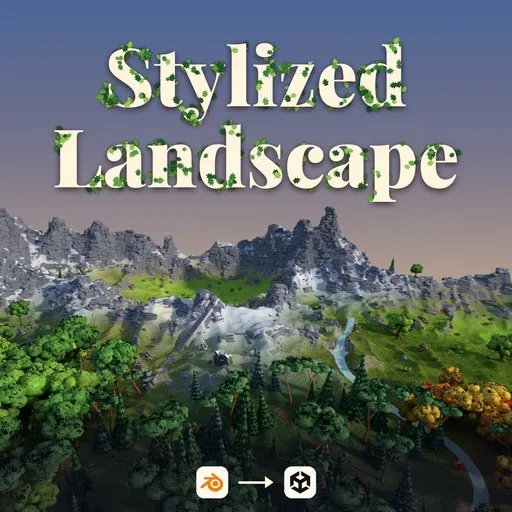
Stylized Landscape Generator for Blender – Terrain, Biomes, Roads & Rivers
 add-on
Build hand-painted worlds: 12 start terrains, 12 paintable biomes, sculpt brushes, spline roads with automatic bridges and tunnels, rivers, waterfalls, caves, dense grass with wind and a live Unity bridge.
Explore all my Blender addons
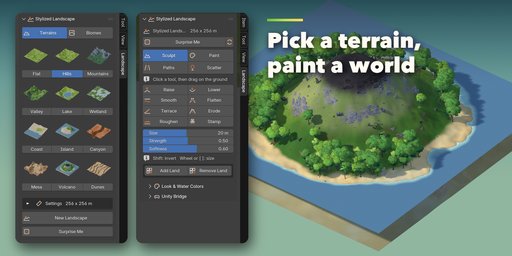
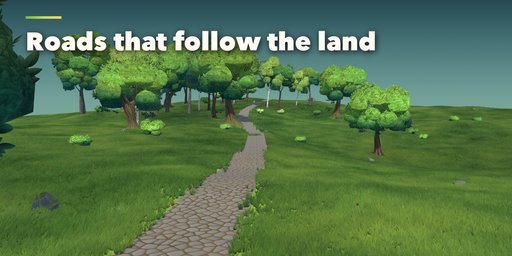
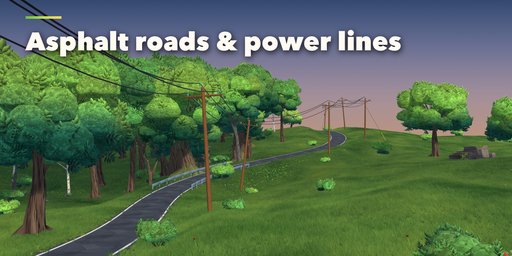
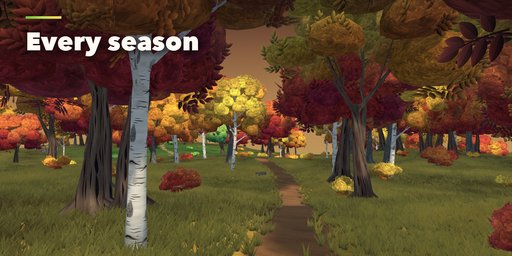
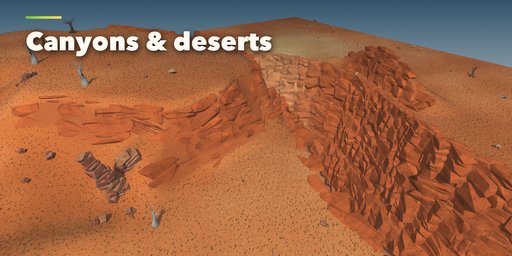
Stylized Landscape Generator builds large hand-painted worlds in Blender: pick a start terrain, sculpt it with the addon's own brushes, paint biomes onto the ground and draw roads, rivers, caves and power lines straight on the landscape. Trees, rocks, flowers and a thick grass carpet grow by themselves and follow every edit.
The world is made of terrain chunks, so a brush stroke only updates the ground under the brush. Editing stays fast when the map grows, and there are no visible seams between chunks in renders.
Start in one click
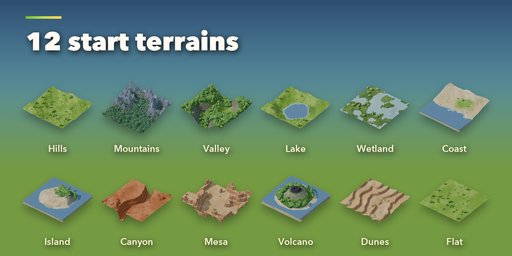
Choose one of 12 start terrains (hills, mountains, valley, lake, wetland, coast, island, canyon, mesa, volcano, dunes, flat) or a flat field of one of 12 biomes. Every choice is a picture of the real result. Surprise Me rolls a new random world, and Add Land grows the map chunk by chunk.
Sculpt and paint
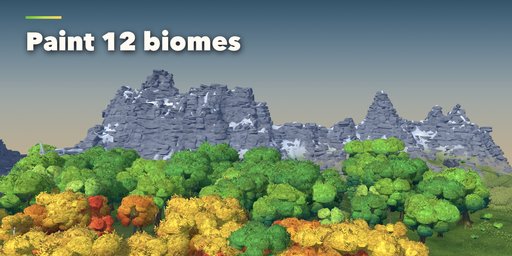
Raise, Lower, Smooth, Flatten, Terrace, Erode and Roughen brushes, plus landform stamps: mountain, hill, crater, cliff, mesa and valley. Paint 12 biomes: Meadow, Forest, Flower Field, Alpine, Snow, Pine Forest, Autumn, Wetland, Desert, Beach, Volcanic and Canyon. Each biome brings its own painted ground, cliffs, trees, rocks and flowers, and edges blend softly.
Roads, rivers and bridges
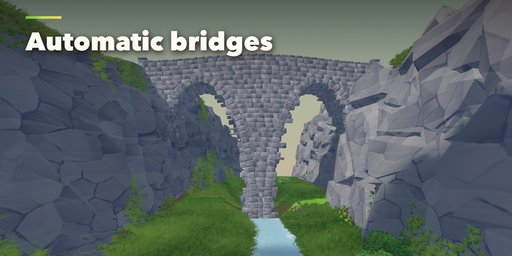
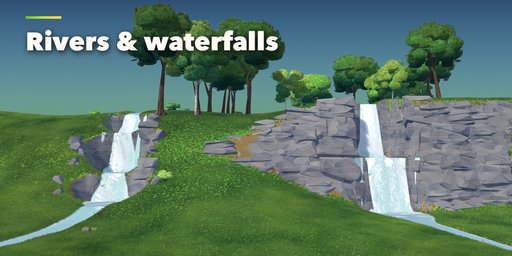
Drag on the ground to draw a pathway, rock road, cart road or an asphalt lane, two-lane road or highway. Roads lie on the terrain, level the ground across them and join into natural junctions. Rivers carve their bed, fill with flowing water and turn into waterfalls with plunge pools on steep slopes. Where a road meets a river or a ravine, a timber, log, stone arch or rope bridge is built for you; asphalt roads get modern bridges and real tunnels through the hills, and steep paths get stairs.
Caves and power lines
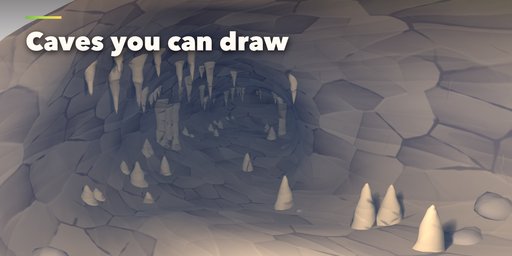
Draw a cave as a curve: it opens a real hole in the ground, dives under the hills and grows stalactites, stalagmites and rocks around the mouth. Caves that touch merge into one. Draw power lines on wooden poles, H-frames or steel pylons; lines connect when they meet and trees stay out of the wires.
Living foliage
A dense stylized grass field with style, tip, height, density and color palette controls, biome-tinted colors and color mixing. Paint more or fewer trees, rocks, grass and flowers, or place and remove single objects by hand. Shader wind moves grass, flowers, bushes and trees with strength, direction, speed and gust controls.
Water
A sea level, painted lakes and ponds, spline rivers, shore foam, depth color and caustics, with editable water colors.
Unity Bridge
Send the landscape to an open Unity project with one click or with Live Sync: terrain as native Unity Terrain tiles or LOD meshes, ground layers blended by masks, trees and details, LOD groups, colliders, the grass field, wind and a stylized water shader. Only what changed is sent again. Works with Unity 2021.3, 2022.3 and Unity 6.
Features
- 12 start terrains and 12 paintable biomes, all picked from pictures
- Chunked terrain with fast brushes: 7 sculpt brushes and 6 landform stamps
- 6 road types with automatic junctions, bridges, stairs and tunnels
- Rivers with waterfalls, lakes, ponds and a sea
- Caves drawn as curves, with formations and real openings
- 3 power line types that connect by themselves
- Bundled library of stylized trees, bushes, rocks, boulders, flowers, reeds, cacti and dead wood
- Dense grass field with palettes and shader wind
- Surprise Me button, Add Land and Remove Land tools
- Unity Bridge with Live Sync, Unity Terrain or mesh mode, LODs and stylized water
- Works in EEVEE and Cycles
Requires Blender 4.2 or newer. Tested on Blender 4.2, 4.5 and 5.2 LTS.
How to use
Installation
In Blender open Edit, Preferences, Get Extensions, then use Install from Disk and pick the stylized_landscape_generator zip.
Create a landscape
- Open the Landscape tab in the 3D viewport sidebar (N). With nothing selected you see the new screen.
- On the Terrains tab click a terrain picture, or switch to Biomes for a flat field of one biome, and create the landscape. The surprise button makes a random world.
Edit it
- Select the landscape. The tabs Sculpt, Paint, Paths and Scatter appear.
- Sculpt: pick a brush or a stamp and drag on the ground. Add Land and Remove Land grow or shrink the map by chunks.
- Paint: click a biome picture and paint it. Trees, rocks and grass follow.
- Paths: pick a road type, River, a power line or Cave and drag on the ground; it is applied when you release. Edit the curve points later to move it. Per path you can switch bridges, stairs, waterfalls and the bridge style. The sea and painted ponds are here too.
- Scatter: set the amounts, paint more or fewer trees, rocks, grass and flowers, place single objects with Add, and tune the grass field and the wind.
Unity Bridge
- Open your Unity project, then open the Unity Bridge sub-panel in the Landscape tab and install the bridge into that project.
- Choose Unity Terrain or Meshes as the ground mode and sync, or switch on Live Sync to send every edit.
- After updating the addon, install the bridge again so Unity gets the new scripts and shaders.
Tips
- EEVEE ray tracing makes the thick grass look dark; switch it off for stylized renders.
- Press Play to see the wind and the flowing water.
FAQ
Which Blender versions are supported?
Blender 4.2 and newer. It is tested on Blender 4.2, 4.5 and 5.2 LTS.
How big can a landscape be?
The map is a grid of terrain chunks (64 m by default) and you can add more with Add Land. Brushes only update the chunks they touch and the grass is drawn only near the view, so editing stays fast on large maps.
Do I need Blender's sculpt mode?
No. The addon has its own brushes that work in Object Mode right from the sidebar: sculpting, landform stamps, biome paint, scatter paint and water paint.
Can I use the landscape in a game engine?
Yes, in Unity through the built-in Unity Bridge: terrain tiles or LOD meshes, ground layers, trees, details, grass, wind, water, LOD groups and colliders are created in your open Unity project and kept in sync. It supports Unity 2021.3, 2022.3 and Unity 6. The generated foliage shaders target URP; other pipelines use their standard Lit material.
Are the trees and rocks included?
Yes. A library of stylized trees, bushes, rocks, boulders, flowers, reeds, cacti and dead wood for every biome ships inside the addon. Nothing else has to be installed.
The grass looks very dark in EEVEE. Why?
EEVEE ray tracing shades the dense grass field too strongly. Switch off Ray Tracing in the render settings for the painted look.


