
 Models
 Materials
 HDRIs
 Scenes
 Brushes
 Node Groups
 Printables
 Creators
 Creations
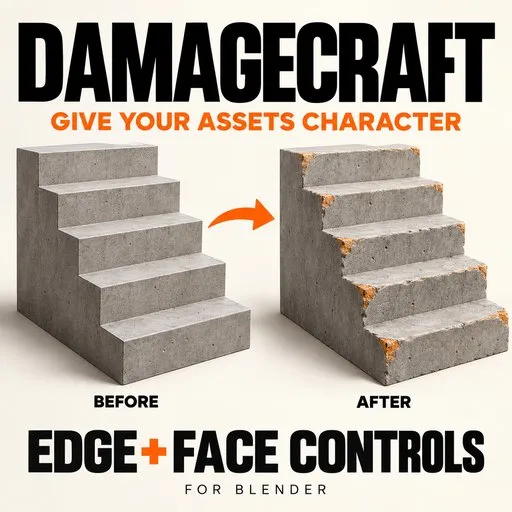
DamageCraft — Edge Chips & Surface Wear
 add-on
Turn clean meshes into worn assets with geometric edge chips, surface pits, and separate controls for edges and faces.
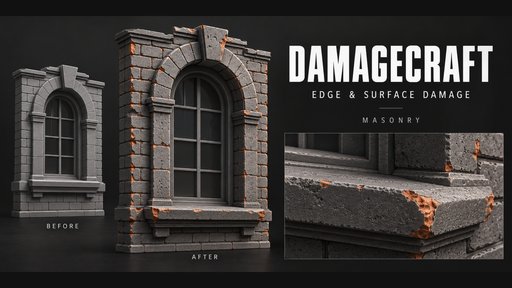
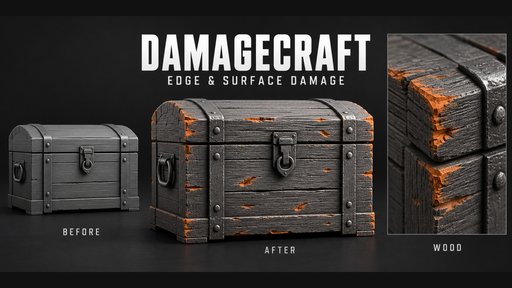
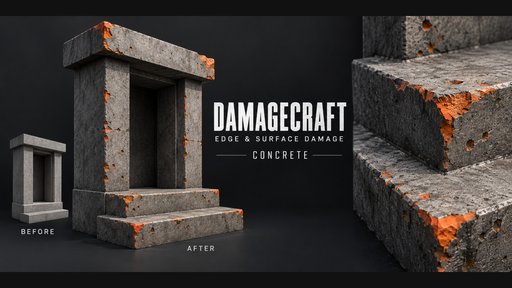
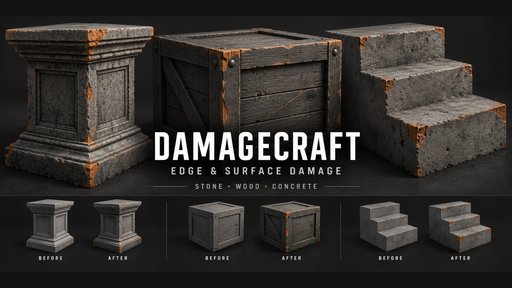
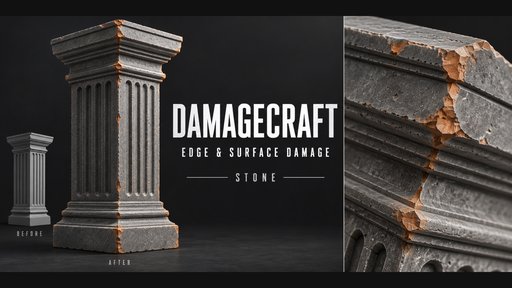
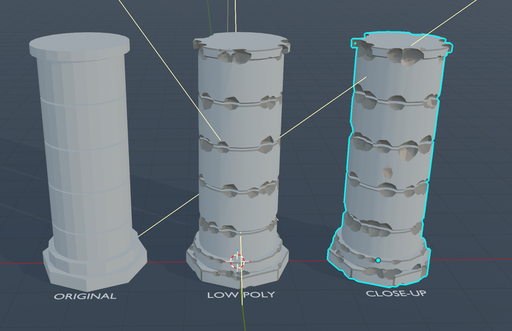
🪨 DamageCraft — Edge Chips & Surface Wear for Blender
✨ Give your 3D models a worn finish
Create chipped corners, worn edges, surface pits, and shallow gouges with DamageCraft, a Blender add-on built around a straightforward sidebar workflow.
Add character to stone architecture, brickwork, concrete structures, wooden props, and other solid environment assets. Start with a preset, adjust the damage, and generate real mesh geometry while keeping your original source available for another pass.
🎛️ Separate Edge & Face Controls
Shape different kinds of wear independently:
- Edge Damage: Adjust chip size, density, depth, and the convex edge-angle threshold.
- Face Damage: Control pit count, size, and depth separately.
- Combine both: Build chipped silhouettes with additional surface wear—or use either channel on its own.
🧩 Five Geometric Damage Patterns
- 🪨 Angular Chips — Broad, faceted cuts for chipped stone and masonry.
- 🧱 Crumbled Stone — Irregular cuts for rougher surface wear.
- 🕳️ Rounded Pits — Rounder local depressions across the mesh.
- 🪵 Wood Splinters — Elongated cuts aligned with a chosen local grain axis.
- ✏️ Scratches — Thin, shallow directional gouges.
🚀 Presets to Get You Started
Explore starting recipes for Chipped Stone, Worn Brick, Old Concrete, Splintered Wood, and Scratched Metal.
Load a preset, refine its settings, and change the seed to explore another arrangement.
🎨 Control Placement & Presentation
- 🖌️ Vertex-Group Placement Masks** — Influence where cut centers appear and how deeply they penetrate.
- 🎨 Exposed Cut Materials — Assign a separate material to newly cut surfaces.
- 🔄 Seed Variations — Explore different distributions while keeping the same general recipe.
- 🔗 Recipe Transfer — Match an active result’s saved settings to other selected meshes.
- 📦 Multiple-Object Processing — Apply the panel recipe to selected eligible objects.
🛠️ Add Detail & Refine the Result
Use Extra Stone Detail for an optional voxel-based surface erosion pass. Finish with a small bevel, optional triangulation, or polygon reduction to suit your next modeling step.
💾 Preserve Your Source
DamageCraft creates a generated result while retaining its source object and settings recipe.
Use Generate / Update to rebuild from the saved source, Add Damage Layer to accumulate another pass, or Restore Source to step back one layer at a time. Save your .blend with the hidden sources to retain this workflow.
🖱️ A Simple Workflow
- Select a closed mesh in Object Mode.
- Open 3D Viewport → N → DamageCraft.
- Choose a preset and click Load.
- Click Generate / Update.
- Adjust the settings and regenerate.
- Version: DamageCraft 1.0.0.
- Designed for: Blender 4.2 and newer.
- Runtime-tested in: Blender 4.5.3 LTS.
- Output: Static mesh geometry.
- Dependencies: No companion add-ons or external packages required.
ℹ️ Before You Begin
Use clean, closed solid meshes. Changes apply when you click Generate / Update; sliders do not update the geometry live.
Placement masks influence cutter centers rather than precisely clipping damage to a painted boundary. Extra Stone Detail remeshes the surface, discards UVs and vertex weights, and cannot be combined with a placement mask. New cut faces may require UV work.
Presets control geometry; textures and finished material systems are separate. Retopology, texture baking, and destruction physics are not included.


