
 Models
 Materials
 HDRIs
HDRIs
 Scenes
 Brushes
 Node Groups
 Printables
 Creators
 Creations
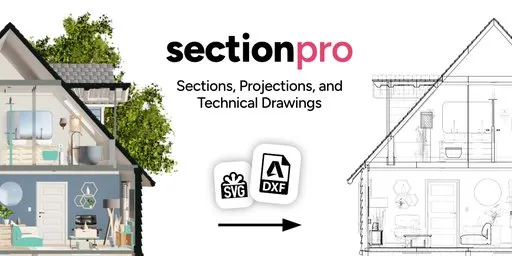
Section Pro - Sections, Projections & Technical Drawings
 add-on
Section Pro lets you cut through any 3D model with section planes. Generate high precision technical drawings with cross sections and projections, and export to DXF/SVG. Perfect for architecture, interior design & BIM/CAD workflows in Blender.
Section cuts at any angle
Cut through your 3D objects from any angle with one or multiple section planes. Works with all types of objects including collections, instances, and geometry nodes. Position and rotate the plane like any Blender object.
Color code sections per object, collection, or material
Assign fill colors for individual objects, entire collections, or specific materials. Structural walls, partitions, and furniture each read as distinct elements at a glance.
Generate 2D technical drawings in one click
Section Pro produces a 2D edge mesh from any section, including the cross-section outline, projected silhouette edges, and hidden edges in a separate layer. Each layer can be styled independently in Blender or downstream in any CAD/vector application.
Hidden edge detection
Section Pro can detect hidden edges in your 3D model, allowing you to create more accurate and detailed technical drawings. Hidden edges are stored in a separate layer, which can be styled independently later.
Export to DXF/SVG
Export drawings directly to DXF for AutoCAD, FreeCAD, or any CAD application. SVG for Illustrator, Affinity, or laser cutting. Export units can be set independently of the Blender scene.
Save and switch section configurations
Views store which sections are active, which drawings are visible, and the viewport orientation, projection, and shading. Name them "Floor Plan", "Section A-A", "Section B-B" and switch with one click.
Floor plan cuts
Create horizontal section cuts at any height. Use Align View to Section to instantly switch to orthographic top-down mode. Use color coding to achieve a clear and readable plan.
Control what gets cut
Let sections affect only specific objects, collections, or the entire scene. This allows you to use different sections for different parts of your scene.


