
 Models
 Materials
 HDRIs
HDRIs
 Scenes
 Brushes
 Node Groups
 Printables
 Creators
 Creations
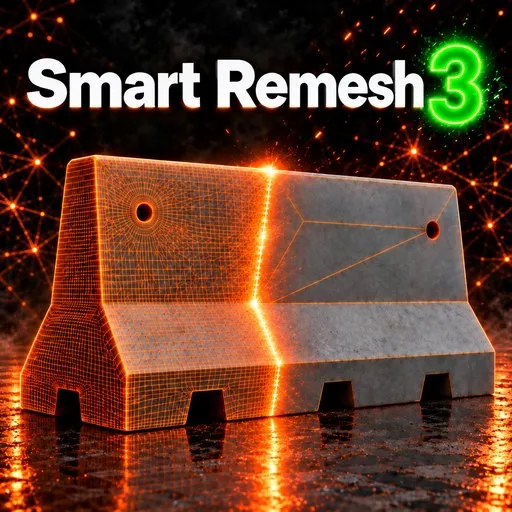
Smart Remesh
 add-on
Smart Remesh 3: a new viewport interface, live progress on every job, a much faster engine, exact face counts, Cloth and Hard-Surface remeshing and texture baking, all reversible.
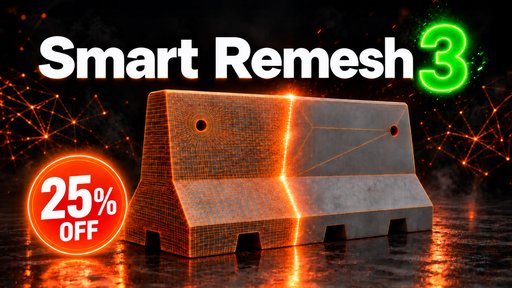
Smart Remesh 3
QUAD REMESHER FOR HARD-SURFACE & ORGANIC MODELS
Rebuilds flat panels as clean n-gons and drops the edge loops that carry no shape — without moving the surface.
VERSION 3
Introducing Smart Remesh 3
A completely new viewport interface, live progress on every job, a several-times-faster engine on heavy models, exact face counts, upgraded Cloth and Hard-Surface remeshing, full texture baking — and it's all reversible at any time.
WATCH THE TEASER
A New Home, Right in the Viewport
Every control now lives on a clean card inside the viewport — it works in split views, scrolls when it gets long, and you can customize its accent colour, strength and corner rounding. Hover any setting and a small animated explainer shows what it does to your mesh before you touch it. Click any number and type the exact value. Prefer the old layout? The Classic Panel is one switch away.
Learn Without Leaving Blender
A play button beside each section opens its own video lesson — from Cloth Remeshing to Hard Surface — right where you need it. No hunting through YouTube mid-project.
Faster, Exact, and Fully Reversible
Multi-million-face models load and transfer their UVs several times faster, and Manual mode now gives you the face count you actually ask for — ask for 10,000, get about 10,000. A live progress bar sits on the button, Blender stays responsive, Esc stops the job, and Back to Original returns you to the source model at any time.
Smart Remesh 3 Highlights
The short version — there's a lot in this one.
Cloth Remeshing
Each UV panel of a garment remeshed on its own so seams stay intact — panel borders meet and weld, shells merge, tears close.
Bake From Original
Every PBR channel and normals baked onto the result — 1024/2048/4096, GPU-fast, UDIM-friendly Bake Into Existing UV, and one-click Unbake.
Hard Surface Upgrades
Messy CAD & triangulated models become clean panels with sharp edges — Fill Missed Gaps, Keep Circles Round, Mirror Retopology and savable presets.
Smart Cleanup
Clean extra loops (respecting your marked edges), Rebuild Flat turns fans and diagonals into single faces, 3 Edges removes stray points.
Erase Useless Loops
Drop loops that don't change the shape, filtered per X/Y/Z axis — your marked lines and UV seams stay protected, with a live loop count.
Subdiv Cage Builder
Builds a light all-quad cage over your model, creases its hard edges and adds a Subdivision Surface modifier — instant subdiv-ready asset.
Plus: optional Mark Sharp Edges (off by default so organic results shade smoothly), Use This Mesh to keep working from the result, and Undo for every cleanup step.
Smart Remesh 3 — Video Tutorials
VERSION 2
Introducing Smart Remesh 2
The biggest release yet — smarter cleanup, preserved materials and UVs, precise control over what gets retopologized, and a workflow that respects your scene from names to viewport settings.
Smart Cleanup · Remove Useless Loops · Keep Materials
Limit Retopology by Selected Edges · Symmetry Retopology · Wireframe Mode
Keep Viewport Settings · Keep Original Mesh Name · Managed Renaming
SMART REMESH 2 — VIDEO TUTORIAL
Cleanup That Knows What Matters
The new Smart Cleanup pass sweeps the result after retopology — dissolving junk geometry, healing messy areas and leaving only clean, purposeful topology behind. No manual polish needed.
Your UVs and Bakes Survive the Remesh
Retopology no longer costs you your texturing work. UV layouts carry over to the new mesh and baked detail stays intact — even after a full Organic retopology, the fine detail is baked onto the clean low-poly result so it looks exactly like the original. UDIMs are preserved too: multi-tile layouts stay on the model after the remesh, so you can run your baking process on your own UVs right after remeshing. Remesh a finished asset without redoing a single map.
Materials Stay Exactly Where They Were
Every material and its assignment survives the rebuild. The new topology comes out wearing the same materials as the original — no relinking, no reassigning face by face.
Erase the Loops That Do Nothing
Edge loops that carry no shape are found and removed automatically — and with Limit by Selected Edges you can point the tool at exactly the region you want cleaned, leaving the rest untouched.
Tame the Mess AI Leaves Behind
Meshes from AI generators are notorious for dense, chaotic loops that serve no purpose. Smart Remesh 2 strips them out and rebuilds the surface as clean, usable topology — turning AI output into production-ready assets.
NEW · 2.1.7
Built for Garments & Cloth
Clothing needs its own kind of retopology — and now it has one. Each UV island (each panel of the garment) is remeshed on its own, panel borders meet cleanly with a live slider and optional weld, tears get closed, and a Relax brush smooths the result. Hover the garment and the UV island under your cursor lights up — click to isolate just that piece and work on it alone.
CLOTH REMESHING — VIDEO
A Workflow That Respects Your Scene
Symmetry retopology for mirrored models, a wireframe mode to inspect the result instantly, viewport settings that stay as you left them, the original mesh name kept, and managed renaming that keeps your outliner tidy — every detail of your scene is treated with care.
VIDEO TUTORIALS · 6 LANGUAGES
Full video tutorials for Smart Remesh 2 are available in six languages:
English · 日本語 · 한국어 · Español · Português · Deutsch
2.0.2
WHAT'S NEW
UDIM & UV preservation — multi-tile layouts stay on the model after the remesh. Faster retopology — the engine got a noticeable speed boost. Baking added to Organic mode — bake detail onto the clean result right inside the Organic workflow.
2.0.2 → 2.1.6
WHAT'S NEW
Merge Shells — weld AI/scan shells into one surface before remeshing New object every remesh — never overwrites the last result Confirm & Edit — hand an Organic result to the Hardsurface tools Automatic UV repair after transfer, on all layers Automatic shading fix for scanned normals · Select Axis Loops — pick one direction, whole loops or edges Axis-locked loop removal (X / Y / Z) Axes Along Model — align the object's axes to the model without moving it 3 Edges vertex cleanup Bake From Original — fresh UV + texture bake onto the retopo GPU Baking — UV & texture bakes now run on the GPU for much faster results
NEW · 2.1.7
CLOTH SMART REMESHING
Remesh Separately — each UV island is remeshed on its own Meet Panel Vertices — panel borders meet, live slider, optional Weld No Sharp Edges — clears sharp lines after a remesh Pick A Piece — hover the garment, the UV island lights up, click to isolate · Isolate Piece & Exit Isolate Relax Brush — smooth the result right in the viewport Close Tears — by hole-size ratio
Two Tools, One Panel
They solve different problems — and that's the point.
Organic
CURVED · SCULPTED · SCANNED
Rebuilds the whole surface as an even quad grid at the face count you choose. Fast and uniform — the classic remesh, done right.
Hardsurface
MACHINE PARTS · PANELS · PROPS
Finds the model's real edges, rebuilds flat panels as single n-gons, and drops the loops that carry no shape. The trade: the shape does not move at all. Most quad remeshers can't say that.
Keeps the Shape Exactly
Every vertex of the result is a vertex of the original. The result is built only from the model’s own vertices — nothing is nudged, nothing drifts.
Drops What Carries No Shape
Lines and loops are tested by what they actually change — not by an angle you have to guess.
Three Presets, or Your Own
Detail, Balanced, Flat Panels — read off eight real production runs. Save your own on top.
See It Work
Real models, live in the viewport.
THE CONCRETE BARRIER
8,960 → 137 FACES
98.5% REDUCTION
A flat-panelled prop collapsed to a fraction of its geometry. Every panel becomes a single n-gon and the shape doesn’t move a hair.
ORGANIC MODE
2,000,000 → 20,000 FACES
100% CLEAN QUADS
A heavy sculpt rebuilt as a clean, even quad grid. Pick the density you want and Organic mode lays a uniform, animation-ready surface over the whole model in seconds.
HARDSURFACE IN ACTION
Watch the Hardsurface engine find the model’s real edges, rebuild the flat panels as single clean n-gons, and drop every loop that carries no shape — while the silhouette stays untouched.
FULL CONTROL OVER DENSITY
Dial the result up or down — keep it dense where the surface needs it, strip it bare where it doesn’t.
FLAT PANELS, CLEAN N-GONS
Panels, props and machined parts rebuilt as minimal geometry — the useless loops disappear, the real edges stay razor sharp.
REAL PRODUCTION MODELS
Bought assets, scans and dense kitbash parts — run them through and get light, clean topology that behaves in the viewport and exports without a fight.
DETAILS THAT SURVIVE
Fillets, curved transitions and fine features are kept while the useless geometry around them disappears — reduction without the melted look.
4.2+
BLENDER
100%
QUADS · ORGANIC MODE
WIN · MAC · LINUX
Perfect For
| Game artists — turn bought or scanned assets into clean, light meshes |
| --- |
| Hard-surface modelers — kill useless loops without touching the silhouette |
| Sculptors — rebuild heavy sculpts as even quad grids ready for detailing |
VERSION 1.2.2
What's New
1.2.2
macOS & Linux Support Is Here 🍎🐧
Smart Remesh now runs natively on Mac and Linux. The full toolset — Hardsurface and Organic — works exactly the same on macOS and Linux as on Windows.
1.2 · NEW
Replace Original (Hardsurface)
The result is now written into the model itself instead of being left beside it. Restore Original still puts the model back — and simply unchecking it hands the model back too.
1.2 · NEW
One Model at a Time
Editing only ever touches the model you have selected. Selecting another model no longer changes the previous result — and a result you've moved aside is never overwritten.
FIXED
The model is no longer hidden after a remesh. The About panel no longer errors when installed as an extension.


