
 Models
 Materials
 HDRIs
 Scenes
 Brushes
 Node Groups
 Printables
 Creators
 Creations
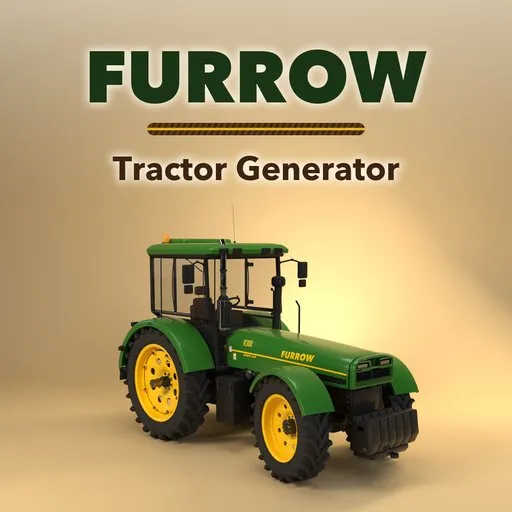
Furrow – Tractor & Farm Machinery Generator for Blender
 add-on
Rigged farm machinery: 62 tractors, combines, forage harvesters, sprayers and implements that steer, lift and unload, with liveries, mud and wear.
Explore all my Blender addons
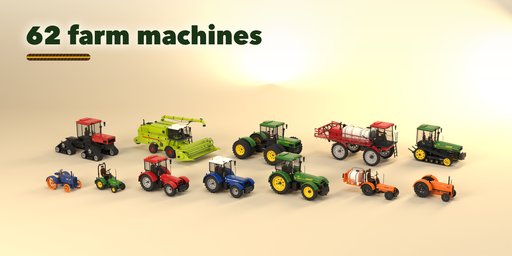
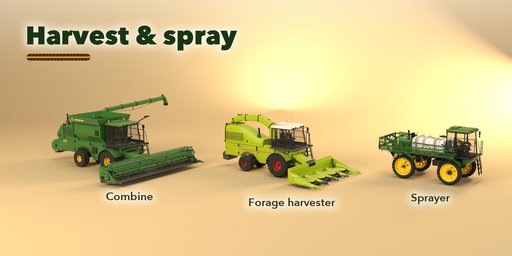
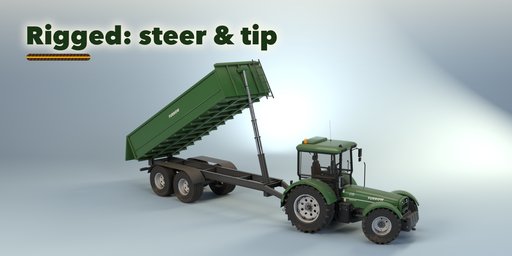
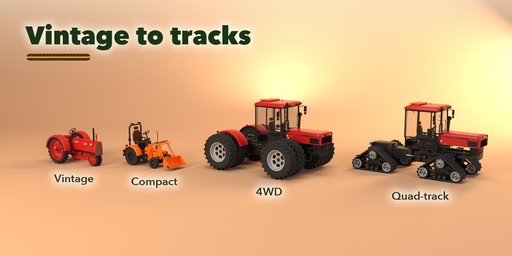
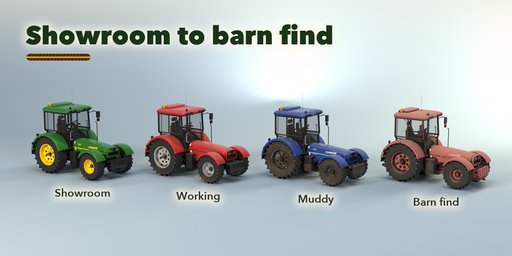
Furrow builds farm machinery inside Blender: vintage, compact, utility, row-crop, 4WD articulated and tracked tractors, combine harvesters, forage harvesters, self-propelled sprayers and the implements that work behind them. Pick one of 62 designs modeled on the machines in real fields, from a 1940s row-crop tractor on steel wheels to a 600 hp quad-track, then change anything and watch it rebuild live.
Every machine is rigged. Wheels roll with one Wheel Roll slider, front hubs steer, 4WD tractors bend in the middle, the 3-point hitch lifts its implement, the front loader raises and keeps its bucket level, combine headers lift and the unloading auger swings out, forage spouts turn, trailers tip and baler gates open. Pick a pose (Work, Transport, Turn, Unload) with one click, or keyframe the sliders to drive across a field.
Implements
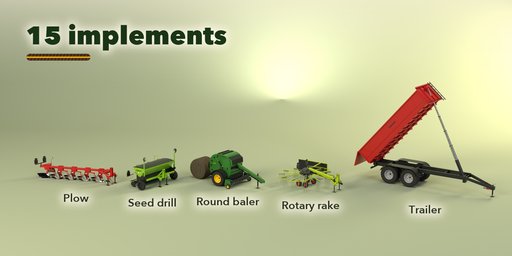
Moldboard and reversible plows, disc harrows, field cultivators, seed drills, row planters, disc mowers, rotary cutters, rotary rakes, round and square balers, tipping trailers, grain carts, bale trailers and mounted sprayers. Mounted tools hang on the 3-point hitch, towed ones on the drawbar. Utility and compact tractors take a front loader with a bucket, pallet forks, a bale spear or a manure grapple. Combines take grain, draper, corn or pickup headers.
Finish
Brand-neutral liveries in the colors farmers know (green and yellow, harvest red, blue and white, orange, lime, vintage red and grey) or your own colors, and a condition from showroom clean to working, muddy, worn or barn find: mud rising up the tyres, dust on top, chipped edges, rust and faded paint, all with PBR materials that also export to game engines.
Features
- 62 designs in 10 families, 10 machine kinds and 15 implements
- Rigged: steering, wheel roll, hitch, loader, header, auger, spout, tipping
- One-click poses and keyframing for animation
- Glass cabs with seats, steering wheels and dashboards, canopies, roll bars and open seats
- Bar-lug, turf, industrial and flotation tyres, duals, steel wheels and rubber tracks
- Liveries and wear: mud, dust, chipped edges, rust and faded paint
- Picture-driven sidebar, Surprise and Vary buttons, Shift+A menu
- Works in Cycles and EEVEE
Requires Blender 4.2 or newer. Tested on Blender 4.2, 4.5 and 5.2 LTS.
How to use
Installation
In Blender open Edit, Preferences, Get Extensions, then use Install from Disk and pick the tractor_farm_generator zip.
Usage
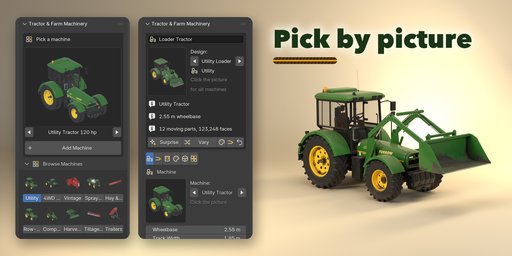
- Open the Tractor tab in the 3D viewport sidebar (N). With nothing selected, click the picture to choose one of the 62 designs, or browse the ten families, and add it at the 3D cursor. You can also use Shift+A, Mesh, Farm Machine.
- Select any part of a machine to edit it. The card at the top shows the design; Surprise makes a new random machine, Vary changes the current one a little, the palette button picks a random livery and wear, the hitch button swaps the implement (or header) and the arrow resets the design.
- The tabs hold every setting: Machine (kind, wheels, tyres or tracks), Implement (rear implement, front loader, header, booms), Hood & Cab, Finish (livery, colors, condition, lights), Pose (one-click poses, sliders, Key Pose) and Parts (detail, seed, rebuild, delete).
- To animate, keyframe Wheel Roll and Steering on the root object, or set a pose, press Key Pose, move to another frame and repeat.
FAQ
Which Blender versions are supported?
Blender 4.2 and newer. It is tested on Blender 4.2, 4.5 and 5.2 LTS.
Are the brands real?
No. The liveries use the classic farm colors, and the only decals are the made-up FURROW brand, model numbers and safety labels (you can turn decals off), so you can use the machines in any project.
Can I use the machines in a game engine?
Yes. The parts are ordinary meshes with PBR materials and each moving part has its origin on its pivot. Bake the wear into textures for engines that do not read Blender's attributes.


