
 Models
 Materials
 HDRIs
 Scenes
 Brushes
 Node Groups
 Printables
 Creators
 Creations
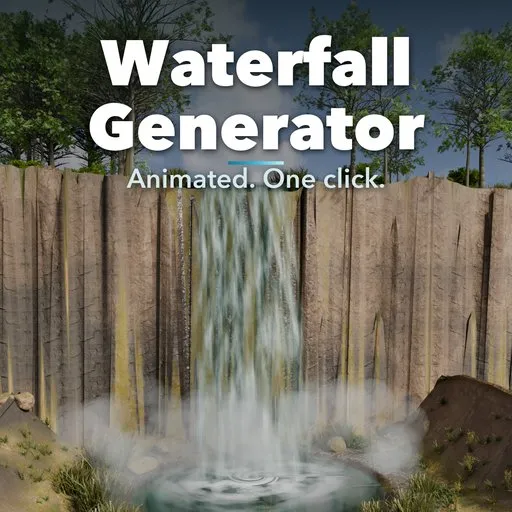
Waterfall Generator
 add-on
Animated waterfalls in one click: 20 designs in 9 real types, from plunge and horsetail to cascades, curtains, fans and punchbowls, with flowing water, foam and rising mist.
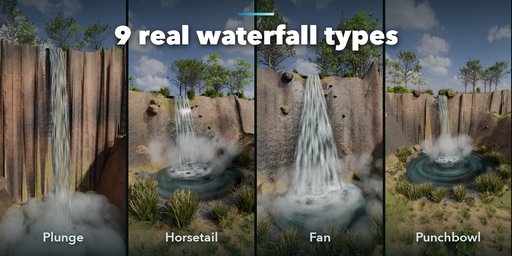
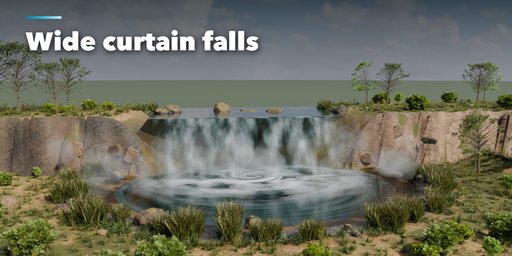
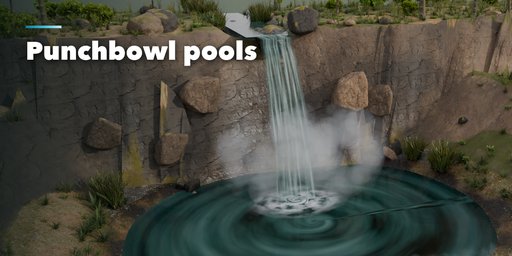
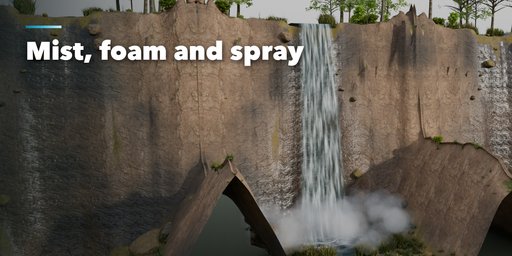
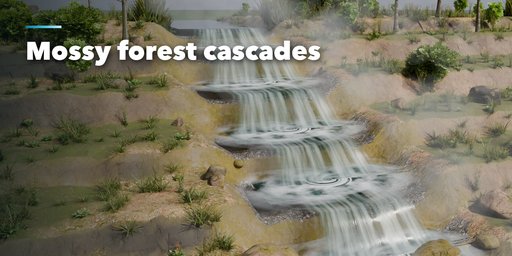
Waterfall Generator builds a complete animated waterfall scene in one click: a rocky cliff with a river channel on top, falling water that flows on its own, a plunge pool, churning foam where the water lands and rising mist. Pick one of 20 designs covering every classic waterfall form and press play: the water streams down, the foam churns and the mist drifts up, with no keyframes, no drivers and no scripts to allow.
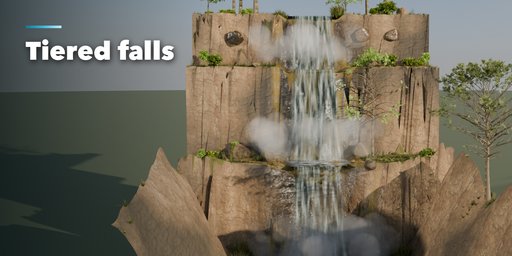
Every waterfall type found in nature is here. Plunge falls leave the lip and fall free. Horsetails cling to the rock. Cascades tumble down a staircase of small steps, tiered falls drop from shelf to shelf, curtain falls span a whole river, segmented falls split into separate streams, fans spread wider as they slide down, punchbowls drop into a pool ringed by rock walls and ribbons fall as a thin, tall thread.
Change anything and the waterfall rebuilds live: height, width, number of tiers and streams, launch speed, fan spread, rock face slope and roughness, moss, pool size, water color, white water, flow speed and mist. Randomize gives a brand new waterfall, Vary a new variation of the current one.
Features
- 20 designs in 9 real waterfall types
- Water animation by Geometry Nodes Scene Time: works in the viewport and renders, no drivers
- Falling water follows real launch physics and never cuts into the rock
- Rocky cliff with photo-scanned CC0 rock texture and moss on the ledges
- Plunge pool, shelf pools and river with flowing ripples
- Foam rings and rising volumetric mist puffs where water lands
- Tiers, streams, spread and bowl walls for any shape
- One-click Randomize and Vary
- Freeze to Mesh for export to game engines
- Works in Cycles and EEVEE
Requires Blender 4.2 or newer. Tested on Blender 4.2, 4.5 and 5.2 LTS.
How to use
Installation
In Blender open Edit, Preferences, Get Extensions, then use Install from Disk and pick the waterfall_generator zip.
Usage
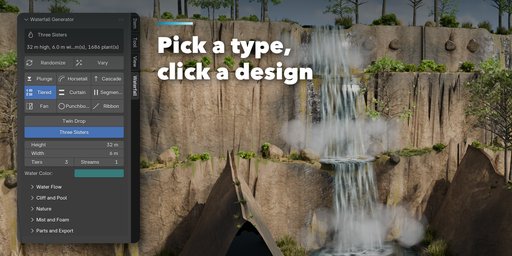
- Open the Waterfall tab in the 3D viewport sidebar (N). With nothing selected, pick a waterfall type, then click a design to add it at the 3D cursor. Surprise Me adds a random one. You can also use Shift+A, Mesh, Waterfall.
- Select the waterfall to edit it: switch type or design with one click, set height, width, tiers, streams and water color. Randomize makes a new waterfall, Vary a new variation.
- The closed sections hold the rest: Water Flow (white water, flow speed, ripple, spread, launch speed), Cliff and Pool (face slope, shelves, rock roughness, tint, moss, pool size, bowl walls, seed), Mist and Foam, and Parts and Export.
- Press play: the water, foam and mist animate through Geometry Nodes Scene Time, without keyframes or drivers.
Freeze to Mesh turns the current frame into plain meshes for export to game engines.
FAQ
Which Blender versions are supported?
Blender 4.2 and newer. It is tested on Blender 4.2, 4.5 and 5.2 LTS.
Do I need to allow auto-run scripts for the animation?
No. The water, foam and mist are animated by Geometry Nodes that read the scene time, so there are no drivers or scripts and it just plays.
Is this a fluid simulation?
No, it is fast procedural geometry and shading, so there is nothing to bake and it rebuilds instantly when you change a setting.
Can I export it to a game engine?
Yes. Freeze to Mesh turns the waterfall into plain meshes with UVs. The rock uses a standard image PBR material.


