
 Models
 Materials
 HDRIs
 Scenes
 Brushes
 Node Groups
 Printables
 Creators
 Creations
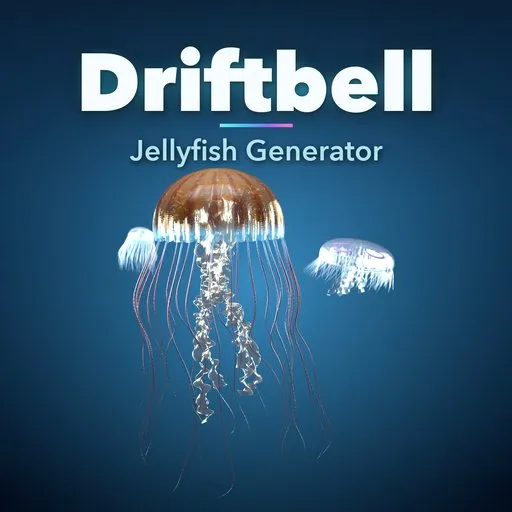
Driftbell – Jellyfish Generator for Blender
 add-on
Real jellyfish in one click: 54 designs from moon jellies to the man o' war, glass-clear bells, trailing tentacles, glow, a keyframe-free swim animation and swarms, for EEVEE, Cycles and games.
Explore all my Blender addons
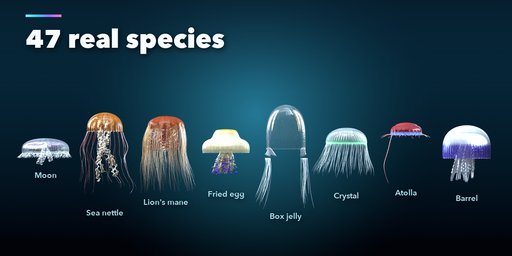
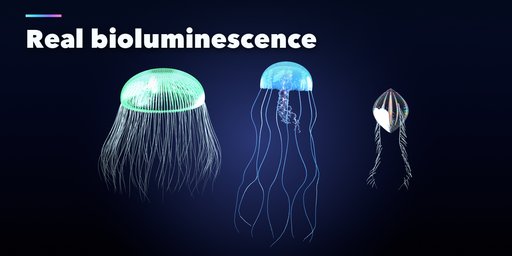
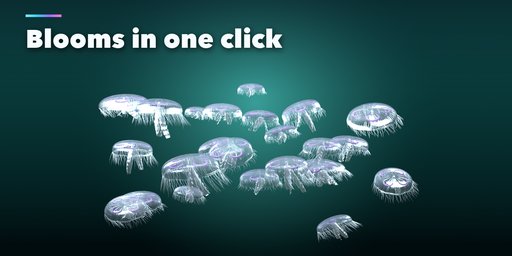
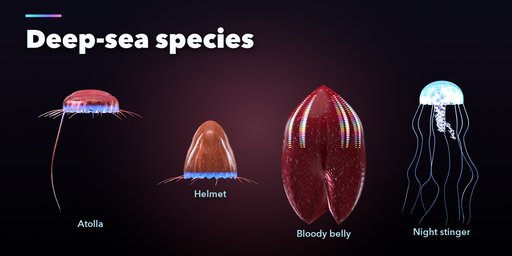
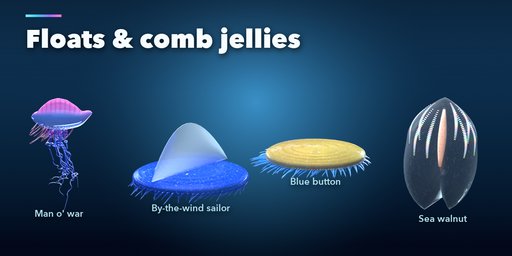
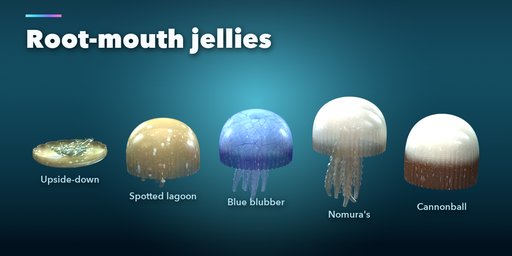
Driftbell makes real jellyfish in one click: moon jellies, sea nettles, lion's manes, barrel and fried egg jellies, upside-down Cassiopea, box jellies, crystal jellies, deep-sea Atolla, the Portuguese man o' war, by-the-wind sailors and glittering comb jellies. Every species is built from its real anatomy at its real size, with a glass-clear bell, oral arms, trailing tentacles, gonads you can see through the bell and true bioluminescence.
Press Play and they swim. The bell pulses with a quick power stroke and a slow recovery, the animal rises with each stroke, and the tentacles and arms trail behind and sway. The motion runs in Geometry Nodes on the scene clock: no keyframes, no simulation and no cache, so it loops forever without slowing your scene.
What you get
- 54 ready-made designs: 47 real species from shallow lagoons to the deep sea, plus 7 swarms and blooms
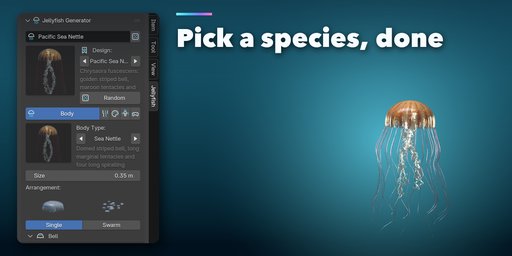
- 11 body types, 6 tentacle styles, 7 oral arm styles, 5 kinds of organs, 7 bell patterns and 6 glow modes, all chosen from pictures in the sidebar
- A Random button that always gives a believable jellyfish of a real species
- Swarms in one click: many animals in one light mesh, each a little different and pulsing out of step
- Translucent PBR materials that look right in both EEVEE and Cycles, plus an Underwater Lighting button
- A painted texture atlas (colour with alpha, normal and glow) you can save as PNG files for Unity, Unreal and Godot
- Every copy is independent: Shift+D a jellyfish and change it without touching the original
Requires Blender 4.2 or newer. Tested on Blender 4.2, 4.5 and 5.2 LTS.
How to use
Installation
In Blender open Edit, Preferences, Get Extensions, then use Install from Disk and pick the zip.
Usage
- Open the sidebar (N) in the 3D Viewport and click the Jellyfish tab.
- Pick a species in the picture gallery and click Add, or click Add a Random Jellyfish. It is also in Shift+A, Mesh, Jellyfish.
- With the jellyfish selected, change it in the Body, Tentacles, Colour, Swim and Output tabs: body type, size and bell shape, tentacles and oral arms, pattern, colours and glow, swim speed, or turn it into a swarm.
- Press Play to see it swim. Underwater Lighting sets up a deep blue world and lights from the surface.
- Output, Save Textures writes the colour with alpha, normal and glow PNG files for game engines.
- Make Static keeps the result as a plain mesh; Delete removes it with its materials and textures.
FAQ
Which Blender versions are supported?
Blender 4.2 and newer. It is tested on Blender 4.2, 4.5 and 5.2 LTS.
How does the swim animation work?
A Geometry Nodes modifier reads the scene time and moves the bell, arms and tentacles. There are no keyframes or caches, so it plays forever without using more memory. Turn Swim off to remove it, or apply the modifier to freeze a pose.
Does it look good in EEVEE as well as Cycles?
Yes. The materials use dithered transparency with transmission, so the bells stay clear and the organs show through in both engines. Use 32 or more EEVEE render samples for clean translucency.
Can I use the jellyfish in a game engine?
Yes. Export the mesh as FBX or glTF and use Save Textures for the colour with alpha, normal and glow PNG maps. Use alpha blend in the engine. Low mesh detail keeps swarms light.


