
 Models
 Materials
 HDRIs
 Scenes
 Brushes
 Node Groups
 Printables
 Creators
 Creations
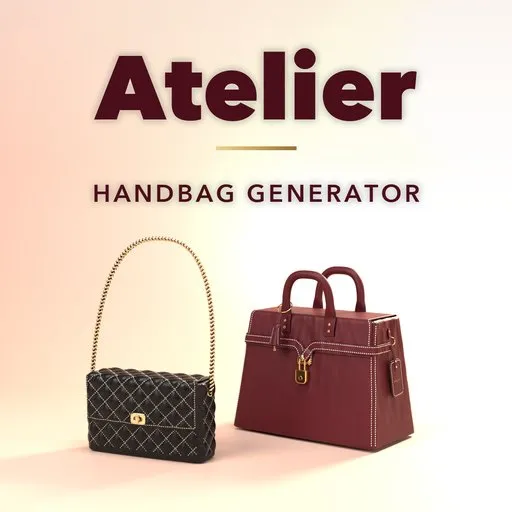
Atelier – Handbag Generator for Blender
 add-on
Photoreal luxury handbags in Blender: flap bags, top-handle bags, totes, satchels, buckets, clutches and wallets in real leather, with stitching, chains and hardware modeled live.
Explore all my Blender addons
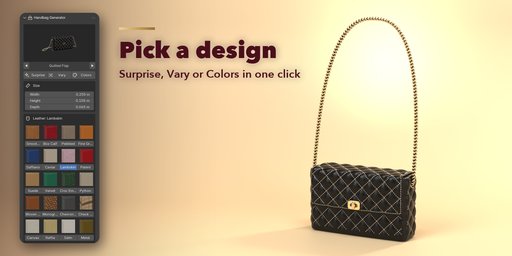
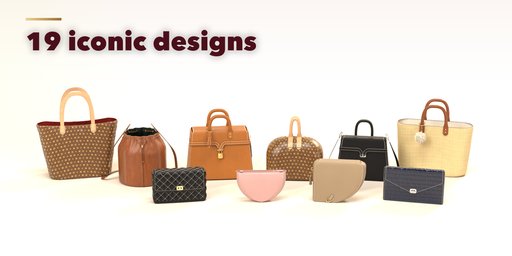
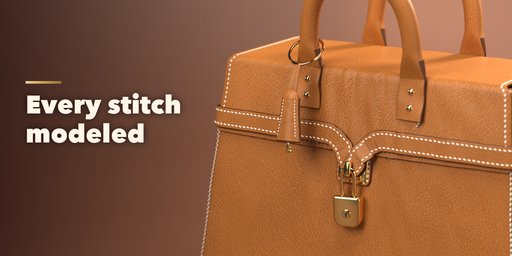
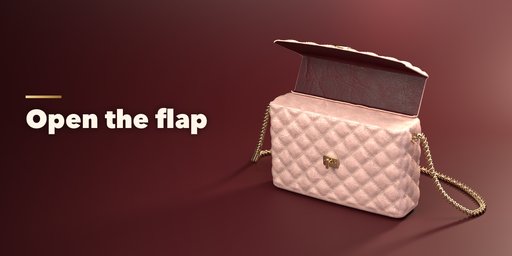
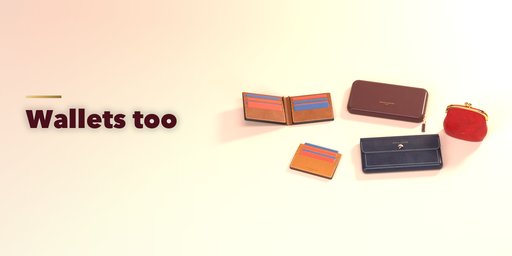
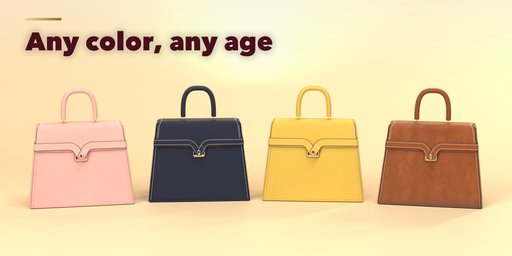
Atelier builds photorealistic luxury handbags inside Blender. Pick a design inspired by the most iconic bags in fashion, from a quilted flap bag on a leather-threaded chain to a saddler's top-handle bag with a padlock, an equestrian tote, a monogram-style barrel satchel, a shopper, a bucket, a hobo, a saddle bag, a baguette, a box bag, a half-moon crossbody, an envelope clutch, a woven pouch and a summer basket tote, plus five wallets: bifold, zip-around, continental, card holder and a kiss-lock coin purse. Then change anything: every part is a slider, a choice or a switch, and the bag rebuilds live.
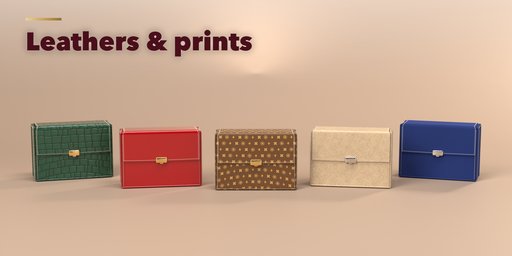
The leather is real: smooth and box calf, pebbled and caviar grain, saffiano, lambskin, patent, suede, croc and python embossing, woven leather, raffia and coated canvas with original monogram-style, chevron and check prints. Every material is an image-based PBR texture that also works in game engines. No brand names or logos are used: the prints and designs are our own.
The details are modeled one by one: saddle stitching stitch by stitch, piping along the seams, painted edges, quilted channels, rolled handles on riveted tabs, D-rings and snap hooks, curb chains threaded with leather, buckles and shoulder pads, flaps, turn-locks, zips, padlocks, feet and charms.
Every design is a picture in the sidebar: click one to add it, or press Surprise for a random bag. Fold the handles down, open the flap and lay the strap on the floor as instant poses you can keyframe, and set its condition to New, Used or Old with one click, then fine-tune wear, dirt and scratches.
Features
- 19 designs inspired by iconic luxury handbags and wallets, with generic names and no logos
- Totes, top-handle bags, satchels, flap bags, buckets, hobos, crossbody, clutches and wallets
- 20 leathers and canvases with photoreal PBR textures, any color
- Modeled saddle stitching, piping, painted edges and quilting
- Rolled, flat and structured handles; leather, chain and chain-and-leather straps
- 8 hardware platings: light gold, gold, rose gold, palladium, silver, ruthenium, brass and black
- Surprise, Vary and Colors buttons for endless variations
- Animatable flap and handle poses
- Four detail levels from game-ready low poly to close-up ultra
- Convert to Mesh for export; works in Cycles and EEVEE
Requires Blender 4.2 or newer. Tested on Blender 4.2, 4.5 and 5.2 LTS.
How to use
Installation
In Blender open Edit, Preferences, Get Extensions, then use Install from Disk and pick the handbag_generator zip.
Usage
- Open the Handbag tab in the 3D viewport sidebar (N) and click Add Handbag, or use Shift+A, Mesh, Handbag. The bag appears at the 3D cursor.
- Click the picture to pick another design. Surprise makes a random bag, Vary changes the current one a little and Colors picks a new color scheme.
- Set the size, pick the leather from the pictures, the colors, the hardware plating and the condition on the first page.
- Shape and the feature panels (quilting, seams, flap, closure, handles, strap, hardware, charms) hold every other setting. Pose opens the flap and folds the handles; keyframe them to animate.
- Convert to Mesh keeps the bag as plain meshes for export; Delete removes it with all its parts.
FAQ
Are these real brand bags?
No. The designs are inspired by classic handbag shapes, but every name, print and detail is our own. There are no brand names or logos, so you can use the bags in commercial work.
Can I use the bags in a game engine?
Yes. The materials are image-based PBR textures, the meshes have real UVs, and the Low detail level keeps the polygon count small. Use Convert to Mesh, then export as FBX or glTF.
Which Blender versions are supported?
Blender 4.2 and newer. It is tested on Blender 4.2, 4.5 and 5.2 LTS.


