
 Models
 Materials
 HDRIs
 Scenes
 Brushes
 Node Groups
 Printables
 Creators
 Creations
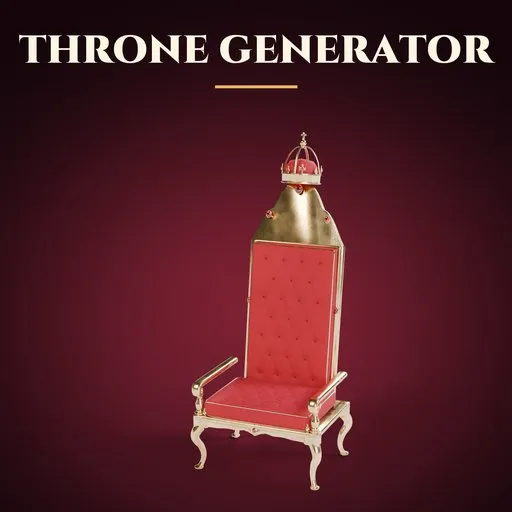
Throne Generator for Blender
 add-on
Photoreal thrones in one click: 47 royal, historic, fantasy and sci-fi designs with daises, carpets and canopies, picture pickers for every part, and a pristine-to-ruined condition slider.
Explore all my Blender addons
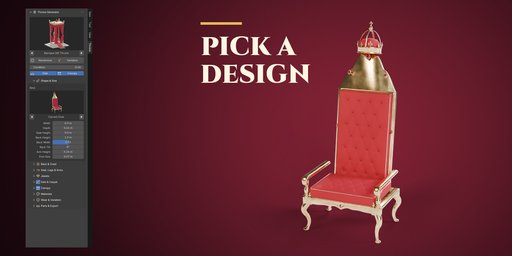
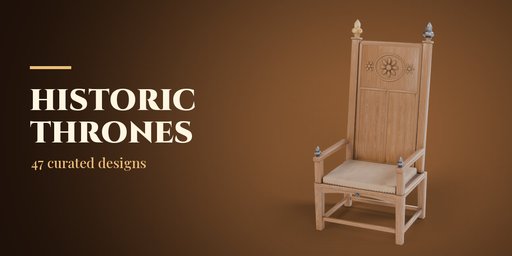



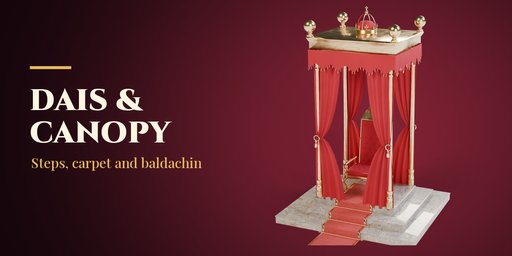
Throne Generator builds photoreal thrones inside Blender, complete with the dais they stand on, a carpet runner down the steps and the canopy above them. Pick one of 47 ready-made designs from the picture gallery, from St Edward's oak Coronation Chair and a gilded Baroque throne under a crimson baldachin to Tutankhamun's golden throne, the Chinese Dragon Throne, the Mughal Peacock Throne, a throne of swords, a necromancer's bone throne, a frost queen's ice throne or a starship command chair, then change anything you like.
Every part is a picture: back shape, back panel, crest, finials, legs, arms, dais and canopy. Click a picture to open the gallery or step through the options with the arrows, and the throne rebuilds live. Randomize gives a believable new throne every time, because it always starts from a curated design.
One Condition slider takes any throne from pristine to ruined: gilt rubs through to red bole on the edges, velvet fades, iron rusts, bronze turns green, stone cracks and gathers moss, and the dais steps shift.
Features
- 47 designs in four categories: Royal & Historic Europe, World Thrones, Fantasy and Sci-Fi
- 7 throne kinds: carved chair, block throne, swords, bones, ice and crystal, living roots and sci-fi command chair
- 9 back shapes, 6 back panels (tufted upholstery, linenfold, gothic tracery, spindles, sun rays), 10 crests from a royal crown to dragons, a peacock fan and a horned skull
- Turned, square, cabriole, lion-paw, X-frame and block legs; scroll, rolled, panel and lion-head arms
- Diamond, button and channel tufting, piping, tassels, nail studs, fur throws and cut gems
- Daises with 0 to 6 steps (square, front, round or half-round), carpet runner with brass stair rods
- Canopies: cloth of estate, baldachin, dome, pavilion and crown drapes with tied-back curtains
- Photoreal PBR materials from Poly Haven scans: oak, walnut, rosewood, gilt, gold, marble, velvet, brocade, damask and more
- Pristine to ruined condition, dust and a seed for endless variations
- Game friendly: one mesh each for throne, dais and canopy, LOW/MEDIUM/HIGH detail and Make Static
- Editing one throne never changes another, Shift+D and Alt+D copies included
- Works in Cycles and EEVEE
Requires Blender 4.2 or newer. Tested on Blender 4.2, 4.5 and 5.2 LTS.
How to use
Installation
In Blender open Edit, Preferences, Get Extensions, then use Install from Disk and pick the throne_generator zip.
Usage
- Open the Throne tab in the 3D viewport sidebar (N). With nothing selected, pick a category, click the picture to choose a design and press Add. You can also use Shift+A, Mesh, Throne.
- With a throne selected, the big picture switches its design. Randomize gives a new throne, Variation keeps the design and changes wear and placement, Reset undoes your edits.
- The sub-panels hold every setting: Shape & Size, Back & Crest, Seat, Legs & Arms, Jewels, Dais & Carpet, Canopy, Materials, Wear & Variation and Parts & Export.
- Make Static keeps the throne as plain meshes; Delete removes it with its dais and canopy.
FAQ
Which Blender versions are supported?
Blender 4.2 and newer. It is tested on Blender 4.2, 4.5 and 5.2 LTS.
Can I use the thrones in a game engine?
Yes. Each throne is three meshes (throne, dais, canopy) with UVs and standard PBR materials. Set Detail to Low for fewer faces, then Make Static and export as FBX or glTF.
Does it work in EEVEE?
Yes, in both Cycles and EEVEE. Ice and gems look best in Cycles.


