
 Models
 Materials
 HDRIs
 Scenes
 Brushes
 Node Groups
 Printables
 Creators
 Creations
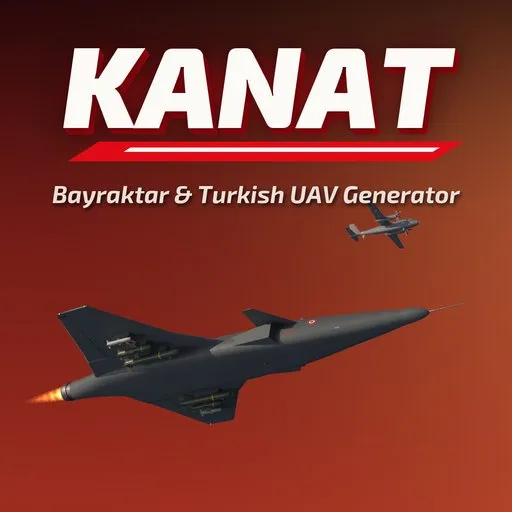
Kanat – Bayraktar & Turkish UAV Generator for Blender
 add-on
Ten photoreal Turkish drones in one click: TB2, TB3, Akinci, Kizilelma, Anka, Aksungur, Anka-3, Kargu, Togan and Alpagu. New, used or old wear, 9 paint schemes, decals and stores.
Explore all my Blender addons
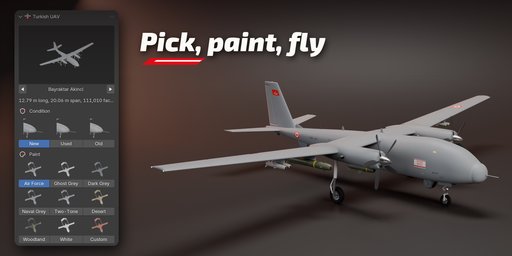
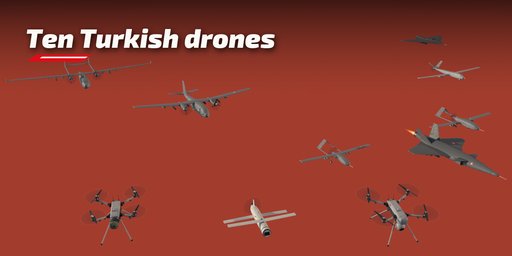
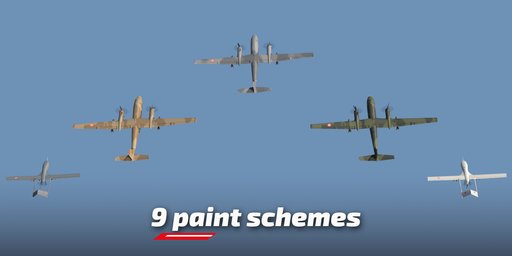
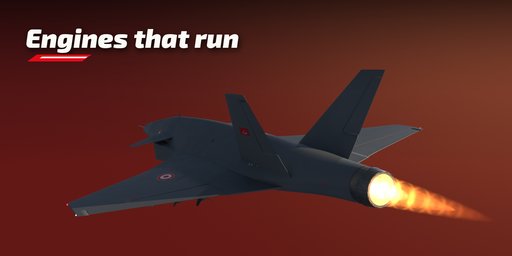
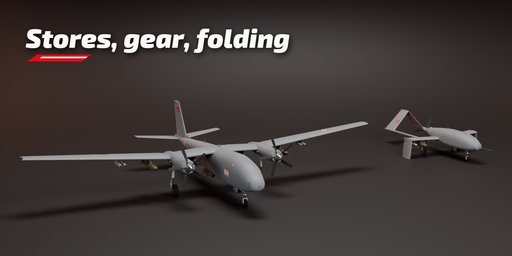
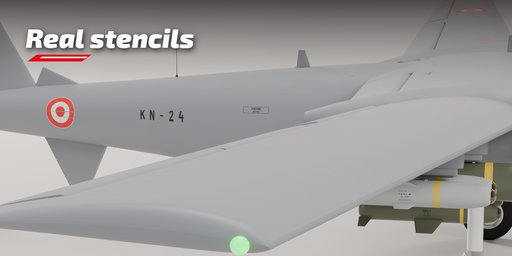
Build a real-scale, photoreal Bayraktar or other Turkish drone in one click and change its look in seconds. Kanat covers ten models: the TB2, TB3, Akinci and jet-powered Kizilelma, the Anka-S, Aksungur and the Anka-3 flying wing, the Kargu and Togan quadrotors, and the tube-launched Alpagu with its tripod launcher.
Every model is built to its published dimensions from three-views and reference photos, with panel lines, hatches, fasteners, antennas, sensor turrets, landing gear and propellers modeled in detail.
Models
- Fixed wing: twin-boom inverted-V tails, turboprops on the wings, a canard jet, V and H tails and a stealth flying wing
- Quadrotors: carbon arms, motors with copper windings, folding arms, camera or warhead nose
- Alpagu: folding wings and fins, pusher propeller, launch tube on a tripod
Paint and condition
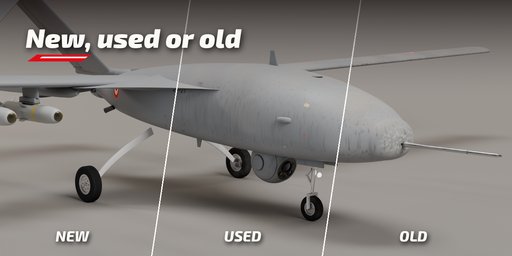
- New, used and old: dust, rain streaks, crevice grime, exhaust soot, faded paint and leading-edge chips
- 9 paint schemes (air force greys, naval grey, desert and woodland splinter, two-tone wave, prototype white) and your own color
- Texture decals for national markings, stencils and model names, with no mesh text
- Photoreal PBR materials that look right in Cycles and EEVEE
Pose and stores
- Display stores on the hardpoints, landing gear up or down, folding wings, flaps and a sensor ball you can aim
- Spinning propellers on the timeline at a set rpm, and navigation and strobe lights
Surprise Me randomizes the selected drone in place and keeps its transform. With nothing selected, it adds a random one. Editing one drone never changes another, even a linked duplicate.
Visual 3D models for renders, films and games, based on public information. Not affiliated with or endorsed by any manufacturer.
Requires Blender 4.2 or newer. Tested on Blender 4.2, 4.5 and 5.2 LTS.
How to use
Installation
In Blender open Edit, Preferences, Get Extensions, then use Install from Disk and pick the zip.
Usage
- Open the Turkish UAV tab in the 3D View sidebar (N).
- Click the picture to choose a model, pick a condition and press Add. Shift+A, Turkish UAV works too.
- Select the drone to edit it: condition, paint, stores, gear, wing fold and the launch tube.
- Markings, Store Type, Pose and Motion, Lights and Mesh Detail sit in the sub-panels.
- Surprise Me randomizes the selected drone; Reset goes back to the model defaults.
FAQ
Which Blender versions are supported?
Blender 4.2 and newer. It is tested on Blender 4.2, 4.5 and 5.2 LTS.
Which drones are included?
Bayraktar TB2, TB3, Akinci and Kizilelma, TAI Anka-S, Aksungur and Anka-3, and STM Kargu, Togan and Alpagu. More models are planned as free updates.
Can I use the models in a game engine?
Yes. The parts are regular meshes with PBR materials. Bake the procedural materials to textures for export.


