
 Models
 Materials
 HDRIs
 Scenes
 Brushes
 Node Groups
 Printables
 Creators
 Creations
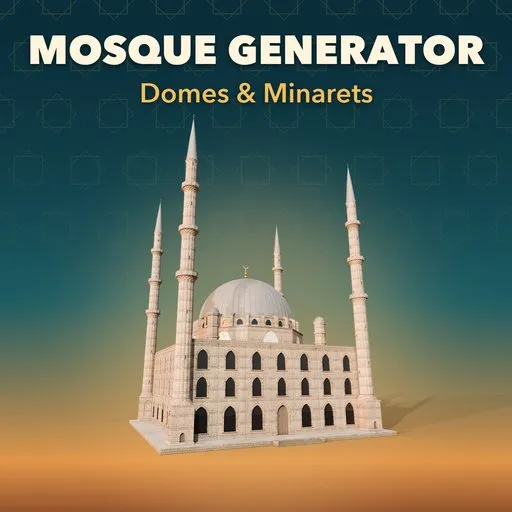
Mosque & Minaret Generator
 add-on
Procedural mosques: 37 real-world designs from Ottoman, Persian, Mughal, Mamluk, Maghrebi and Asian traditions, with domes, minarets, courtyards and lit interiors.
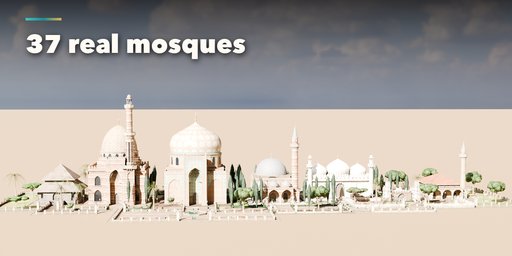
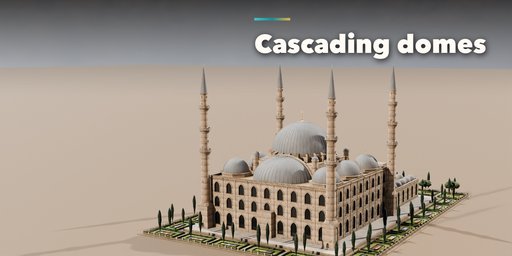
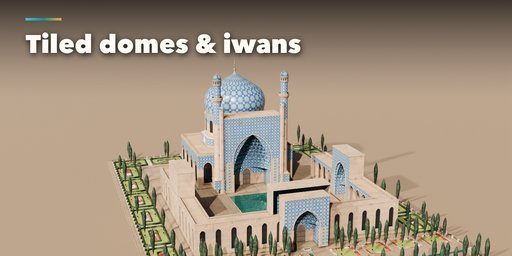
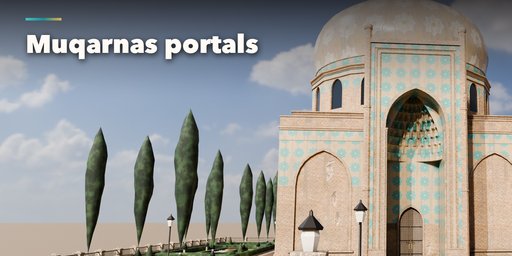
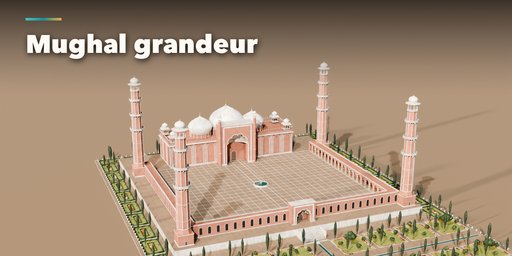
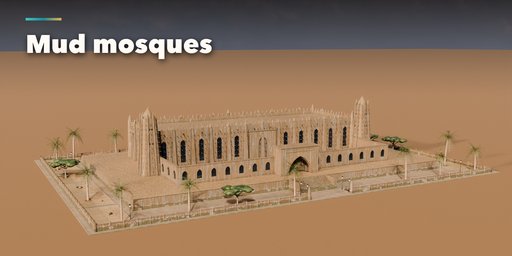
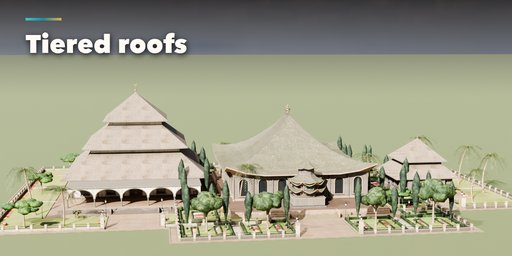
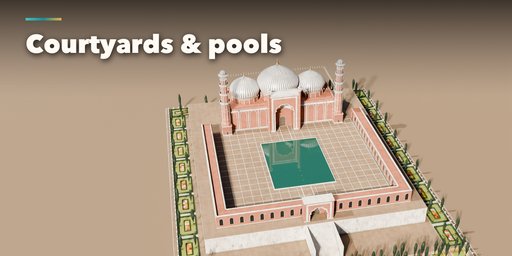
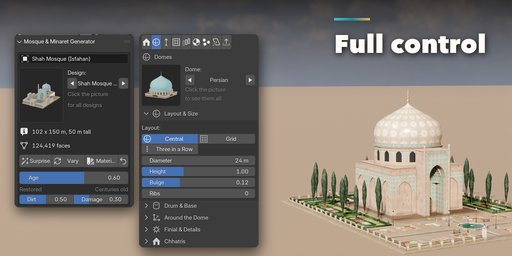
Mosque & Minaret Generator builds complete mosques inside Blender, from an imperial Ottoman complex with cascading domes and pencil minarets to a tiled Safavid mosque behind its great portal, a red sandstone Mughal congregation mosque, the mud walls of Djenne, a Javanese tiered-roof masjid or a small village mosque. Pick one of 37 designs modeled on real buildings, then change anything: every part is a number, a choice or a switch, and the mosque rebuilds live as you drag.
The prayer hall sets the rhythm: bays of arched windows in seven arch shapes (round, pointed, horseshoe, pointed horseshoe, multifoil, ogee and four-centred), lattice screens, tiled spandrels, pilasters or Sahel buttresses, molded or muqarnas cornices and stepped, leaf, sawtooth or pinnacle crenellations, on a platform that can carry a Mughal arcade.
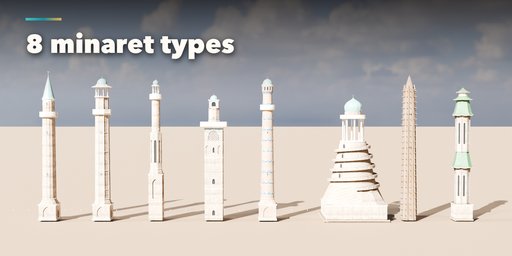
Domes come in seven profiles (hemisphere, saucer, pointed, onion, Persian, ribbed melon and cone) on drums with windows and buttresses, in a central, triple or grid layout, with Ottoman semi-domes, exedrae, weight turrets, corner and aisle domes, chhatris and finials. Minarets have eight shafts, from the slender Ottoman pencil to the Mamluk staged tower, the Maghrebi square tower, the spiral of Samarra, Sahel mud towers and Chinese pagodas, with muqarnas balconies and nine crowns.
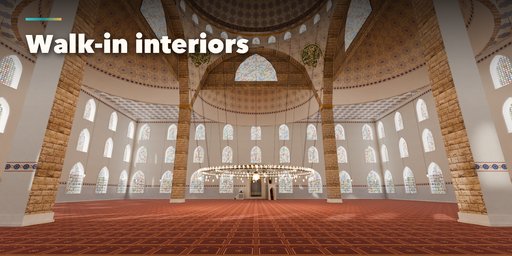
Switch on the Interior and walk inside. The hall opens up into a real space: deep window reveals with revzen stained glass, domes carried on great arches and pendentives with calligraphy roundels, painted domes with a band of script, semi-domes, galleries, forests of arcades or timber posts and beamed or coffered ceilings. A tiled or marble mihrab with a muqarnas hood, a marble or wooden minbar, candlesticks and a prayer carpet with a row of niches for every worshipper. Great Ottoman ring chandeliers on long chains, crystal chandeliers and lantern rings give real light, while the sun falls through the windows in dappled beams. Each tradition gets its own interior style, and Step Inside drops a wide camera at the entrance facing the qibla.
Features
- 37 real-world designs in 8 traditions, each fully editable
- Ottoman, Persian and Timurid, Mughal, Arab and Mamluk, Maghrebi and Andalusian, Sahelian, Southeast Asian and Chinese, and modern mosques
- 7 arch shapes, 7 dome profiles, 8 minaret shafts and 9 minaret tops
- Pishtaq portals with muqarnas hoods and tile borders, porticoes with domed bays
- Walk-in interiors: arches and pendentives, painted domes, mihrab, minbar, carpets, chandeliers, lamps, sunlight and stained glass
- Courtyards with arcades, four-iwan plans, ablution fountains, sadirvans and pools
- Flat, tiered, hipped, nave, Chinese and tent roofs
- Real scanned stone, brick, plaster and mud textures, glazed tile patterns, lead, gold and copper domes
- One Age slider from freshly restored to centuries old: grime in the joints, rain streaks, rising damp, fallen plaster, lost tiles, lichen, patina and worn edges
- Pure PBR materials (one Principled BSDF each: color, roughness, metallic, normal) that bake and export to game engines
- Correct UV directions: brick and stone courses always run level, timber grain follows diagonal braces
- Real sizes in meters, UV-mapped parts, three detail levels and Convert to Mesh for game engines
- Surprise, Vary and Random Materials buttons for endless new mosques
- Picture-driven sidebar with eight tabs and a Shift+A menu
- Works in Cycles and EEVEE
Requires Blender 4.2 or newer. Tested on Blender 4.2, 4.5 and 5.2 LTS.
How to use
Installation
In Blender open Edit, Preferences, Get Extensions, then use Install from Disk and pick the mosque_generator zip.
Usage
- Open the Mosque tab in the 3D viewport sidebar (N). With no mosque selected, click the big picture to browse the designs, or open Browse Designs and pick a tradition and a design, then press Add Mosque to place it at the 3D cursor. You can also use Shift+A, Mesh, Mosque.
- The card at the top shows the design, its size and face count. Surprise makes a new random mosque, Vary changes the current one a little, Materials picks a new matching scheme and the arrow resets everything to the design. The Age slider below them ages the whole mosque from freshly restored to centuries old.
- The icon tabs hold every setting: Prayer Hall (plan, size, arches, windows, walls, cornice, crenellation, platform), Domes (profile, layout, drum, semi-domes, small domes, finial, chhatris), Minarets (count, placement, shaft, balconies, top), Courtyard & Portal (portal, courtyard, arcades, iwans, fountain), Roof (flat, tiered, hipped, naves, Chinese, tent), Materials (walls, trim, domes, roof, tiles, metal, paving), Interior (walk-in hall: chandeliers and lamps, walls and floor, decoration, light, structure, mihrab and minbar; Step Inside adds an interior camera) and Parts & Export (part visibility, detail level, Convert to Mesh).
- Convert to Mesh keeps the mosque as plain meshes; Delete removes it with all its parts.
All sizes are in meters. The root empty sits on the ground at the center of the prayer hall; the qibla wall faces +Y and the entrance -Y.
FAQ
Which Blender versions are supported?
Blender 4.2 and newer. It is tested on Blender 4.2, 4.5 and 5.2 LTS.
Can I use the mosques in a game engine?
Yes. Every part is UV-mapped with its origin on the ground and uses Principled BSDF materials with packed textures. Pick the Low detail level and use Convert to Mesh, then export as usual (FBX, glTF).
Are the designs exact replicas of the real mosques?
No. They are procedural interpretations that capture each building's type, proportions, domes, minarets and materials, so you get a recognizable starting point that you can then change freely. Turn on the Interior tab for a walk-in prayer hall in the style of the design.


