
 Models
 Materials
 HDRIs
 Scenes
 Brushes
 Node Groups
 Printables
 Creators
 Creations
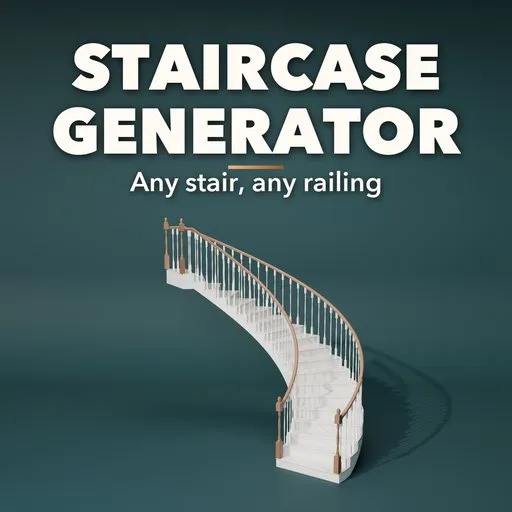
Stairwright – Staircase Generator for Blender
 add-on
Procedural staircases with railings: 48 designs, 10 layouts from straight and L/U to spiral, curved and imperial, 8 supports, 9 railing styles and photoreal PBR finishes.
Explore all my Blender addons
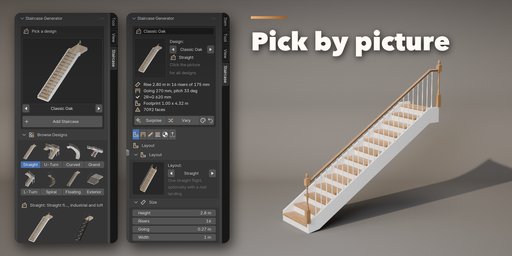
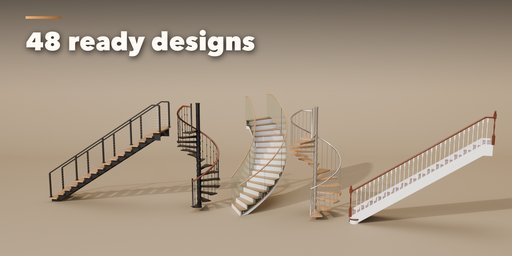
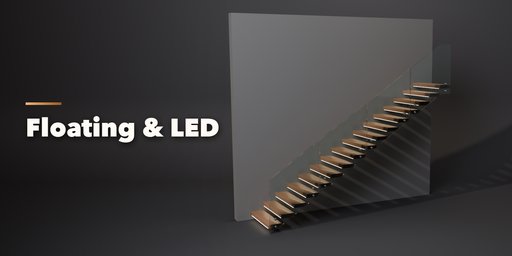
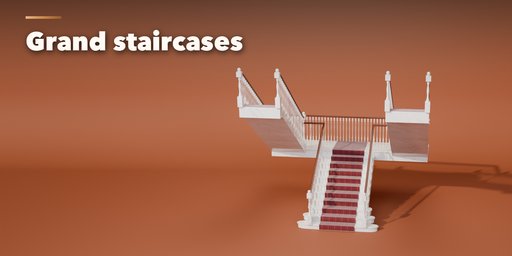
Staircase Generator builds complete, photoreal staircases inside Blender: treads, risers, stringers, landings, balusters, newel posts and handrails, all in one clean mesh with real PBR materials. Pick one of 48 designs, from a classic oak hall stair with turned spindles to a floating walnut stair with LED strips, a steel spiral, a sweeping marble curve or an imperial staircase for a palace, then change anything and watch it rebuild live.
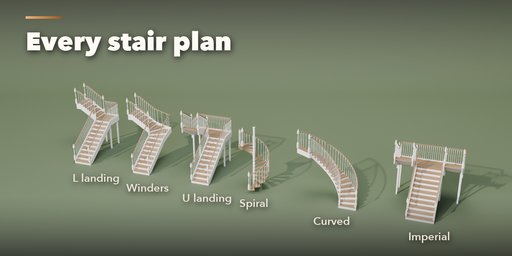
Every common plan is covered: straight flights with or without a mid landing, L stairs with a quarter landing or winders, U stairs with a half landing or winders, three flights around an open well, spiral stairs on a centre column, curved helical stairs, imperial and bifurcated stairs that split at the landing, and steep alternating-tread loft stairs. Set the floor height and the number of risers, and the stair keeps every step equal, with comfort notes when it gets too steep.
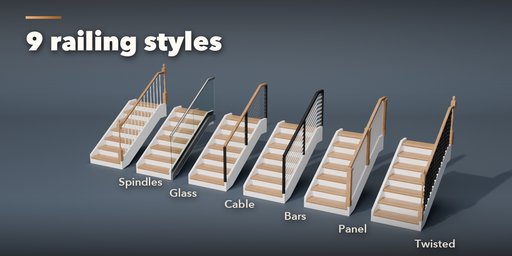
Choose what carries the steps: closed or cut stringers, a central steel spine, cast concrete, solid blocks, folded steel plate, treads floating out of the wall, or treads hung from the ceiling on steel rods. Railings come as spindles and newels, posts and rail, frameless glass in a shoe, glass between posts or on standoffs, stainless cables, flat bars or solid panels, with seven baluster and six handrail shapes.
Features
- 48 designs in 8 families: straight, L-shaped, U-shaped, spiral, curved, floating, grand and exterior
- 10 layouts with left or right turns, landings and winders
- 8 support systems from timber stringers to floating and suspended treads
- 9 railing styles, 7 balusters, 6 handrails and 5 newel posts, on either or both sides
- Nosing shapes, open or closed risers, bullnose and flared starter steps
- Carpet runners with stair rods, LED strips under the nosings, a wall with a wall handrail
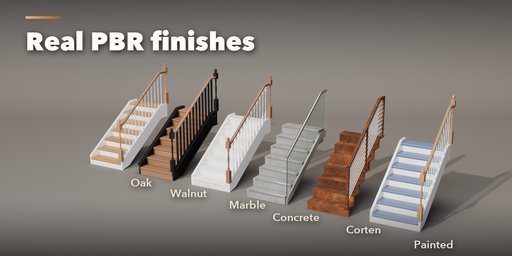
- 18 image-based PBR finishes: oak, walnut, mahogany, painted wood, concrete, marble, granite, steel, brass, corten and more
- Every staircase keeps its own settings; duplicates never change each other
- Surprise, Vary and Random Finish buttons, picture-driven sidebar, Shift+A menu and Convert to Mesh
- Game-ready: one mesh, low/medium/high detail, materials that work in game engines
- Works in Cycles and EEVEE
Requires Blender 4.2 or newer. Tested on Blender 4.2, 4.5 and 5.2 LTS.
How to use
Installation
In Blender open Edit, Preferences, Get Extensions, then use Install from Disk and pick the staircase_generator zip.
Usage
- Open the Staircase tab in the 3D viewport sidebar (N). With no staircase selected, click the picture to choose one of the 48 designs and add it at the 3D cursor. You can also use Shift+A, Mesh, Staircase.
- Select a staircase to edit it. Surprise makes a new random staircase, Vary changes the current one a little, Random Finish picks a new set of materials and Reset returns to the design.
- The tabs hold every setting: Layout (plan, height, risers, going, width, turns), Steps (treads, nosing, risers, starter step, carpet, lights), Structure (stringers, concrete, floating, suspended, wall), Railing (style, balusters, handrail, newels), Finish (materials and colors) and Export (detail, bevel, Convert to Mesh, Delete).
- Click the picture next to a setting to see all its options in a gallery, or step through them with the arrows.
FAQ
Which Blender versions are supported?
Blender 4.2 and newer. It is tested on Blender 4.2, 4.5 and 5.2 LTS.
Can I set an exact floor-to-floor height?
Yes. Enter the height and the number of risers; every step gets the same rise, and the sidebar shows the rise, the going and the pitch, with a note when the stair is too steep.
Can I use the stairs in a game engine?
Yes. Each staircase is one mesh with image-based PBR materials. Pick Low detail for fewer faces, then use Convert to Mesh and export as FBX or glTF.
If I duplicate a staircase, does editing one change the other?
No. Every staircase keeps its own settings, mesh and materials, also after Shift+D or Alt+D.


