
 Models
 Materials
 HDRIs
 Scenes
 Brushes
 Node Groups
 Printables
 Creators
 Creations
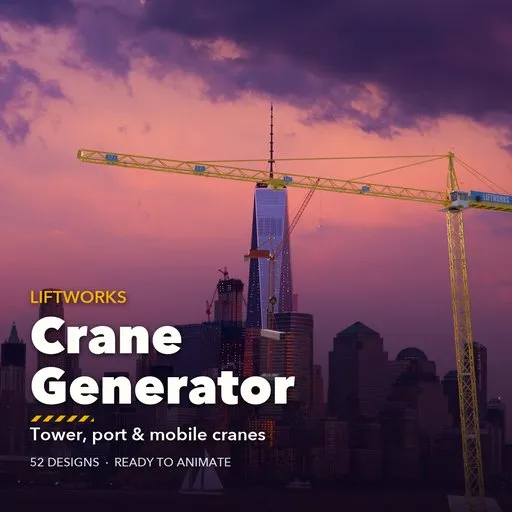
Liftworks – Crane Generator for Blender
 add-on
Animation-ready procedural cranes: 52 tower, port and mobile crane designs with slewing, luffing, trolley and hook motion, live sizes, hooks, loads and PBR paint.
Explore all my Blender addons
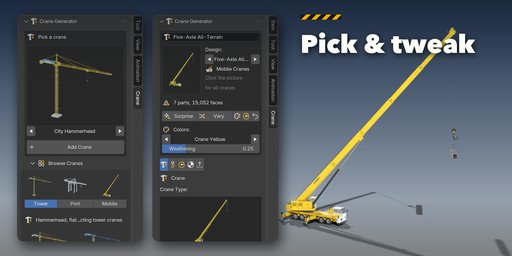
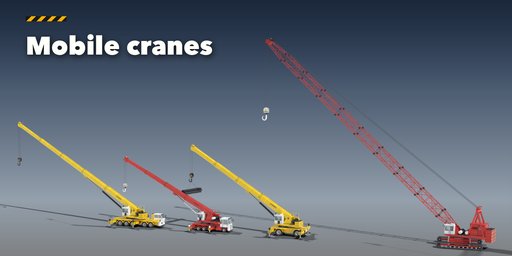
Liftworks builds real cranes inside Blender, ready to animate. Pick one of 52 designs and drop a hammerhead tower crane on a building site, a ship-to-shore container crane on a quay, a rubber-tyred gantry in a container yard or an all-terrain crane with its outriggers out, then change anything: every size, part and color is a slider, a picture or a switch, and the crane rebuilds live.
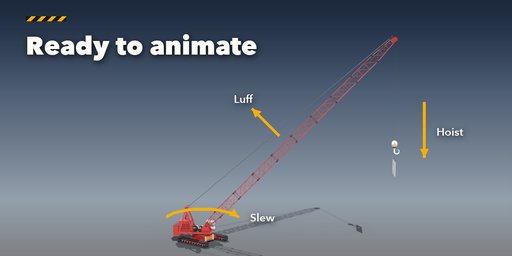
Every crane moves like the real one. The slewing unit turns, the boom or luffing jib raises, the trolley runs along the jib or gantry and the hook drops on its wire ropes. Ropes, pendants and hydraulic cylinders follow every pose by themselves, so you only keyframe four simple transforms, or press Animate Work Cycle and get a full lift: lower, pick up, raise, slew, set down and return.
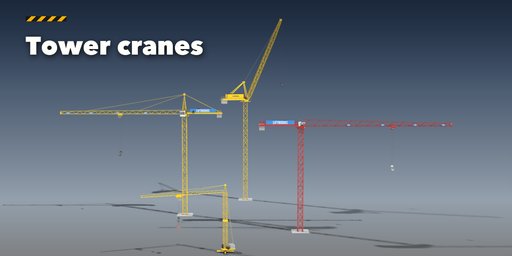
Tower Cranes
- Hammerhead, flat-top, luffing jib and self-erecting cranes
- Lattice masts with angle, tube or box members and four bracing patterns
- Anchored, cross base, rail travelling and climbing bases, building ties and climbing frames
- Counter-jibs with concrete ballast, walkways, winches, cabs and aviation lights
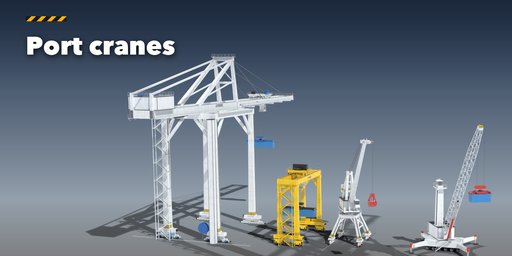
Port Cranes
- Ship-to-shore container cranes in high profile (A-frame, raising boom) or low profile
- Rubber-tyred and rail-mounted yard gantries with box or lattice girders
- Level-luffing portal cranes and mobile harbor cranes
Mobile Cranes
- All-terrain, rough-terrain and truck-mounted telescopic cranes with outriggers and fly jibs
- Lattice-boom crawler cranes with tracks, gantry and boom pendants
Hooks and Loads
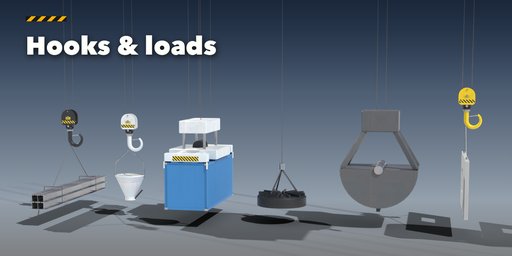
- Hook blocks with any number of falls, overhaul balls, ramshorn hooks, container spreaders, grabs and lifting magnets
- 20 ft and 40 ft containers, concrete buckets, steel beams, pipes, brick pallets and precast panels
Built Like the Real Thing
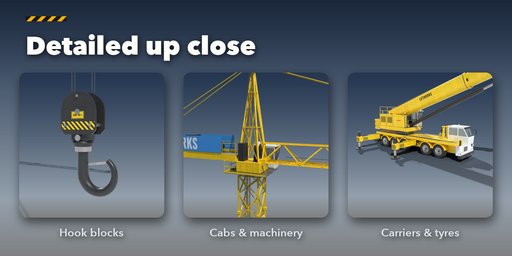
- Cabs with seats, joysticks, wipers and split glass; machinery houses with louvres, doors and ladders
- Winches with rope drums, motors and brakes; sheaves, slewing rings with gear teeth, railings with toe boards and caged ladders
- Hook blocks with cheek plates, sheaves and load plates; tyres with tread lugs and wheel nuts; crawler tracks with real shoes
- Brand boards, load signs and warning plates printed as image decals, sharp and ready for export
Finish
- PBR paint with gloss, grime streaks and rust, hazard stripes, glass cabs and glowing lights
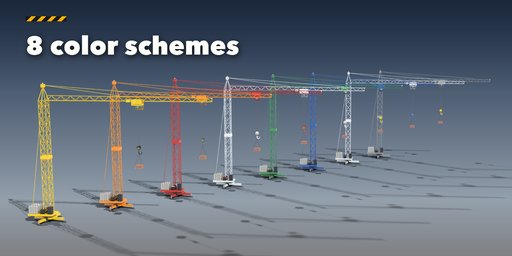
- Eight color schemes or your own colors; works in Cycles and EEVEE and exports to game engines
Picture-driven sidebar, Surprise and Vary buttons, Shift+A menu and Static Copy for export.
Requires Blender 4.2 or newer. Tested on Blender 4.2, 4.5 and 5.2 LTS.
How to use
Installation
In Blender open Edit, Preferences, Get Extensions, then use Install from Disk and pick the crane_generator zip.
Usage
- Open the Crane tab in the 3D viewport sidebar (N). With nothing selected, click the picture to choose one of the 52 designs, or browse Tower, Port and Mobile cranes, and add it at the 3D cursor. You can also use Shift+A, Crane.
- The card at the top shows the design and its face count. Surprise makes a new random crane, Vary changes the current one a little, the palette button picks new colors, the gimbal button a random pose, and the arrow resets the design.
- The icon tabs hold every setting: Crane (type, mast, jib, gantry, boom, carrier or tracks), Hook & Load, Motion (slew, luff, trolley, hook, Key Pose, Animate Work Cycle, Clear Animation), Finish (color scheme, colors, gloss, weathering, rust, lights) and Parts (moving parts, detail, Static Copy, Delete).
- To animate by hand, keyframe the rotation of the Slewing Unit (Z) and the Boom (Y), the location of the Trolley (X) and the Hook (Z). Ropes, pendants and cylinders follow on their own.
Static Copy bakes the current pose into plain meshes for export to FBX, glTF or a game engine.
FAQ
Which Blender versions are supported?
Blender 4.2 and newer. It is tested on Blender 4.2, 4.5 and 5.2 LTS.
Can I animate the cranes?
Yes. Each crane is a small hierarchy of objects: the slewing unit, boom, trolley and hook are separate objects you can keyframe, and the wire ropes, pendants and hydraulic cylinders follow every pose by constraints. Animate Work Cycle keys a complete lift in one click.
Can I use the cranes in a game engine?
Yes. Materials are standard PBR (base color, roughness, metallic, normal bump) and Static Copy turns the crane into plain meshes for FBX or glTF export. Keep the moving parts separate to animate them in the engine.


