
 Models
 Materials
 HDRIs
 Scenes
 Brushes
 Node Groups
 Printables
 Creators
 Creations
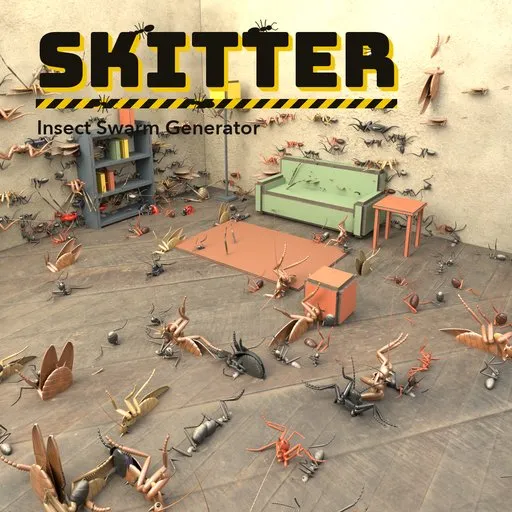
Skitter – Insect Swarm Generator for Blender
 add-on
Click any surface and release a walking swarm of 21 insect and spider species: real gaits, shader-displaced legs, GPU instancing, close-up textures and a Surprise button.
Explore all my Blender addons
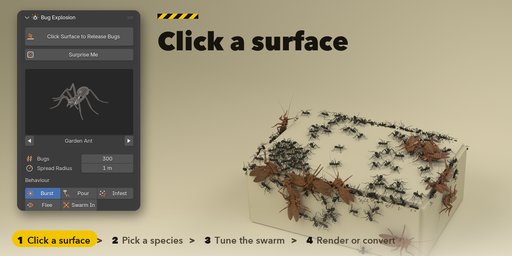
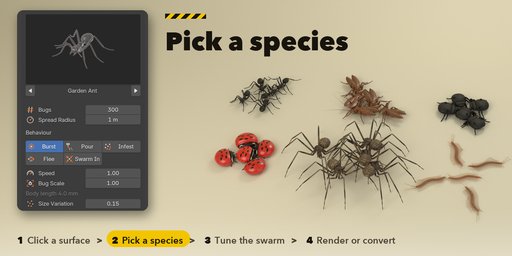
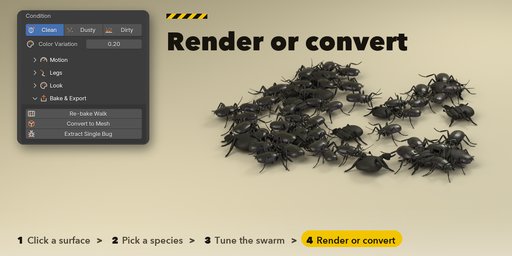
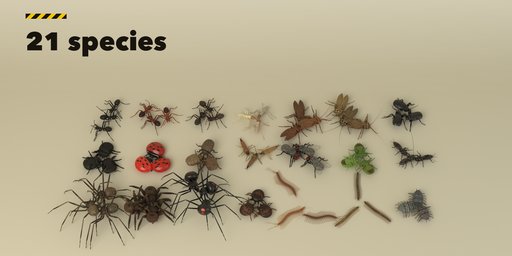
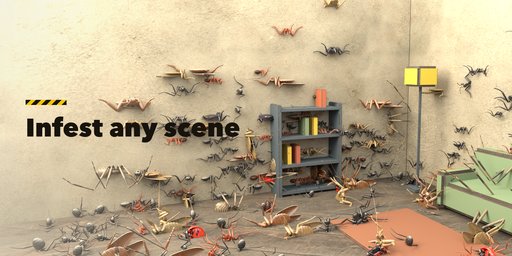
Skitter fills any surface with walking insects. Click a floor, a wall, a sofa or a whole room and a swarm bursts out of that point, crawls across the mesh, climbs over edges and keeps walking. Pick one of 21 species, from garden ants, cockroaches and scarab beetles to house spiders, tarantulas, centipedes and woodlice, then set how many, how big, how fast and how dirty. The swarm is one Geometry Nodes tree that reads a baked walk, so thousands of bugs stay light in the viewport.
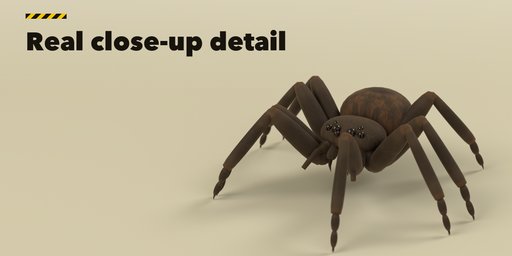
Every bug is a real anatomical model with jointed legs that step in a real gait: alternating tripod for insects, tetrapod for spiders, a metachronal wave for centipedes. The legs move in the material with shader displacement, so no extra geometry is made, and the bugs are drawn as GPU instances that are never realized unless you ask for a mesh. Each species has its own close-up surface detail, with pits, hair sockets, cell sculpture and painted markings, so a macro render holds up.
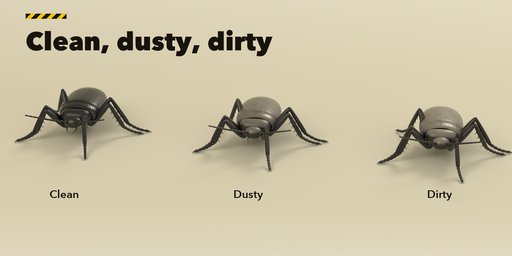
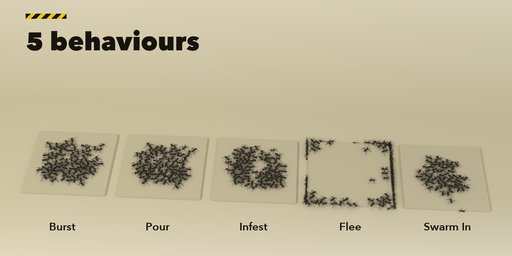
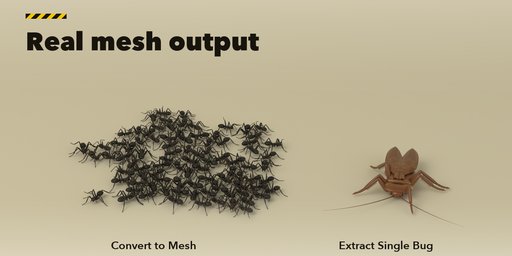
Choose how the swarm behaves: Burst out of the click point, Pour out one after another, Infest the area, Flee in panic or Swarm In from far away. Switch between Clean, Dusty and Dirty bugs, tint the whole swarm, and press Surprise Me for a new random version of the selected swarm. Editing one swarm never changes another, even a duplicate. When you are done, Convert to Mesh bakes the bugs at the current frame into plain mesh objects, or Extract Single Bug drops one standing bug at the 3D cursor.
Features
- 21 species in five groups: ants and termites, roaches and beetles, other insects, arachnids and many-legged animals
- Click any mesh surface to release a swarm, and move the burst point later
- Five behaviours: Burst, Pour, Infest, Flee and Swarm In
- Life-size bodies with Bug Scale, size variation and color variation
- Clean, Dusty and Dirty condition, gloss and an optional tint
- Shader-displaced legs (or geometry offset), real gaits, twitching feelers
- GPU instancing with levels of detail, off-camera culling and a viewport amount for big crowds
- Per-species close-up textures and surface detail
- Surprise Me, edit isolation for duplicates, Re-bake Walk
- Convert to Mesh and Extract Single Bug
- Picture-driven sidebar with a species gallery
- Works in Cycles and EEVEE
Requires Blender 4.2 or newer. Tested on Blender 4.2, 4.5 and 5.2 LTS.
How to use
Installation
In Blender open Edit, Preferences, Get Extensions, then use Install from Disk and pick the bug_explosion_generator zip.
Usage
- Open the Bugs tab in the 3D viewport sidebar (N). With nothing selected, press Click Surface to Release Bugs and click any mesh in the viewport, or press Surprise Me for a random swarm at the 3D cursor. You can also use Shift+A and Bug Swarm.
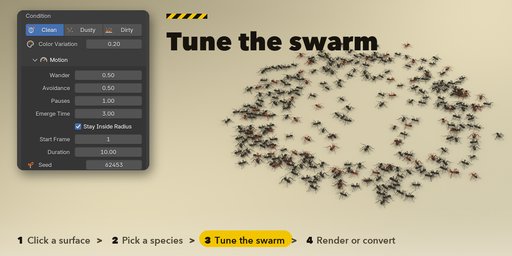
- Pick a species in the gallery at the top, then set the number of bugs, the spread radius, the behaviour (Burst, Pour, Infest, Flee, Swarm In), speed, bug scale, size variation, condition (Clean, Dusty, Dirty) and color variation. The swarm rebuilds as you change a value.
- Move Burst Point lets you click a new release point. The Motion, Legs, Look and Bake & Export sub-panels hold the walk (wander, avoidance, pauses, duration, seed), the leg method and stride, gloss, tint and the viewport and camera options.
- Bake & Export: Re-bake Walk makes a new walk with the same settings, Convert to Mesh turns the swarm into plain mesh objects at the current frame, and Extract Single Bug puts one standing bug at the 3D cursor.
Legs move in the material: use Material Preview or Rendered view to see them walk. Press play to run the swarm.
FAQ
Which Blender versions are supported?
Blender 4.2 and newer. It is tested on Blender 4.2, 4.5 and 5.2 LTS.
Can I click on any object?
Yes. Click any mesh object, such as a floor, a wall, furniture or a whole room, and the bugs walk over it, up walls and across edges. The surface is read at the moment of release; use Re-bake Walk after you change it.
Do I see the legs walk in the viewport?
Yes, in Material Preview or Rendered view, where the legs step in time with the bugs' speed. In Solid view the legs stay in the rest pose.
Can I get real mesh objects for my own scene or for export?
Yes. Convert to Mesh bakes the swarm at the current frame into plain mesh objects with their own materials, and Extract Single Bug creates one standing bug at the 3D cursor.
How many bugs can I use?
The bugs are GPU instances, so thousands are fine. Above 2000 bugs the viewport shows a share of them by default, and renders always show all. Detail levels and off-camera culling keep big crowds light.
Does it work in EEVEE?
Yes, in both Cycles and EEVEE.


