
 Models
 Materials
 HDRIs
 Scenes
 Brushes
 Node Groups
 Printables
 Creators
 Creations
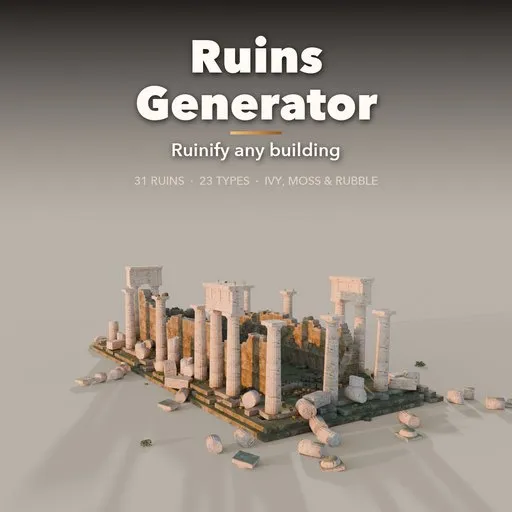
Ruins Generator
 add-on
Ruinify any building with one click, or generate 31 real-world ruins: temples, pyramids, abbeys, castles, war-torn blocks and henges, with rubble, moss, ivy and roots.
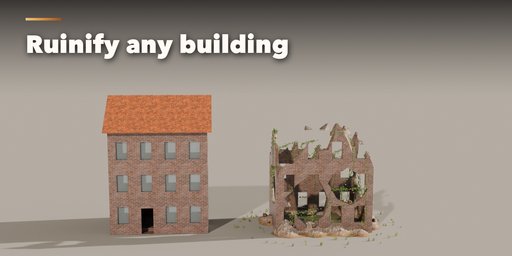
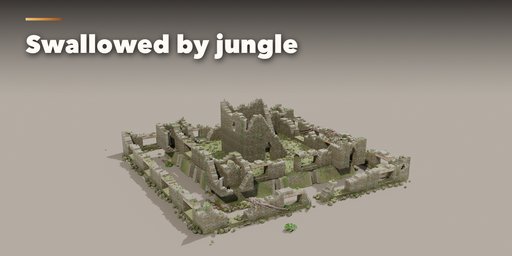
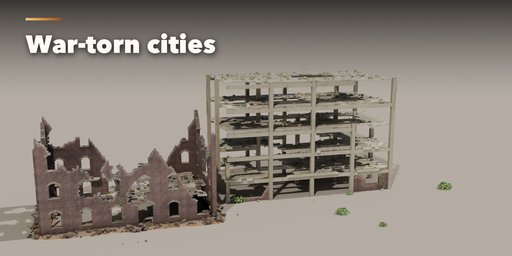
Ruins Generator turns time loose on your scenes. Select any building you modeled and press Ruinify: its top breaks away in a ragged line, holes are punched through the walls, the windows lose their glass, rubble piles up where the stone fell, and moss, grime, ivy and grass creep over what is left. It is non-destructive, so a Decay slider and a seed change the ruin live, and Remove gives your original building back.
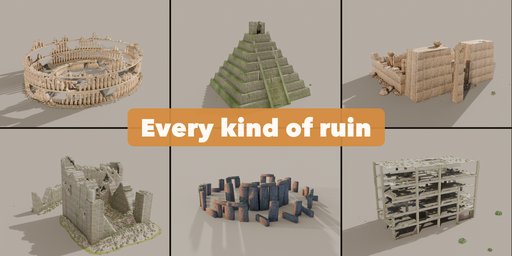
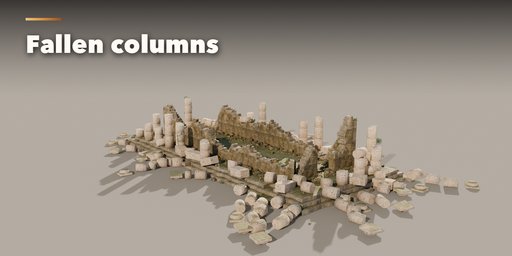
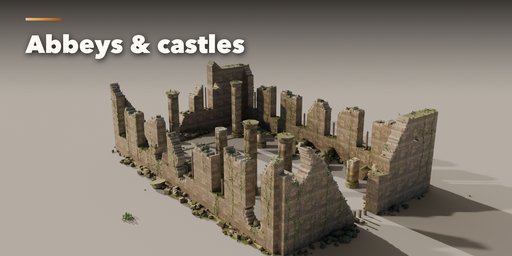
Or build a ruin from scratch. 31 ready-made ruins modeled on real places cover the whole history of building: Greek and Roman temples, a tholos, a forum colonnade, a triumphal arch, an amphitheatre, a hillside theatre, an aqueduct and villa foundations; an Egyptian hypostyle hall, a ziggurat, Maya pyramids, a Khmer temple gripped by tree roots and a brick stupa; a Gothic abbey, a Romanesque church, a castle keep, an Irish round tower and an abandoned croft; a bombed brick block, a collapsed concrete frame with rebar and an old factory; a henge, stone circles, stone rows, a dolmen and two fantasy shrines.
Every ruin is built block by block in real meters. Walls break along their courses, columns fall drum by drum and lie in rows the way earthquakes leave them, beams only survive where both columns still stand, and the rubble settles in physically plausible mounds at the foot of the walls.
Features
- Ruinify any mesh: broken tops, holes, smashed glass, rubble, moss, grime, ivy, grass and burn marks
- Non-destructive: Decay, Holes, Rubble, Moss, Ivy and Grass sliders with live updates, Apply or Remove
- 31 ruins from real places in 5 groups, 23 ruin types, each fully editable
- Decay, collapse, breaches, fallen columns, rubble amount and scatter
- Six climates: temperate, Mediterranean, desert, jungle, nordic and urban
- Moss, ivy, hanging vines, grass, shrubs and strangler-fig roots
- Photoreal stone, marble, sandstone, brick, mud brick and concrete from CC0 Poly Haven textures
- Ground patch with debris that blends into the rubble
- Surprise Me, Variation and New Collapse buttons for endless new ruins
- Three detail levels, UV-mapped game-ready geometry and Convert to Mesh for export
- Picture-driven sidebar with a gallery of every ruin and a Shift+A menu
- Works in Cycles and EEVEE
Requires Blender 4.2 or newer. Tested on Blender 4.2, 4.5 and 5.2 LTS.
How to use
Installation
In Blender open Edit, Preferences, Get Extensions, then use Install from Disk and pick the ruins_generator zip.
Ruinify a building
- Select your building (any mesh) and open the Ruins tab in the 3D viewport sidebar (N).
- Press Ruinify. The top breaks, holes open, the glass goes and rubble, moss and ivy appear.
- Change Decay, Holes, Rubble, Moss, Ivy and Grass, or press New Collapse for another seed. Everything updates live.
- Apply bakes the ruin into the mesh (rubble and plants stay as separate objects); Remove gives the original building back.
Build a ruin
- With nothing selected, click the big picture in the Ruins tab to browse the 31 ruins, then press Add. You can also use Shift+A, Mesh, Ruins.
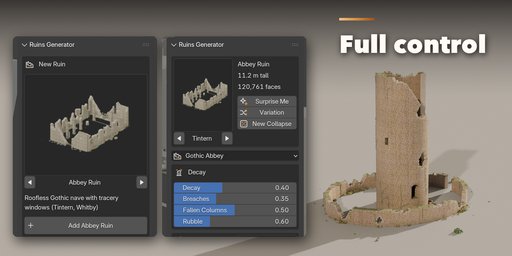
- With a ruin selected, its card shows the picture (click it to switch to another ruin), the height and the face count, plus Surprise Me, Variation and New Collapse.
- Decay and Nature hold the main sliders; Shape, More Damage, More Plants, Ground and Finish hold the rest (size, height, columns, arch style, block size, climate, roots, vines, stone and trim materials, tint and grime).
- Convert to Mesh turns the ruin into plain meshes for export; Delete removes it with all its parts.
All sizes are in meters. Use the Low detail level for distant views and games, High for close-ups.
FAQ
Which Blender versions are supported?
Blender 4.2 and newer. It is tested on Blender 4.2, 4.5 and 5.2 LTS.
Does Ruinify change my original model?
No. Ruinify works with modifiers and helper objects, so your mesh stays untouched until you press Apply. Remove takes the ruin off and restores the original materials.
Can I use the ruins in a game engine?
Yes. The geometry is UV-mapped, in real meters and uses Principled BSDF materials with image textures. Pick the Low detail level, press Convert to Mesh and export as FBX or glTF.
Are the textures included?
Yes. The stone, brick, concrete, ground and bark textures are CC0 sets from Poly Haven and ship inside the addon, so it works offline.


