Models
 Materials
 HDRIs
 Scenes
 Brushes
 Node Groups
 Printables
 Creators
 Creations
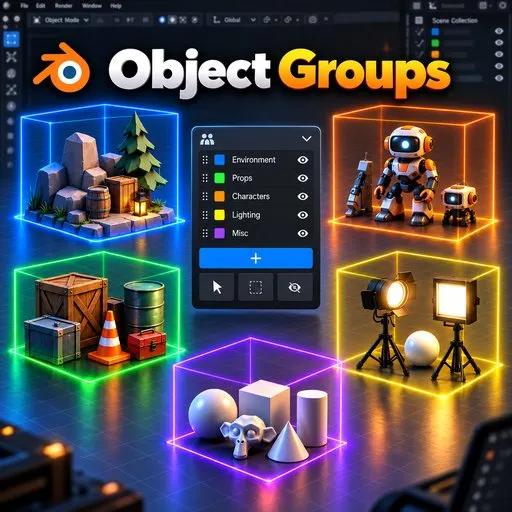
Object Groups
 add-on
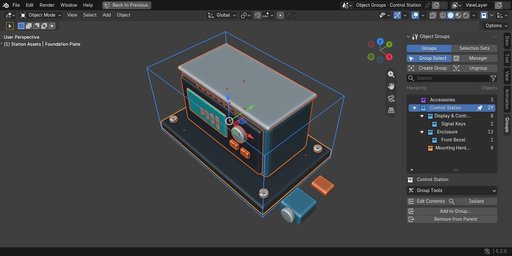
Work with nested assemblies and overlapping selection sets without changing existing parenting or Collections. Select complete groups, edit their contents and ungroup without deleting your assets.
Organize the assembly. Keep your scene structure.
Create logical groups and nested assemblies without controller objects. Keep existing parenting and Collections, select whole assemblies, then step inside to edit their parts.
Everyday grouping
- Group objects or combine sibling groups under a new parent.
- Group Select starts enabled; Edit Contents gives access to individual members.
- Add to Group chooses the destination; Remove from Parent lifts members one level.
- Ungroup removes the grouping, retains objects and lifts child groups one level.
- Expand and search the hierarchy, filter favorites and inspect member counts.
More than a folder list
Selection Sets store overlapping selections independently of the group tree. Group Manager provides a larger hierarchy view, member inspection and checked batch scopes. Group Tools covers duplication, visibility, materials, metadata and presets. Auto Group organizes by shared properties; Batch Rename previews changes. Group transforms offer custom pivots and oriented handles. Preferences organize behavior, appearance, shortcuts and support.
Compatibility and boundaries
This listing supplies Object Groups 0.6.10 for Blender 4.2–5.2, in native Extension format. Windows tested; macOS and Linux untested. No separate Python packages or external services are required. GPL-3.0-or-later.
Brokered transforms add a no-op Undo checkpoint and do not support Repeat/Adjust Last. Recovery after losing the invoking window or modal handler is unproven. Test native transforms and auto-keying in your own project; constraints, drivers, locks and context may prevent transforms.
Keymaps, third-party tools, Local View and View Layers can affect available members. Library/override definitions are read-only; local wrappers do not automate override creation or guarantee resync. Membership is logical, not new Outliner rows, animation channels or Geometry Nodes instance editing. Selection Sets are static.
Test on a scene copy. Objects and Collections remain, but grouping behavior requires the add-on. The separate legacy installer and Superhive manual/demo ZIP are not part of this extension download; the full online manual is linked below.
Documentation and support
Full manual · Tachyon Studio Discord
Created by Tachyon Studio.