
 Models
 Materials
 HDRIs
 Scenes
 Brushes
 Node Groups
 Printables
 Creators
 Creations
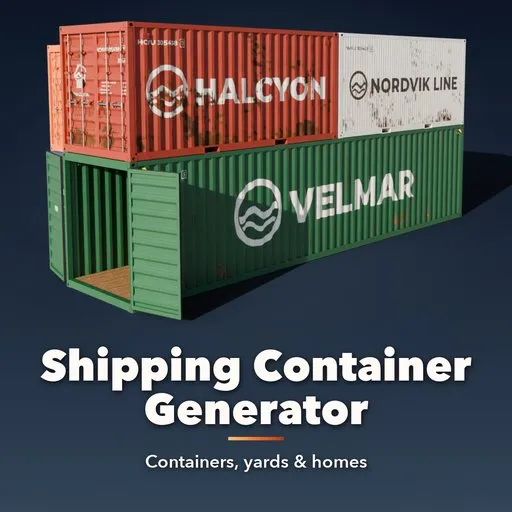
Shipping Container Generator
 add-on
Procedural shipping containers at real ISO sizes: dry, high cube, reefer, open top, flat rack, tank, offshore and ULD, with opening doors, fictional liveries, rust, yards and container homes.
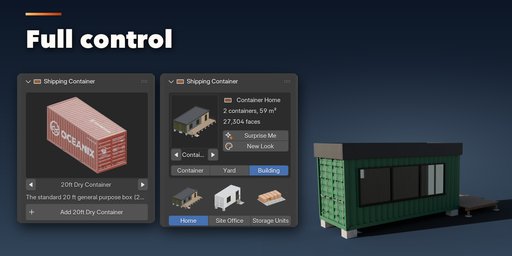
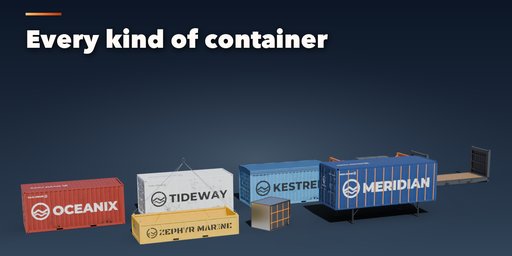
Shipping Container Generator builds every kind of shipping container inside Blender, at its real ISO size, with real corrugation, corner castings, locking bars, cams, hinges, forklift pockets and a CSC plate. Pick one of 41 presets: a 20 or 40 ft dry box, a high cube, a 45 or 53 ft domestic, a reefer with its machinery unit and power cable, a clip-on genset, an open top under its tarp, a flat rack with folding ends, an ISO tank in its frame, an offshore basket, a swap body or an air cargo ULD. Then change anything and it rebuilds live.
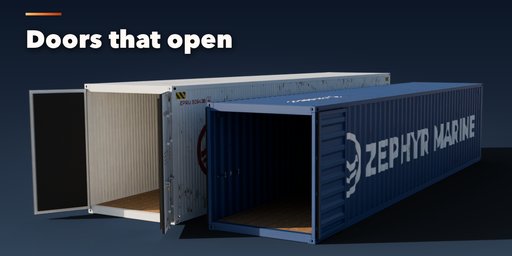
The doors really open. Each door leaf, flat rack end and café flap turns on its own hinge, so a slider swings it and a keyframe animates it, from shut to folded back at 270 degrees.
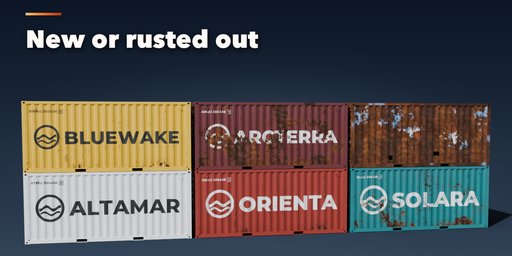
Every container gets a fictional shipping line livery: a name, a generic logo, an ISO 6346 style container number with a correct check digit, a size and type code, weights and warning labels, all painted into one texture. Type your own name and code. Rust, faded paint, dirt, dents and rust holes age it from factory new to scrap.
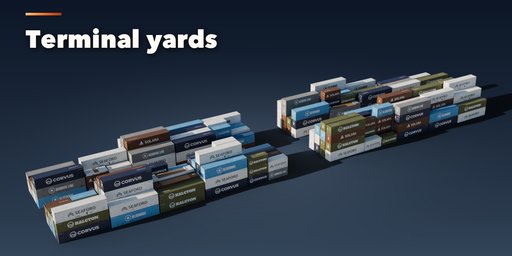
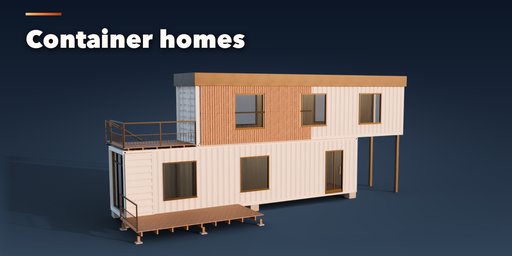
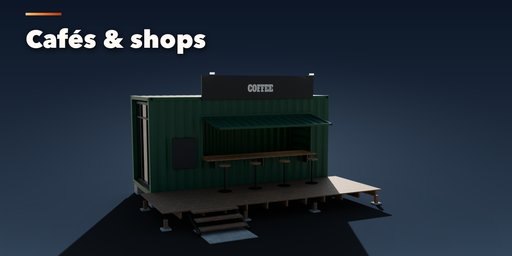
Switch to Yard and the same settings fill a terminal: blocks of stacks with mixed 20 and 40 ft boxes, reefer rows, specials on top, reach-stacker lanes and a random line mix, with every copy sharing one mesh so big yards stay light. Switch to Building and the containers become a home, a two storey cantilever house, a garden studio, a site office, a pop-up café, a shop or a row of self storage units, with cut windows, glass, timber cladding, roofs, decks and stairs.
Features
- 41 presets: 31 containers and carriers, 2 yards and 7 buildings
- Real ISO 668 sizes: 10, 20, 30, 40, 45, 48 and 53 ft, half height, standard and high cube, pallet wide
- 8 body types: dry box, reefer, flat rack, platform, ISO tank, offshore basket, curtainsider and ULD
- Open top, bulk hatches, ventilated, side opening, double door tunnel, insulated and porthole variants
- Doors, flat rack ends and the café flap on real hinges: drag a slider or press Animate Opening
- Fictional liveries with editable name, owner code, serial, paint, lettering, logo and stripe
- ISO 6346 numbers with check digit, type codes, weights and a CSC plate
- Rust, fade, dirt, dents and rusted-through holes, with Poly Haven textures packed in
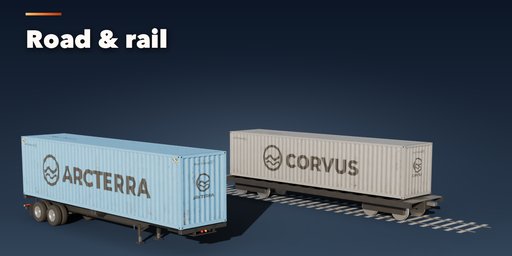
- Skeletal chassis, flatbed trailer and rail flatcar carriers
- Container yards with stacks, lanes, reefer rows and linked meshes
- Container homes, offices, cafés, shops and storage units with windows, decks, roofs and stairs
- Game-ready UV-mapped meshes, three detail levels (LOD), origin on the ground, Convert to Mesh
- Surprise Me, New Look and New Seed buttons
- Picture-driven sidebar and a Shift+A menu
- Works in Cycles and EEVEE
Requires Blender 4.2 or newer. Tested on Blender 4.2, 4.5 and 5.2 LTS.
How to use
Installation
In Blender open Edit, Preferences, Get Extensions, then use Install from Disk and pick the shipping_container_generator zip.
Usage
- Open the Container tab in the 3D viewport sidebar (N). With nothing selected, click the big picture to browse the presets, or open a group (Containers, Special, Carriers, Yards, Buildings) and pick one, then press Add to place it at the 3D cursor. You can also use Shift+A, Mesh, Shipping Container.
- With a container selected, the gallery at the top switches the whole setup to another preset. Surprise Me makes a random container, New Look keeps the container and paints a new line, color, lettering and wear.
- Doors: drag Doors Open (and Front Open, Side Open, Ends Folded or Flap Open where the type has them). Animate Opening keyframes the slider so the doors open over the frames you choose.
- The collapsible sections hold every setting: Type & Body (type, size, walls, roof, vents, reefer unit, tank frame), Door Styles, Carrier, Livery & Text (line, name, owner code, serial, paint, logo, font, stripe, sign), Wear & Damage and Detail & Export.
- Set Make to Yard for blocks of stacks (rows, bays, tiers, fill, lanes, mix) or to Building for a home, two storey house, studio, office, café, shop or storage row (windows, glazed end, cladding, roof, deck, stairs, awning).
- Convert to Mesh copies the result as plain meshes for export; Delete removes it with its parts and unused liveries.
All sizes are in meters. The root empty sits on the ground at the center of the container base, with the doors toward -X.
FAQ
Which Blender versions are supported?
Blender 4.2 and newer. It is tested on Blender 4.2, 4.5 and 5.2 LTS.
Can I use the containers in a game engine?
Yes. Every part is a UV-mapped mesh with Principled BSDF materials, and the livery, rust and wear are baked into one packed texture per look. Pick the Low detail level, use Convert to Mesh and export as usual (FBX, glTF). The origin sits on the ground.
Are the logos real shipping lines?
No. The 16 lines, their names and logos are fictional, so you can use them in any project. You can type your own name, owner code and serial; the check digit is computed for you.
Can I animate the doors?
Yes. The doors, flat rack ends and café flap turn on their hinges. Keyframe the sliders or press Animate Opening, and they move on playback and in renders.
Are the textures included?
Yes. The rust, wood and concrete textures are CC0 textures from Poly Haven, packed inside the addon; the liveries are painted by the addon.


