
 Models
 Materials
 HDRIs
 Scenes
 Brushes
 Node Groups
 Printables
 Creators
 Creations
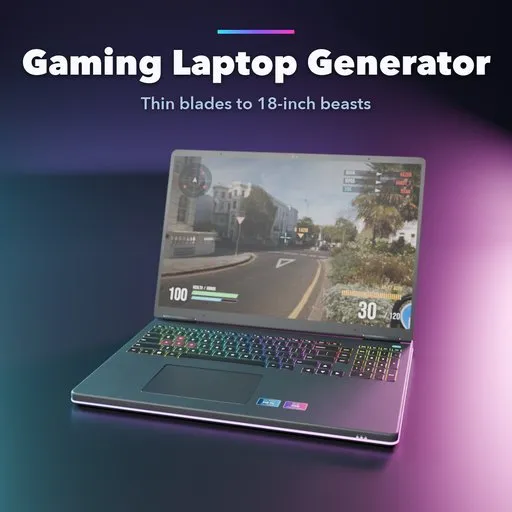
Overclock – Gaming Laptop Generator for Blender
 add-on
Complete gaming laptops in one click: 13 designs, 5 body styles, a real keyboard with RGB lighting, opening lid, ports, vents, lid LED designs and game screens, with PBR materials.
Explore all my Blender addons
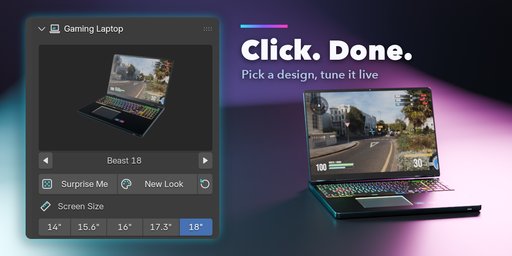
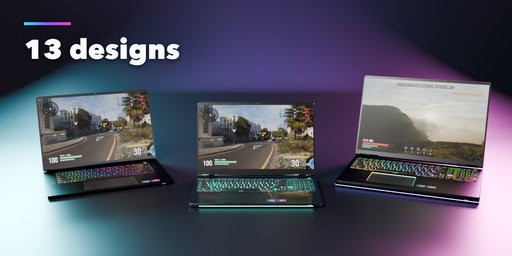
Overclock builds complete, real-scale gaming laptops in Blender with one click: the body, the keyboard with every key and its legend, the trackpad, the hinge, the vents, the ports, the lights, the lid and a screen that shows a game. Pick one of 13 designs from a picture gallery, change anything in the sidebar and the laptop rebuilds live.
The lid really opens. One Lid Angle slider swings it from closed to wide open on its hinge, and you can keyframe it.
What you get
- 13 ready-made designs: thin stealth blades, mainstream 16 inch machines with a rear bump, 18 inch beasts with a lit thermal shelf, budget models, a translucent-key neon laptop and a chunky retro desktop replacement
- 5 body styles, 14, 15.6, 16, 17.3 and 18 inch sizes, with thickness, front taper, rear extension, corner radius, edge profile and bezels to tune
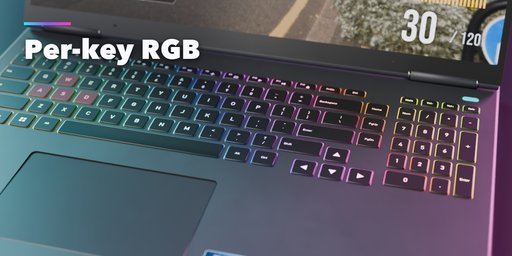
- A real ANSI keyboard: half-height function row, full or half-height arrows, an optional numpad, highlighted WASD keys and chiclet, mechanical or translucent keycaps; every legend is a crisp image texture, never mesh text
- Keyboard lighting: off, one color, four zones or a per-key RGB wave, with a matching light bar, lit vents, a glowing trackpad and a glowing lid logo
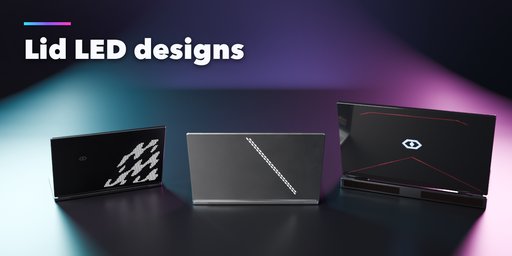
- Lid designs: plain, slash LED dashes, a dot-matrix LED panel, cut accent lines or two-tone, with 5 original emblems
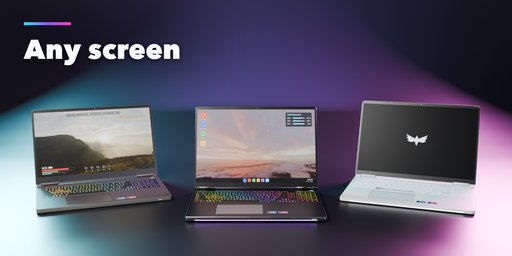
- Screens: a shooter, an adventure game, a desktop, a boot logo, off, or any image of your own
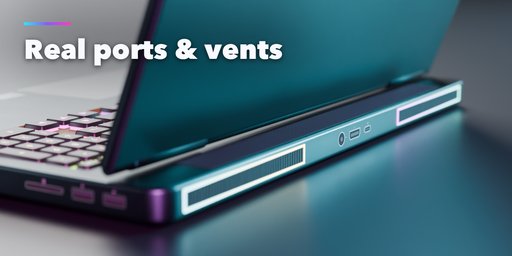
- Real ports (USB-A, USB-C, HDMI, Ethernet, audio, card reader), exhaust and intake grilles with fins, twin or full-width hinges, rubber feet and a webcam
- PBR materials that look right in Cycles, EEVEE and game engines: bead-blasted aluminum, matte, textured or glossy plastic in any color
- Surprise Me makes a random laptop; New Look keeps the body and changes colors, lights, lid and screen
- Editing one laptop never changes another, Shift+D and Alt+D copies included
Easy to use
Open the Laptop tab in the sidebar, click a design picture and the laptop appears at the 3D cursor. The main choices are big pictures on the first page; fine controls live in collapsible panels. Convert to Mesh turns the result into plain objects for export.
Requires Blender 4.2 or newer. Tested on Blender 4.2, 4.5 and 5.2 LTS. Works in Cycles and EEVEE.
How to use
Installation
In Blender open Edit, Preferences, Get Extensions, then use Install from Disk and pick the zip.
Usage
- Open the Laptop tab in the 3D viewport sidebar (N), or use Add, Gaming Laptop.
- Click a design picture, then Add Gaming Laptop. It appears at the 3D cursor.
- With the laptop selected, pick the screen size, body style, colors, keyboard light, lid design and screen on the first page; the panels below hold the body, keyboard, lights, lid, ports and materials details. The laptop rebuilds live.
- Drag Lid Angle to open and close the lid, or keyframe it.
- Surprise Me gives a random laptop, New Look new colors and lights; Reset goes back to the picked design.
- Convert to Mesh (Export panel) keeps the result as plain objects for export.
FAQ
Which Blender versions are supported?
Blender 4.2 and newer. It is tested on Blender 4.2, 4.5 and 5.2 LTS.
Can I put my own picture on the screen?
Yes. Pick Custom Image under Screen and choose any image file; it fills the panel and glows like a real display.
Can I use the laptops in games?
Yes. Laptops are clean meshes with UVs and PBR materials, key legends and logos are image textures, a Detail setting makes lighter meshes, and Convert to Mesh turns them into plain objects for export.
Are the brands real?
No. The designs follow real gaming laptop families, but every emblem and logo is our own, so you can use the renders anywhere.


