
 Models
 Materials
 HDRIs
 Scenes
 Brushes
 Node Groups
 Printables
 Creators
 Creations
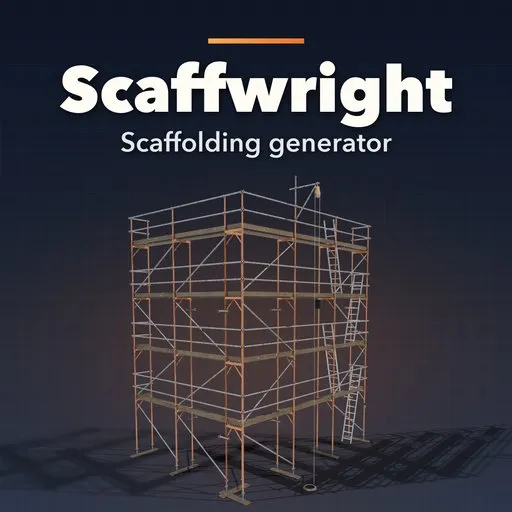
Scaffwright – Scaffolding Generator for Blender
 add-on
Photoreal procedural scaffolding: 46 designs across tube and coupler, Ringlock, Cuplock, Kwikstage, facade frames and mobile towers, with netting, hoists, stairs and Fit to Building.
Explore all my Blender addons
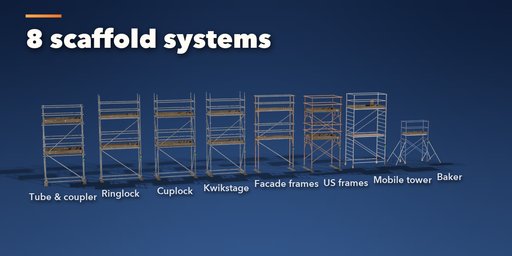
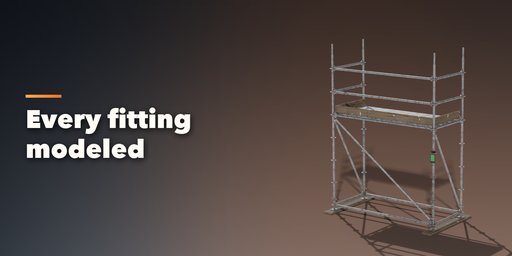
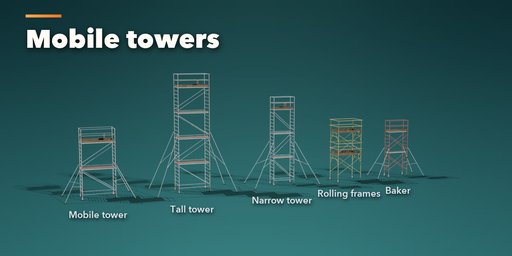
Scaffwright builds real scaffolding inside Blender in one click: classic tube and coupler with five-board lifts, Ringlock, Cuplock and Kwikstage system scaffolds, European facade frames, American walk-through frames, aluminium mobile towers and Baker scaffolds. Every tube is 48.3 mm, every bay and lift follows real sizes, and every coupler, rosette, cup, wedge, base plate, jack and castor is modeled, so it holds up in a close-up as well as across a street.
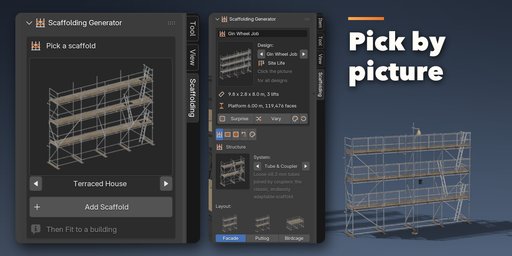
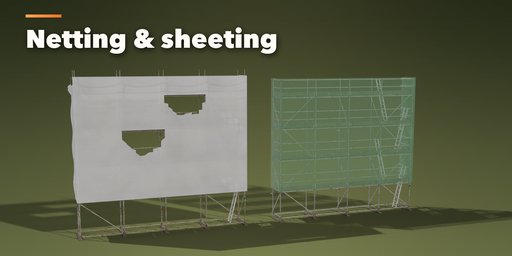
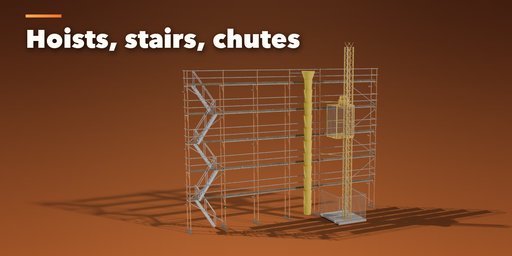
Pick one of 46 designs, from a terraced house front or a corner wrap to a birdcage, a stair tower, a mast hoist site or an abandoned, torn and rusting scaffold. Then change anything live: bays, lifts, bay length, width, lift heights, decks, guardrails, toe boards, brick guards, ladders or a stair tower, bracing, ties, sole boards, base plates or screw jacks. Wrap it in debris netting or sheeting that billows between the ties and tears in the wind, and add a gin wheel, a chain block, a mast hoist or a rubble chute.
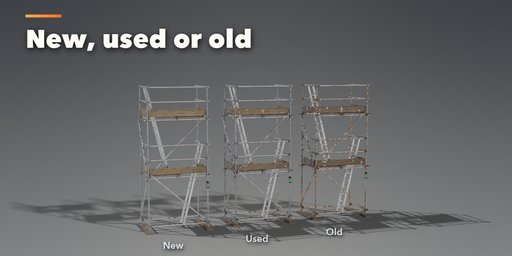
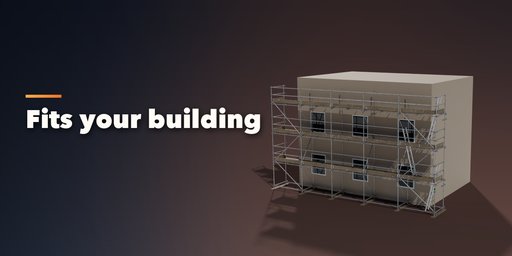
Select your building and press Fit to Building: the scaffold sizes its bays and lifts to the wall and stands off it by the right gap. New, Used and Old wear settles the rust, mud, mortar splashes and grey weathered boards for you.
Features
- 46 designs in five families: tube and coupler, system, frames, towers and site life
- 8 scaffold systems with real parts: couplers, rosettes, cups, wedges, frames and braces
- Facade, corner wrap, putlog, tower and birdcage layouts
- Timber boards, planks, steel decks or plywood decks on every lift, every other lift or the top only
- Ladders with ladder-gate openings or a full stair tower
- Debris netting and sheeting with billow and tears, in any color
- Gin wheel with bucket, chain block, mast hoist with cage, and rubble chutes
- Photo-scanned PBR materials: galvanized steel, weathered timber, plywood, knitted netting
- New, Used and Old condition, plus frame, clamp, hoist and netting colors
- Fit to Building, Surprise and Vary buttons, Shift+A menu and Convert to Mesh
- One mesh per scaffold with sensible face counts and Low, Medium and High detail
- Every face carries its lift and element type as attributes, ready for build-up animations
- Works in Cycles and EEVEE
Requires Blender 4.2 or newer. Tested on Blender 4.2, 4.5 and 5.2 LTS.
How to use
Installation
In Blender open Edit, Preferences, Get Extensions, then use Install from Disk and pick the scaffolding_generator zip.
Usage
- Open the Scaffolding tab in the 3D viewport sidebar (N). With nothing selected, click the picture to choose one of the 46 designs, or browse the five families, and add it at the 3D cursor. You can also use Shift+A, Mesh, Scaffold.
- To fit a building: select the scaffold, then Shift+click your building mesh and press Fit to Building. The scaffold covers the chosen face of the building and stands off it by the wall gap.
- The card at the top shows the design, the size, the number of lifts, the platform width and the face count. Surprise makes a new random scaffold, Vary changes the current one, the palette button picks new wear and colors and the arrow resets the design.
- The icon tabs hold every setting: Structure (system, layout, bays, lifts, sizes, base and bracing), Platforms (decks, guardrails, toe boards, brick guards, ladders or stairs), Cladding (netting or sheeting, billow, tears), Lifting (gin wheel, chain block, mast hoist, chute) and Finish (condition, colors, detail, seed).
- Convert to Mesh makes a plain copy for editing or export.
Each face stores two integer attributes, scaffold_stage (the lift it belongs to) and scaffold_group (standards, ledgers, decks, guardrails, cladding...), so you can grow the scaffold lift by lift with Geometry Nodes.
FAQ
Which Blender versions are supported?
Blender 4.2 and newer. It is tested on Blender 4.2, 4.5 and 5.2 LTS.
Which scaffold systems are included?
Tube and coupler (with putlog and birdcage layouts), Ringlock, Cuplock, Kwikstage, European facade frames, American walk-through, ladder and mason frames, aluminium mobile towers with outriggers, and Baker scaffolds.
Can I make it fit my building?
Yes. Select the scaffold and your building and press Fit to Building. It picks the number of bays and lifts for that wall and places the scaffold in front of the face you choose.
Is it usable in games?
Yes. Each scaffold is one mesh with UVs and image-based PBR materials, with a Low detail setting for lighter meshes. Convert to Mesh gives a plain mesh ready to export.
Does editing one scaffold change my other copies?
No. Every scaffold owns its mesh and materials. Shift+D and Alt+D copies are separated the moment you edit one of them.


