
 Models
 Materials
 HDRIs
 Scenes
 Brushes
 Node Groups
 Printables
 Creators
 Creations
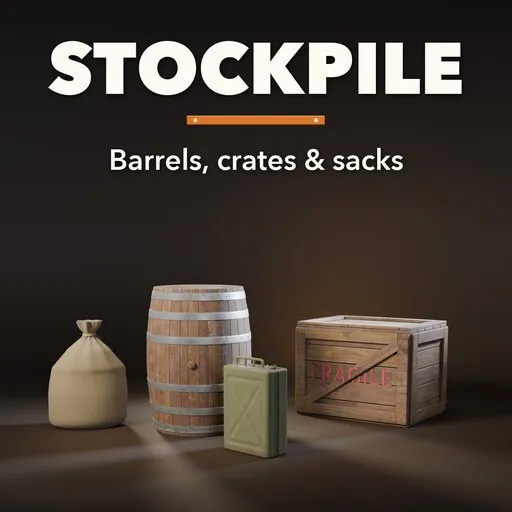
Stockpile – Barrel & Crate Generator for Blender
 add-on
Wooden barrels, oil drums, crates, sacks and jerry cans: 51 designs, clean, worn, rusty or broken, with photoreal PBR materials, contents and stacks.
Explore all my Blender addons
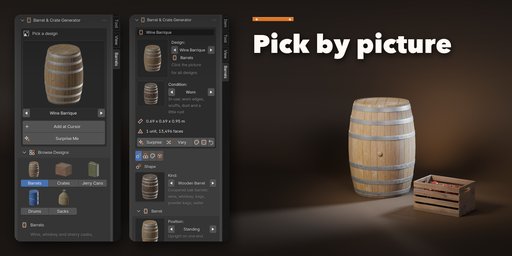
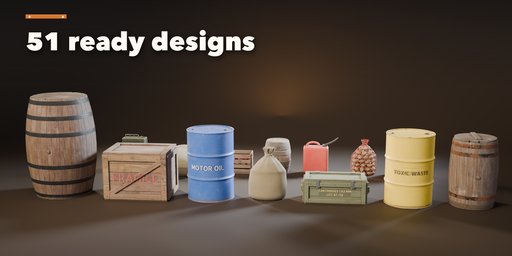
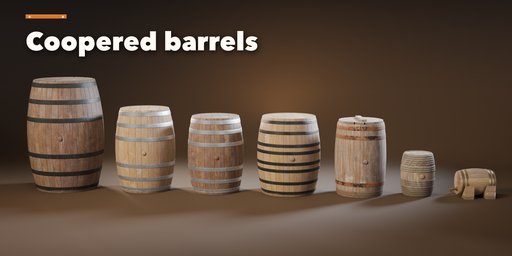
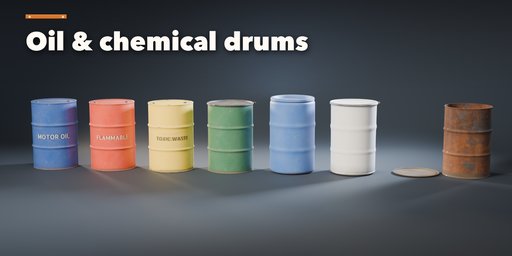
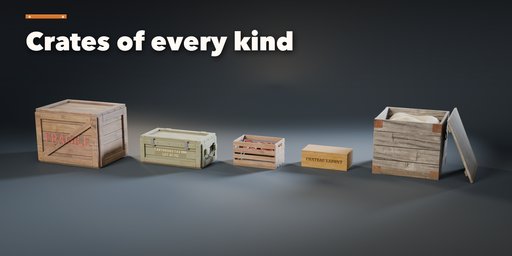
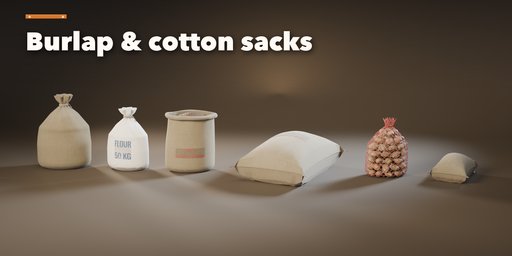
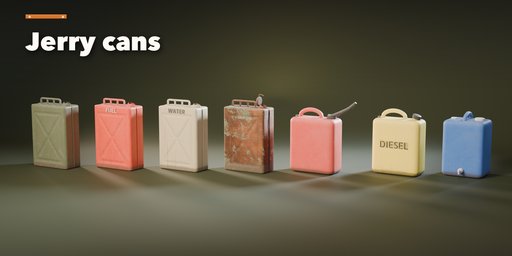
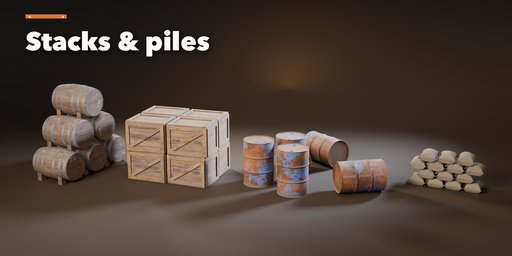
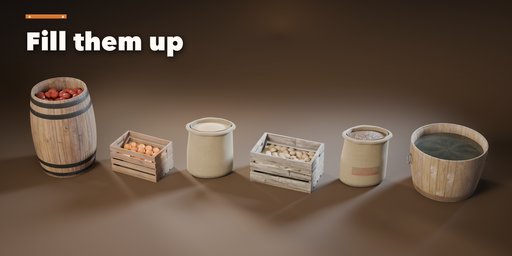
Stockpile builds the props every scene needs, right inside Blender: coopered oak barrels and whiskey casks, steel oil drums and plastic chemical drums, wooden shipping crates, fruit crates and ammo boxes, burlap grain sacks, coffee sacks and sandbags, and steel or plastic jerry cans. Pick one of 51 designs, change anything, and the model rebuilds live.
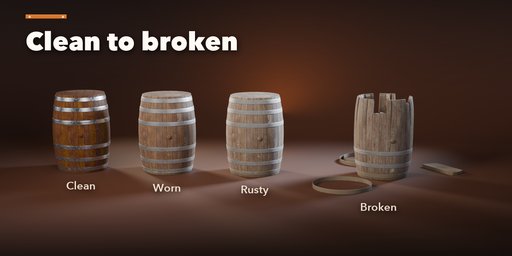
Every design can be Clean, Worn, Rusty or Broken with one click. Worn adds scuffed edges, dust and a little rust. Rusty turns wood silver grey, rusts the hoops and dents the drums. Broken really takes them apart: barrels lose staves and drop their hoops, crates lose and split boards, sacks tear and spill grain, and lids come off.
Materials are photorealistic PBR built on real Poly Haven photo textures: oak, pine, weathered and dark wood, plywood, hessian, linen, woven plastic, rust and sand. Grain runs along every stave and plank, edges wear through paint to bare metal, dirt gathers in the corners and mud near the ground. Stencils and printed words (FRAGILE, MOTOR OIL, COFFEE, your own text) are crisp image decals that follow the surface, never mesh text. They work in Cycles, EEVEE and game engines.
Fill open barrels, crates and sacks with apples, oranges, potatoes, grain, coffee beans, flour, sand, straw or water. Then lay out one unit, a row, a stack or a loose pile: cellar barrel pyramids, drum dumps with knocked-over drums, crate stacks, sack heaps and sandbag walls, all one object.
Features
- 51 designs in five families: barrels, drums, crates, sacks and jerry cans
- Barrels: wine barrique, Burgundy cask, whiskey barrel, sherry butt, tavern keg, powder keg, water barrel, half-barrel tub, barrel on a rack
- Iron, galvanized, brass or willow hoops; bung, tap, handles and branded heads
- Steel closed and open-head drums, plastic drums, burn barrels with stencilled labels
- Shipping, cargo, fruit, military, wine, medieval crates and harvest bins with lids on, ajar or off
- Tied, lying, open and net sacks in burlap, cotton or woven plastic
- Steel NATO jerry cans, plastic fuel cans and water canisters
- Clean, Worn, Rusty and Broken conditions plus wear, dirt, rust, weathering, damage and broken sliders
- Single, row, stack and pile layouts
- Surprise, Vary and Random Finish buttons
- Picture-driven sidebar, Shift+A menu and Make Plain Mesh
- Low, medium and high detail for game levels or close-ups
Requires Blender 4.2 or newer. Tested on Blender 4.2, 4.5 and 5.2 LTS.
How to use
Installation
In Blender open Edit, Preferences, Get Extensions, then use Install from Disk and pick the barrel_crate_generator zip.
Usage
- Open the Barrels tab in the 3D viewport sidebar (N). With nothing selected, click the picture to choose one of the 51 designs, or browse the five families, then click Add at Cursor. You can also use Shift+A, Barrels & Crates, or Surprise Me for a random design.
- The card at the top shows the design, its condition (Clean, Worn, Rusty or Broken), its size and face count. Surprise makes a new random design, Vary changes the current one a little, the palette button picks a new finish, the dice reshuffles the layout and Reset returns to the design.
- The tabs hold every setting: Shape (the barrel, drum, crate, sack or can itself, its lid and contents, hoops, planks, labels), Layout (single, row, stack or pile), Finish (wear sliders, wood, paint, metal, plastic, fabric and ink colors) and Output (detail, Make Plain Mesh, Delete).
- Make Plain Mesh turns the design into a normal mesh with its materials, ready to edit or export.
FAQ
Which Blender versions are supported?
Blender 4.2 and newer. It is tested on Blender 4.2, 4.5 and 5.2 LTS.
Are the models game-ready?
Yes. Each design is one mesh with UVs and PBR materials built from photo textures, and the Low detail setting keeps the face count down. Make Plain Mesh turns it into a normal mesh ready to export.
Can I put my own text on crates, drums and sacks?
Yes. Choose Custom as the stencil, label or print and type your text. It is an image decal that follows the surface, so it exports with the model.
Does editing one barrel change my other barrels?
No. Each design keeps its own mesh and materials. If a copy shares them, the edited one gets its own copy first.


