
 Models
 Materials
 HDRIs
 Scenes
 Brushes
 Node Groups
 Printables
 Creators
 Creations
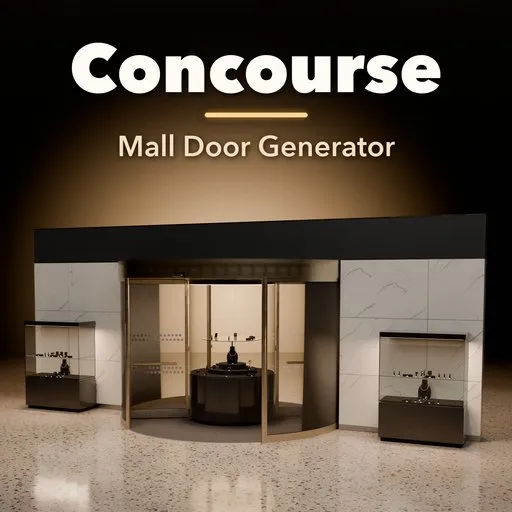
Concourse – Mall Door Generator for Blender
 add-on
Mall entrances in one click: 63 sliding, revolving, swing, folding and security doors that animate, with ads, real jewelry vitrines and an X-ray bag check.
Explore all my Blender addons
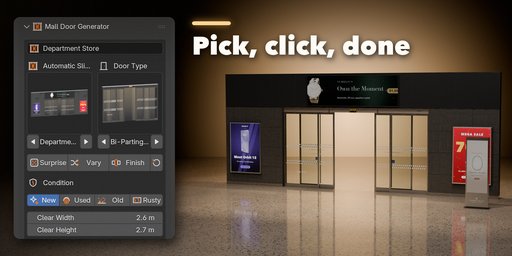
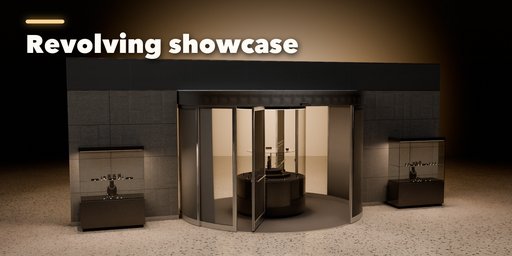
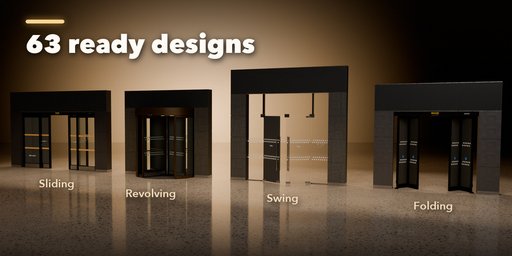
Concourse builds complete shopping-mall entrances inside Blender in one click: automatic sliding doors, revolving drums, storefront swing doors, folding shop fronts and security grilles, all standing in their real surround of clad piers, a signage band, entrance matting and a terrazzo floor. Pick one of 63 designs from the picture gallery, change anything in the sidebar and the entrance rebuilds live.
Every door moves the way the real one does. Keyframeable Open, Closure and Breakout channels drive the leaves with real door kinematics (soft start and stop, telescopic leaves travelling twice as far, vestibule doors staggered), and revolving wings turn with the timeline. One click writes a whole animation: an automatic open and close cycle with random pauses for foot traffic, a morning opening where the grille rolls up before the doors start, or a breakout demo.
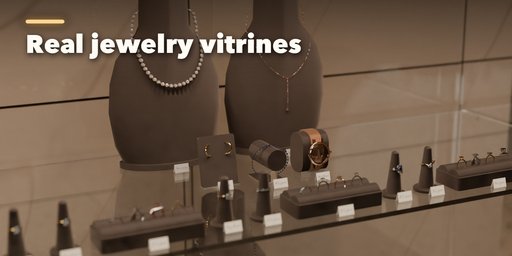
The entrances come with what malls put around them: backlit poster lightboxes, digital screens with a crossfading slideshow, vinyl graphics on the glass and ad totems, all with bundled ads or your own images. Jewelry vitrines and the round showcase inside a 2-wing revolving door hold real 3D jewelry: rings, earrings, necklaces, bracelets and watches with faceted gems on busts, ring trays and pillows, lit by real case lights.
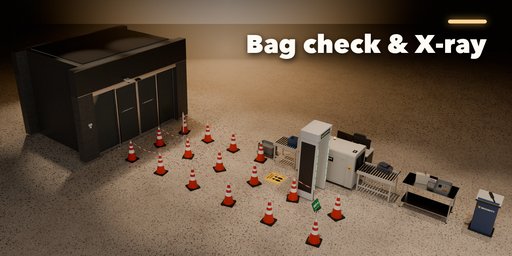
Turn on Security Check and the entrance gets a bag check behind the doors: an X-ray scanner with bags riding the belt through swinging lead curtains, live X-ray monitors, a walk-through metal detector, operator desk, guard podium and trays, with queue lanes fenced by cones and chain, posts, belt stanchions or velvet rope, and double door layouts (entry and exit side by side, or an outer and inner door line with a corridor between).
Door types
- Automatic sliding: bi-parting, single, telescopic, curved, full circular, breakaway (escape route) and vestibule airlocks
- Revolving: 2, 3 and 4 wings, large diameter, center jewelry showcase, book-fold escape wings, night doors, side doors
- Swing and exit: aluminium storefront pairs, frameless glass with patch fittings, automatic swing, panic exits
- Folding and stacking: automatic bi-folds, sliding-stacking shop fronts and horizontal sliding walls
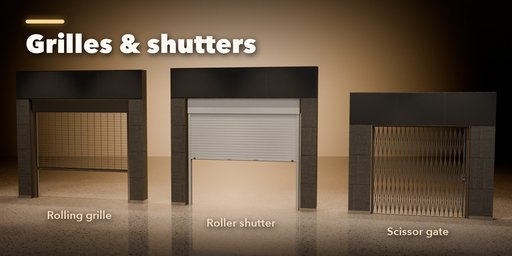
- Security: rolling grilles (straight, brick, perforated, vision), roller shutters, scissor gates, side-coiling grilles and counter shutters
Features
- 63 designs in 6 families, Surprise for a random entrance, Vary and Finish randomizers
- Animation channels Open, Closure, Breakout and revolving speed; Animate buttons for auto cycle, morning opening and breakout demo
- Real hardware: operator headers with joint covers, radar sensors with LEDs, safety beams, program switches, card readers, CCTV and air curtains
- Safety markings, AUTOMATIC DOOR, push and pull and opening hours decals on the glass, all as image textures
- Ads and displays: lightboxes, screens with slideshows, vinyl graphics and totems with bundled or your own images
- Jewelry vitrines and a round revolving showcase with real 3D jewelry and case lights
- Security checkpoint with X-ray scanner, moving bags, metal detector and cone-and-chain queue lanes
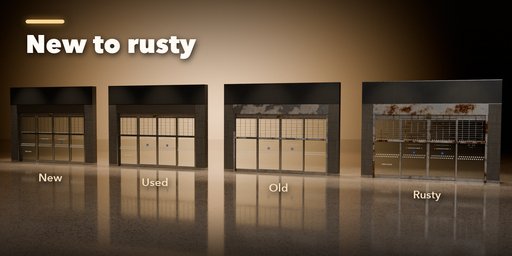
- Condition: New, Used, Old and Rusty (fingerprints, grime, faded vinyl, scratched frames, rusting grilles)
- PBR materials from real scans (terrazzo, marble, granite, stone, brushed metal, rubber, carpet) that work in Cycles, EEVEE and game engines
- Copies made with Shift+D or Alt+D stay independent
Requires Blender 4.2 or newer. Tested on Blender 4.2, 4.5 and 5.2 LTS.
How to use
Installation
In Blender open Edit, Preferences, Get Extensions, then use Install from Disk and pick the mall_door_generator zip.
Usage
- Open the Mall Door tab in the 3D viewport sidebar (N). With nothing selected, click the picture to choose a design from the gallery (or browse the families below it), then press Add Mall Entrance. It appears at the 3D cursor.
- With the entrance selected, the first page holds the design and door type pictures, Surprise, Vary and Finish, the condition (New, Used, Old, Rusty), the size, frame and glass, the Animation channels and the Security Check switch.
- Animation: drag Open (or Closure and Breakout where the door has them) or right-click to keyframe it. Auto Cycle, Morning Opening and Breakout Demo write the keyframes for you. Revolving doors turn with the timeline at the Speed you set.
- The tabs below hold every part: door options, security closures, surround (piers, signage band, canopy, floor, mats), glass markings and vinyl, Ads & Displays (posters, screens, totems, vitrines and jewelry) and output.
- Security Check adds the bag check behind the doors: choose the door layout, lanes, barrier style and the scanner, detector, desk and podium.
Each entrance is a root mesh plus one object per moving part with its pivot in place, so it exports cleanly to FBX or glTF. Selecting another object shows the add-new screen again.
FAQ
Which Blender versions are supported?
Blender 4.2 and newer. It is tested on Blender 4.2, 4.5 and 5.2 LTS.
Can I animate the doors?
Yes. Open, Closure (grilles, shutters, night doors) and Breakout are keyframeable channels, revolving wings turn with the timeline, and the Animate buttons write a full open and close cycle, a morning opening or a breakout demo in one click. The X-ray belt, its bags and the screen slideshows play with the timeline too.
Can I put my own ads on the screens and posters?
Yes. Pick one of the bundled ads, let every display show a different one, or choose your own image for the posters, vinyl and screens, or a folder of images for the screen slideshows.
Does it work in EEVEE and for game engines?
Yes. Materials are Principled BSDF with real photo textures and the glass stays see-through in EEVEE. Each entrance is a root mesh plus one mesh per moving part with its origin at the hinge or carriage, ready for FBX or glTF export.


