
 Models
 Materials
 HDRIs
 Scenes
 Brushes
 Node Groups
 Printables
 Creators
 Creations
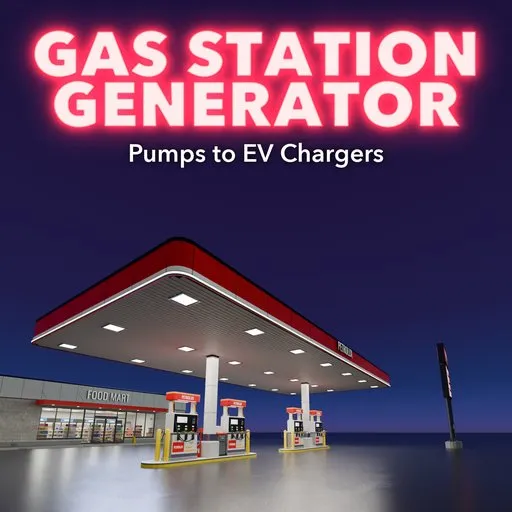
Gas Station Generator
 add-on
Procedural gas stations: 30 designs from 1930s globe pumps and Googie canopies to truck stops and EV charging hubs, with editable fictional brands, prices and PBR materials.
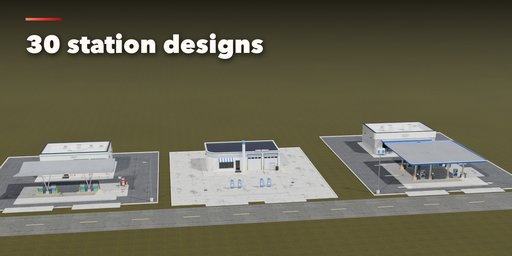
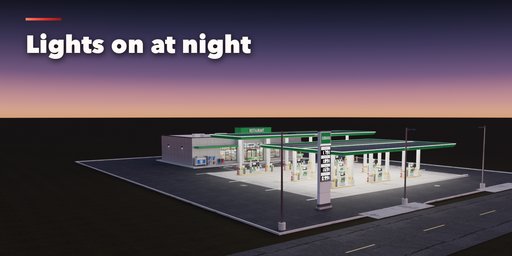
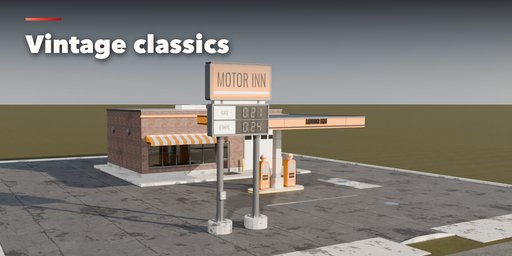
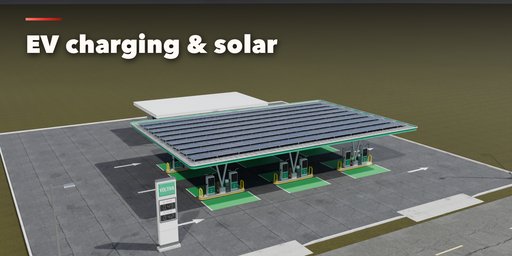
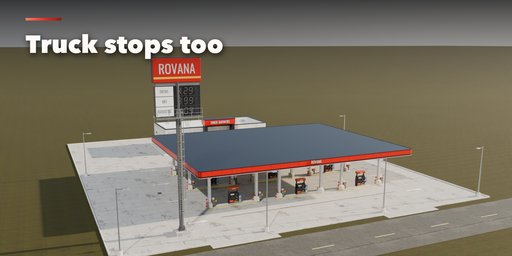
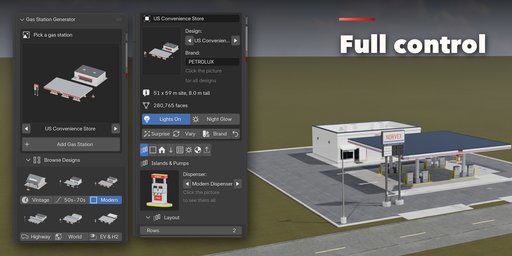
Gas Station Generator builds complete fuel stations inside Blender: the forecourt with its markings, pump islands, dispensers, the canopy, the store or service garage, a car wash, the price sign and the small props that make a station believable. Pick one of 30 designs, from a 1915 curbside pump in front of a general store to a solar-roofed EV charging hub, then change anything. Every part is a number, a choice or a switch, and the station rebuilds live as you drag.
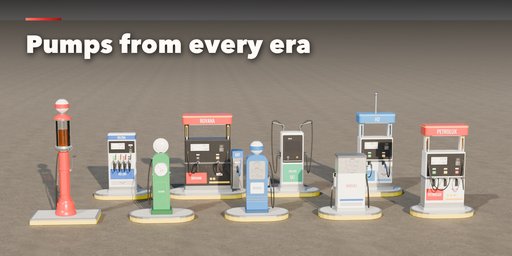
The designs cover stations across a century and around the world: cottage stations with porte-cocheres, Art Deco and oblong boxes with globe pumps, Googie butterfly and swoop canopies, 60s flat canopies with service bays, American convenience stores, slim European LED canopies, a motorway service area, Japanese overhead hose units, highway travel centers and truck stops with diesel lanes, a rural single-pump store, an outback roadhouse, tropical and alpine stations, a marina fuel dock, and new-energy stations for EV charging, hydrogen and LPG / CNG.
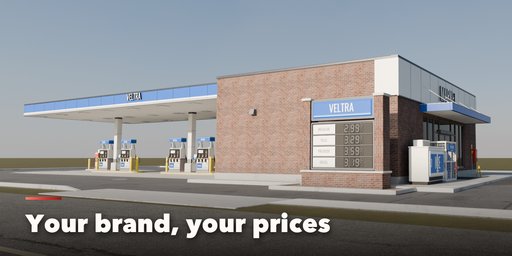
Brands are yours: every name on the sign, canopy and pumps is fictional and editable, with your own grades, prices and LED color. No real logos are used.
Features
- 30 designs in 6 groups: vintage, mid-century, modern, highway, around the world and new energy
- 12 dispensers: visible-glass, clock-face, Art Deco, 60s-80s boxy, modern multi-product, slim European, truck diesel with DEF, Japanese overhead hoses, DC fast charger, AC charging post, hydrogen and LPG
- 9 canopy styles: flat fascia, slim LED, butterfly, swoop, gabled, hipped, barrel vault, umbrellas and porte-cochere, with solar panels on any of them
- Buildings: kiosk, cottage, service bays, Streamline Moderne, convenience store, travel center, roadhouse and EV lounge, plus a drive-through car wash
- Price signs: pole, monument, totem and 1950s disc, with editable brand, grades and prices
- Islands with raised curbs or flush pads, crash posts, hoops or barriers, and mixed lanes (diesel, EV or hydrogen rows behind the cars)
- Forecourt paving, lane arrows, parking stalls, EV bays, tank fill caps, vent pipes and light poles
- Props: air and water machine, bins, ice chest, propane cage, extinguishers, oil rack and tires, LPG tank and hydrogen storage
- Night lighting: real canopy and pole lights with glowing signs, screens and LED bands
- Real sizes in meters, UV-mapped game-ready geometry, three detail levels and Convert to Mesh
- Surprise, Vary and Brand buttons for endless new stations
- Picture-driven sidebar with eight tabs and a Shift+A menu
- Works in Cycles and EEVEE
Requires Blender 4.2 or newer. Tested on Blender 4.2, 4.5 and 5.2 LTS.
How to use
Installation
In Blender open Edit, Preferences, Get Extensions, then use Install from Disk and pick the gas_station_generator zip.
Usage
- Open the Gas Station tab in the 3D viewport sidebar (N). With no station selected, click the big picture to browse the designs, or pick a group and a design, then press Add to place it at the 3D cursor. You can also use Shift+A, Mesh, Gas Station.
- The card at the top shows the design, the brand name, the site size and the face count. Lights On adds the canopy and pole lights; Night Glow makes signs and screens brighter for night shots. Surprise makes a new random station, Vary changes the current one a little and Brand paints a new fictional brand with new prices.
- The icon tabs hold every setting: Islands & Pumps (dispenser, hoses, a second kind for back rows, rows, islands, guards), Canopy (style, clearance, fascia, columns, LED band, lettering, downlights, solar), Building (kind, placement, size, roof, walls, bays, car wash, sign text), Sign & Brand (brand, grades, prices, sign type), Site & Props (paving, markings, tank caps, light poles, props), Lights, Finish (brand colors, paint, weathering) and Parts & Export (part visibility, detail level, Convert to Mesh).
- Convert to Mesh keeps the station as plain meshes; Delete removes it with all its parts and lights.
All sizes are in meters. The root empty sits on the ground in the middle of the pump islands; the street side is -Y. Grades and prices are comma separated lists. All brand names are fictional; type your own.
FAQ
Which Blender versions are supported?
Blender 4.2 and newer. It is tested on Blender 4.2, 4.5 and 5.2 LTS.
Can I use the stations in a game engine?
Yes. Every part is UV-mapped with its origin on the ground and uses Principled BSDF materials. Pick the Low detail level and use Convert to Mesh, then export as usual (FBX, glTF). The procedural surface details (brick, cells, grime) are shader based, so bake them if your engine needs textures.
Are real oil company logos included?
No. Every brand name is fictional and editable, and the colors are yours to choose, so the stations are safe for commercial work.


