
 Models
 Materials
 HDRIs
 Scenes
 Brushes
 Node Groups
 Printables
 Creators
 Creations
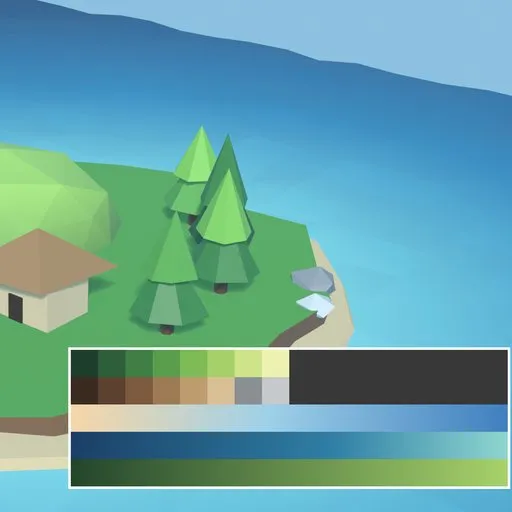
PaletteCraft Pro - Palette Textures & One-Click UV Snapping
 add-on
Color a whole low-poly scene with one texture and one material. Build the palette inside Blender, select faces, press Snap to Palette.
$14
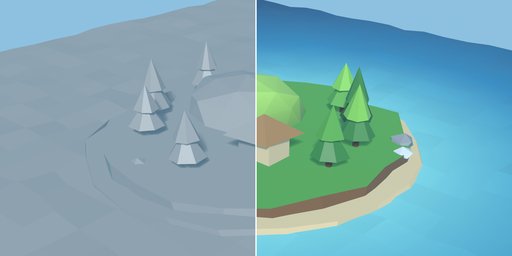
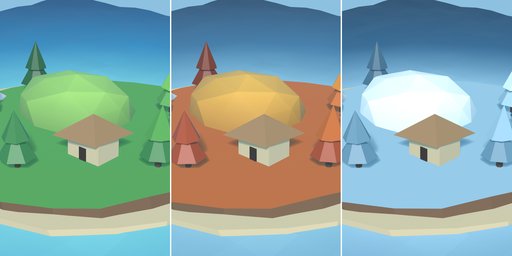
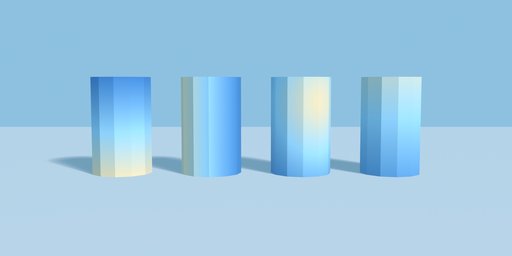
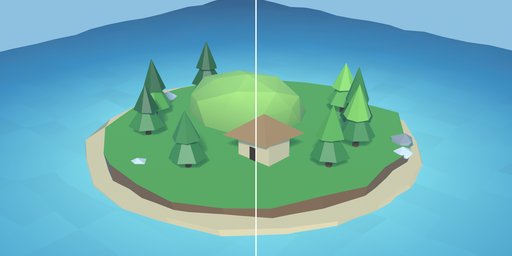
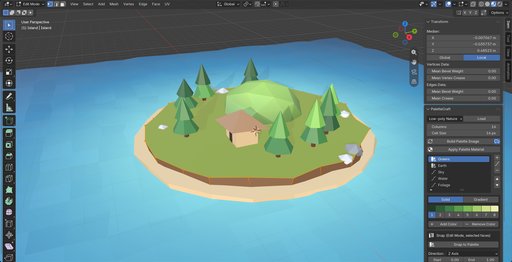
One texture, one material
Build one small palette texture inside Blender, select faces, press one button, and their UVs land on the color you picked. The island in the pictures (36 objects: water, beach, hill, trees, rocks, house) uses a single 256 x 128 palette texture and a single material. Every face was colored with PaletteCraft buttons. No unwrapping, no painting.
What it does- Palette editor in the sidebar of the 3D Viewport and the UV Editor (same panel in both). Solid rows (one color per cell) and gradient rows (2-8 stops, Linear / Ease / Constant).
- Snap to Palette: selected faces move onto the cell you clicked. Also in the Edit Mode and UV Editor right-click menus.
- Snap to Gradient: spread faces along a ramp by X / Y / Z axis, View direction or distance from the 3D cursor. Start / End, Invert, Per Object.
- Change a color and every face that uses it updates live. Swap a whole row to recolor the scene with the same UVs.
- Import palettes: Lospec .hex, GIMP / Krita .gpl, Paint.NET .txt.
- Bake to Vertex Colors for pipelines that use vertex colors instead of textures.
- Save Palette PNG for Unity, Unreal, Godot. The image is also packed into your .blend.
- 4 presets to start from: Low-poly Nature, Pastel, Retro 16, Mono + Accent.
- Blender 4.2.23 LTS and 5.2.2 LTS: 31 headless checks each (cell colors exact, gradient ends exact, save and reopen, PNG round trip, import of all three file types, multi-object apply).
- Snapping a 10,114-vertex mesh took 0.006 s (solid) and 0.028 s (gradient) in 5.2.
- Make low-poly or stylized assets for games and want 1 material instead of dozens.
- Want to try color variations of a finished scene without touching the UVs again.
- Need hand-painted or photo textures. PaletteCraft places UVs on flat colors and ramps. It does not paint details.
- Want to keep an existing unwrap on the same faces. Snapping replaces the UVs of the selected faces.
- Open the sidebar (N) in the 3D Viewport or the UV Editor and click the PaletteCraft tab.
- Pick a preset and press Load, or add your own rows.
- Select your objects and press Apply Palette Material.
- In Edit Mode select faces, click a color cell, press Snap to Palette.
- Up to 64 columns and 8 stops per gradient.
- View direction for gradients needs the 3D Viewport, not the UV Editor.
- Moving rows or changing Columns / Cell Size changes the layout, so snap again after a layout change. Editing colors is always safe.
Made with AI assistance. The add-on code was written with Claude (Anthropic).
Code license: GPL-3.0-or-later.
Bug reports: message Aisol Studio through Blendkit. Fixes for confirmed bugs in supported Blender versions for 12 months from purchase.
By


