
 Models
 Materials
 HDRIs
 Scenes
 Brushes
 Node Groups
 Printables
 Creators
 Creations
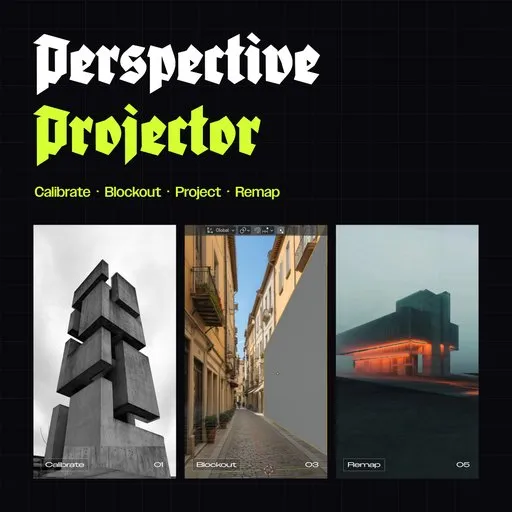
Perspective Projector
 add-on
Match a camera to a single photo, block out the scene, project the photo onto geometry and bake it into regular UVs and textures, all inside Blender.
$5
$3.35
Turn a single photo into a camera-matched 3D set without leaving Blender.
1. Calibrate- Load a photo and press Calibrate.
- The add-on finds the vanishing points and works out the focal length and camera rotation.
- It creates a projection camera with the photo as its background and sets the render resolution to the photo size.
- If the photo is hard to read, the line editor opens with the best guess already placed. This happens with one-point views, organic scenes and cropped photos. Drag the handles onto real edges and the camera updates live.
- Build the geometry to project onto by clicking on the photo: floor, walls, boxes (also boxes on a table or sticking out of a wall), boxes against a wall from their near edge, and ceilings.
- No floor in the photo? Pick a building corner and an assumed distance, and build the facades on a vertical reference plane.
- An alignment overlay draws the edges over the photo, so a misplaced object shows at once.
- With nothing selected, Project creates a card that exactly fills the camera's frame. With meshes selected (your blockout), it projects onto them instead.
- It adds a simple subdivision, a UV Project modifier with the photo's aspect, and an unlit material that is transparent outside the frame.
- A second, movable render camera is created. Move it to get parallax while the photo stays where it belongs.
- Remap bakes the projection into a regular UV map and texture, then removes the UV Project modifier.
- The object no longer depends on the projection camera: move it, bend it or paint on it.
- Surfaces the projection camera never saw (back faces, faces hidden behind other objects) get a flat Hidden colour instead of stretched photo; plug your own colour or texture into the Hidden node.
- Textures are saved next to your .blend file, or packed into it if the file has never been saved.
- Swap X/Y, camera height, pick the world origin on the photo, scale from a known distance.
- Focal length from a known size (two ground segments), from EXIF (35 mm equivalent) or entered by hand.
- Lens shift: renders with parallel verticals stay level, and an optional third line pair solves the shift of cropped or shifted photos.
- Each step is a single undo step, and the calibration is saved with the .blend file.
- Works offline: OpenCV is bundled, so nothing has to be installed.
- Lens distortion is not corrected. With converging verticals and only two line pairs, the optical centre is assumed at the centre of the image.
- Areas the projection camera could not see show a flat colour after Remap, not real content; paint them or plug in a texture.
- Before Remap, the live projection still puts the photo on faces the projection camera cannot see.
Blender 4.2 LTS or newer on Windows, macOS (Apple Silicon and Intel) or Linux.


