
 Models
 Materials
 HDRIs
 Scenes
 Brushes
 Node Groups
 Printables
 Creators
 Creations
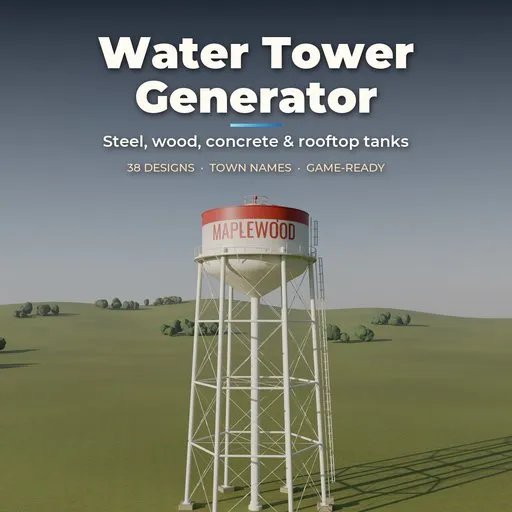
Water Tower Generator
 add-on
Procedural water towers: 38 real-world designs from American town towers, spheroids and rooftop wooden tanks to European brick towers, Soviet and Gulf concrete icons and novelty tanks, with your town's name painted on.
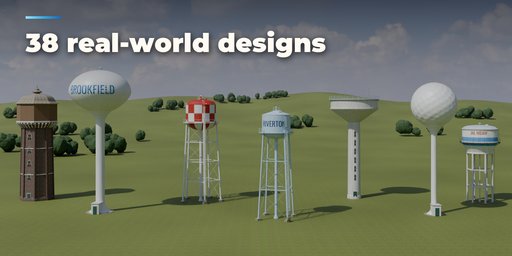
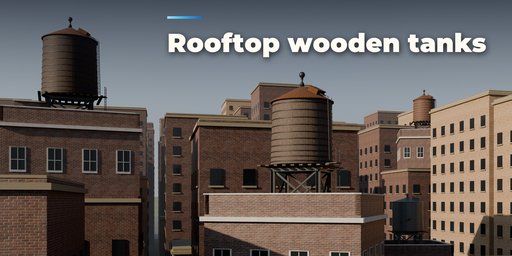
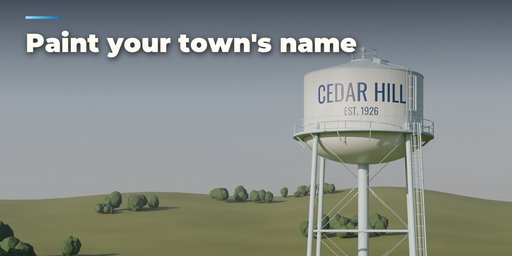
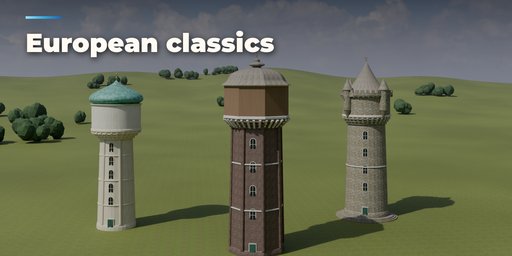
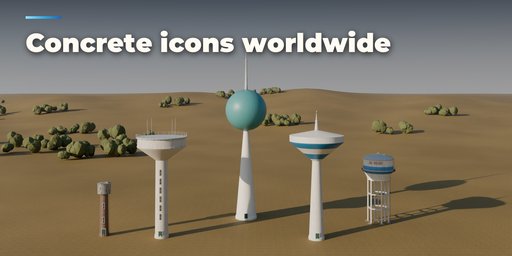
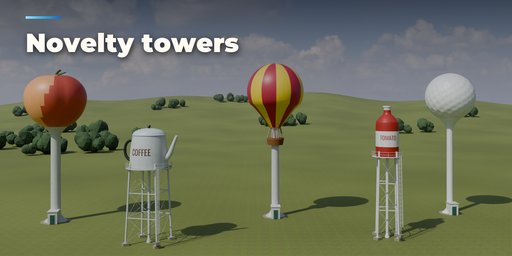
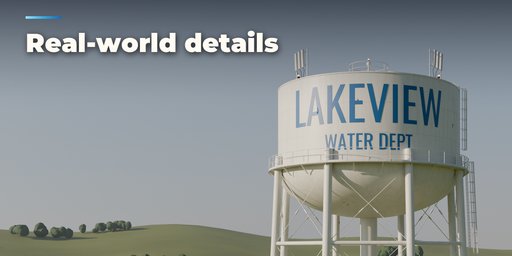
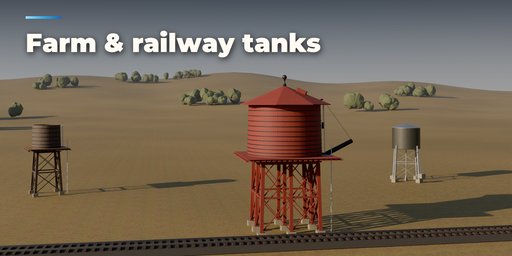
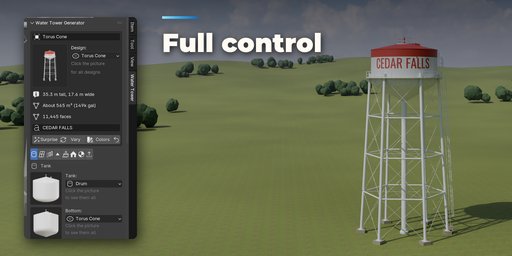
Water Tower Generator builds every kind of elevated water tank right inside Blender: the classic American town tower on four or eight steel legs with its name painted on the tank, pedestal spheroids, fluted columns, composite towers and hydropillars, wooden rooftop tanks on New York buildings, railway water stops with a swinging spout, brick and stone towers from Germany, France and the Netherlands, Soviet Rozhnovsky towers, Gulf mushroom towers, Indian concrete tanks on frames, farm and ranch tanks, standpipes, ground reservoirs, plastic tanks and novelty towers shaped like a peach, a coffee pot, a bottle, a balloon or a golf ball.
Pick one of 38 designs modeled on real towers, type your town's name, then change anything: the tower rebuilds live while you drag a slider. Everything is in real-world meters with the origin on the ground. Convert to Mesh or Make LODs turns a tower into plain, named, UV-mapped meshes with PBR materials based on scanned Poly Haven textures, ready for games and film.
Features
- 38 real-world designs in six families: steel legs, pedestal and modern, rooftop and farm, European, around the world and novelty
- 7 tank shapes (drum, sphere, spheroid, fruit, bottle, coffee pot, balloon), 6 bottoms including torus cone and Intze, 8 roofs from cones and domes to spires, onion and bell roofs
- 10 supports: steel legs with round, square, H-beam or latticed sections and tie-rod, X, K or strut bracing, pedestals, fluted and wide columns, brick, stone or concrete shafts, concrete frames, timber trestles, rooftop steel frames, small stands or straight on the ground
- Painted town name with a second line and a drop shadow, wrapped around the tank, plus solid, top, bands, checker and stripe paint patterns
- Catwalks and railings, caged ladders, roof ladders, railway spouts, turrets, finials, vents, hatches, cell antennas and red warning lights that can blink
- Bases: footings, a fenced pad, a plinth or the top of a city building
- Steel, wood staves, corrugated iron, plastic, concrete, brick, stone and plaster with weathering and rust
- Surprise, Vary and Colors buttons, a picture gallery in the sidebar and a Shift+A menu
- Game-ready: real scale, origin on the ground, named parts and materials in their own collection, three detail levels, Make LODs and Convert to Mesh
- Works in Cycles and EEVEE
Requires Blender 4.2 or newer. Tested on Blender 4.2, 4.5 and 5.2 LTS.
How to use
Installation
In Blender open Edit, Preferences, Get Extensions, then use Install from Disk and pick the water_tower_generator zip.
Usage
- Open the Water Tower tab in the 3D viewport sidebar (N). With no tower selected, click the picture to pick one of the 38 designs, or browse by family, then press Add Water Tower. You can also use Shift+A, Mesh, Water Tower.
- The card at the top shows the design, its height, width, water volume and face count. Type a name in the text field to paint it on the tank. Surprise makes a new random tower, Vary changes the current one a little, Colors picks a new paint job and the arrow resets the design.
- The icon tabs hold every setting: Tank (shape, bottom, roof, material and size), Support (legs, columns, shafts, frames and bracing), Access (catwalk, railings, ladders, spout and turrets), Top & Equipment (finial, vent, hatch, antennas and warning lights), Paint & Name (pattern, colors and lettering), Base (footings, pad, plinth or rooftop), Finish (roof covering, wood, plastic, weathering and rust) and Parts & Export (part visibility, detail, Convert to Mesh, Make LODs).
- Every tower stands with its origin on the ground in real meters. Each part is its own named object in the tower's collection, so you can hide parts, convert to plain meshes or make three LODs for a game engine.
FAQ
Which Blender versions are supported?
Blender 4.2 and newer. It is tested on Blender 4.2, 4.5 and 5.2 LTS.
Can I use the towers in a game engine?
Yes. Towers are built at real scale with the origin on the ground, UVs, named parts and PBR materials. Make LODs creates three joined meshes at high, medium and low detail, and Convert to Mesh gives you plain meshes to export.
Can I put my own town name on the tank?
Yes. Type it in the name field at the top of the panel. It is real geometry wrapped around the tank, with its own material, so you can pick the color, size, height and how many times it repeats around the tank.
Does it work in EEVEE?
Yes, in both Cycles and EEVEE. The materials use scanned CC0 textures from Poly Haven that ship with the addon.


