Models
 Materials
 HDRIs
 Scenes
 Brushes
 Node Groups
 Printables
 Creators
 Creations
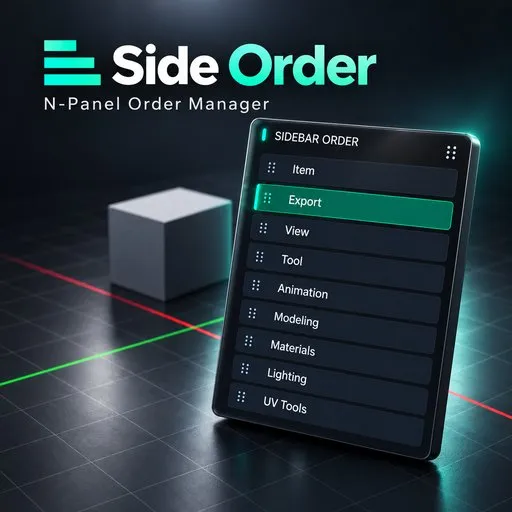
Sidebar Order
 add-on
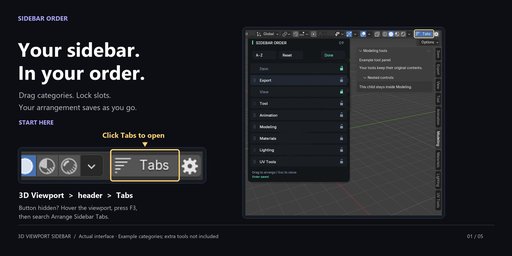
Arrange Blender's 3D Viewport sidebar tabs in a drag palette. Lock important categories, sort unlocked tabs and remember missing tools. Order and locks save automatically in your Blender configuration.
Put your sidebar in a useful order.
Keep the sidebar categories you use within reach. Arrange them in a separate drag palette, lock important slots and save the order automatically.
Where to open it
Click Tabs at the right end of the 3D Viewport header. The adjacent gear opens Manage Sidebar Tabs. If the header is too narrow, use F3 → Arrange Sidebar Tabs or Manage Sidebar Tabs.
Tools included
- Drag an unlocked row to reorder and save. Done, Enter or Escape closes the palette; Escape cancels only an unfinished drag.
- Lock categories in place. Blender's Item tab stays first.
- Alphabetize unlocked tabs while retaining fixed and missing slots.
- Move tabs up, down, first or last; Refresh or Reset.
- Keep slots for disabled tools, or clear them with Forget Missing Tabs.
Scope and compatibility
Order and locks persist in Blender's version-specific configuration and apply to all 3D Viewports. Reordering uses the separate palette, not dragging native tab buttons. No renaming, hiding, merging or named layouts.
Re-registering panels can reset their expansion state, and third-party failures can interrupt reordering. Use one sidebar organizer at a time. Reset cannot guarantee the exact earlier panel registration sequence. Visible tabs still depend on mode and panel checks.
This listing supplies the Blender 4.2–5.2 extension, version 0.1.3. Windows x64 tested; macOS and Linux unverified. The separate legacy installer is not included. Works offline. GPL-3.0-or-later. Other add-ons shown are not included. Developed with AI assistance.
Documentation and support
Full documentation · Tachyon Studio Discord
Created by Tachyon Studio.