
 Models
 Materials
 HDRIs
 Scenes
 Brushes
 Node Groups
 Printables
 Creators
 Creations
Treehouse Asset Pack – 37 Game-Ready PBR Treehouses
 add-on
37 different game-ready PBR treehouses: install once, then drag them from the Asset Browser or add them with Shift+A. Forts, cabins, villages, tree hotels and more.
Explore all my Blender addons
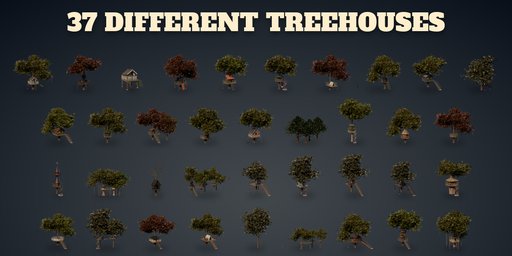
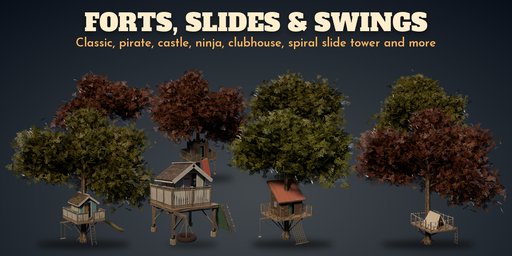
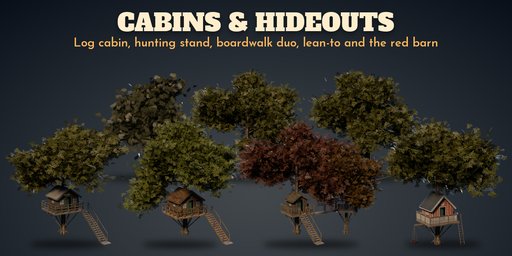
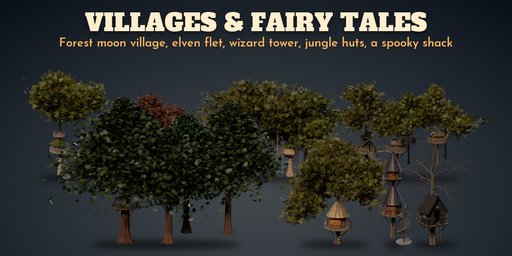
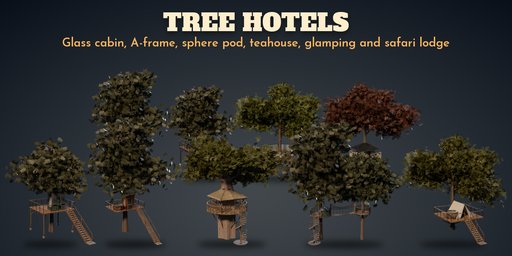
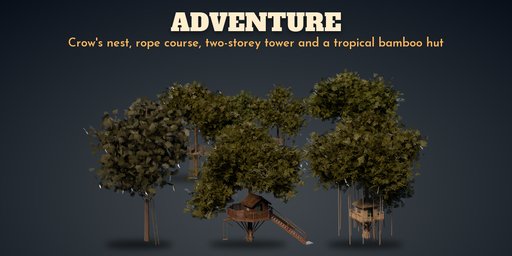
37 different treehouses, one of every design of our Treehouse Generator, ready for your scenes and games: kids' forts, pirate lookouts, rustic cabins, fantasy villages, elven flets, glass cabins, A-frames, sphere pods, rope courses and a crow's nest.
Install it like any extension. The treehouses then show up in the Asset Browser under their own library, and in the Add menu (Shift+A > Treehouses), which places the picked treehouse at the 3D cursor.
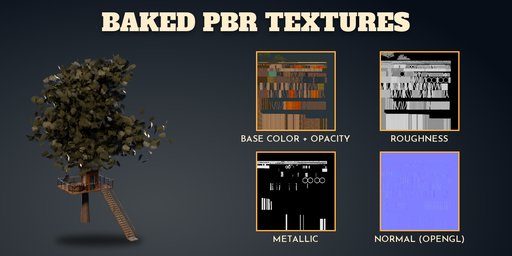
Each treehouse comes with its host tree as one clean, real-world scale mesh with a non-overlapping UV atlas and one PBR material (Base Color with leaf opacity in its alpha, Roughness, Metallic, Normal, Emission for string lights), plus a small see-through glass mesh.
What is inside
- Kids: Classic Kids Treehouse, Pirate Lookout, Playhouse on Stilts, Castle Fort, Clubhouse, Spiral Slide Tower, Treetop Tent, Ninja Hideout
- Rustic: Rustic Cabin, Hunting Stand, Log Cabin, Forest Hideout, Boardwalk Duo, Lean-To Shelter, Red Barn Treehouse
- Fantasy: Forest Moon Village, Elven Flet, Fairy Cottage, Acorn Pod, Wizard Tower, Jungle Huts, Spooky Shack, Treetop Township
- Luxury: Modern Glass Cabin, Cantilever Cabin, Tree Hotel Suite, Nordic A-Frame, Safari Lodge, Yoga Deck, Sphere Pod Suite, Zen Teahouse, Glamping Tent
- Adventure: Crow's Nest, Rope Course, Wraparound Deck Cabin, Two-Storey Tower, Tropical Bamboo Hut
Details
- 37 treehouses at the highest detail level, from a playhouse on stilts to a multi-tree township
- New, used and old weathered conditions, different seasons and colors
- Game-ready PBR textures (metal/roughness), 2K maps (4K for the two villages), OpenGL normal maps
- Static models, ready for the Asset Browser and the Add menu
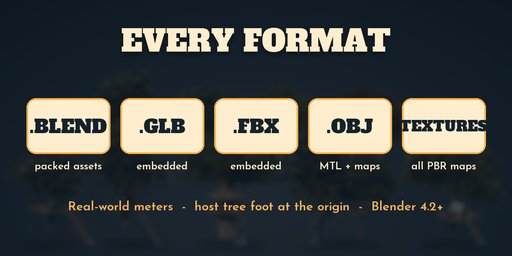
- Real-world meters, the foot of the host tree at the origin, ground at z = 0
Works in Blender 4.2 and newer (tested on Blender 4.2, 4.5 and 5.2 LTS). The GLB, FBX and OBJ files are in the Superhive and zegstore.com downloads; this extension holds the Blender asset library.
How to use
- Edit, Preferences, Get Extensions, the arrow menu at the top right, Install from Disk, and pick the downloaded zip (do not unzip it).
- Add a treehouse with Shift+A, Treehouses, or open an Asset Browser and pick the Treehouse Asset Pack library, then drag one into the scene.
- Each added treehouse is a normal collection you own: move it, edit it, or export it to GLB/FBX for a game engine.
Disabling or uninstalling the extension removes its Asset Library entry again.
FAQ
How do I add a treehouse?
Shift+A, Treehouses, then pick one: it is placed at the 3D cursor. Or open the Asset Browser, choose the Treehouse Asset Pack library and drag one in.
Can I use the treehouses in a commercial game or render?
Yes. Use them in personal and commercial renders, animations, games and apps. You may not resell or share the models or textures themselves as assets.
Do the materials work outside Blender?
Yes. Every treehouse uses one standard metal/roughness PBR material built from image textures, which glTF and FBX export read directly.


